
Opt Out Guides
TruthFinder Opt Out Guide
Before You Opt Out of TruthFinder, Check Your Exposure
Privacy Writer
A. J. MercerAva J. Mercer
Updated
Read
5 min
Before You Opt Out of TruthFinder, Check Your Exposure
Removing personal information from TruthFinder matters. Listings can expose your name, address, phone numbers, and other private information. TruthFinder is a people search site that aggregates records from public sources and commercial databases. It displays profiles that may include personal data in search results.
How to opt out of TruthFinder
Visit the privacy/suppression page, submit identifiers, and complete verification (you need to verify your email). Processing usually takes several days after confirmation.
Checklist:
- Open the privacy rights page
- Enter your email address and verify it
- Submit your identifiers
- Select your record and remove your info
- Save the confirmation email
- Set a reminder to re-submit opt-out requests if needed
Find out if your private details were exposed
TruthFinder – Quick Facts
| Parameter | Value |
| Domain | truthfinder.com |
| Data Types | contacts, addresses, online profiles, possible social identifiers |
| Opt-out Methods | web form/email |
| Identity Verification | link via email |
| Typical Response Time | several days |
| Re-listing Risk | medium |
TruthFinder is a people search service and data broker. It aggregates and displays information using public records and commercial sources. The website makes this information searchable to help users find background details, while claiming compliance with data privacy laws and consumer privacy standards, thus prompting some users to search for the best data removal service to reduce their exposure.
Common data you may find:
- Names and known aliases
- Phone numbers
- Email addresses
- Current and past addresses
- Date of birth or age range
- Relatives and household links
- Property ownership records
- Court records and criminal records
- Social media profiles
Step-by-Step Guide
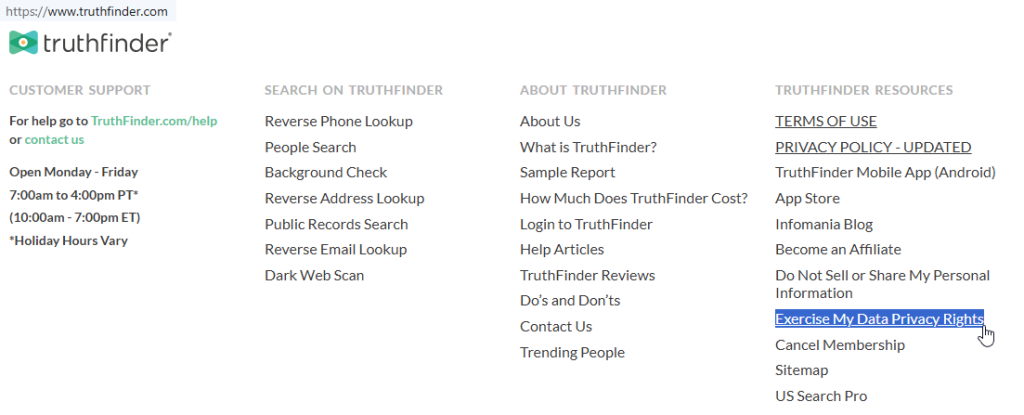
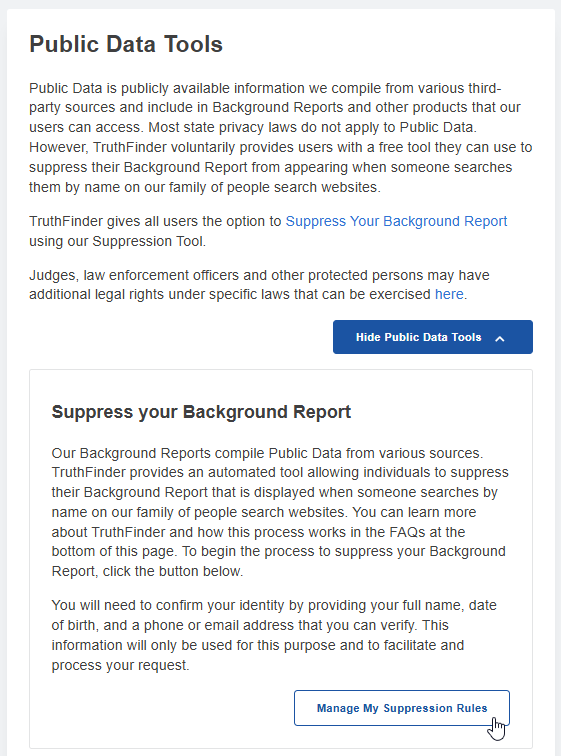
Open the privacy rights page
Go to the official suppression page. This page may redirect through PeopleConnect, which manages suppression for multiple popular people search sites. Look for the button labeled “Manage My Suppression Rules.” Avoid screenshots with visible data; blur sensitive fields before saving anything to protect your personal info.
Enter your email and complete verification
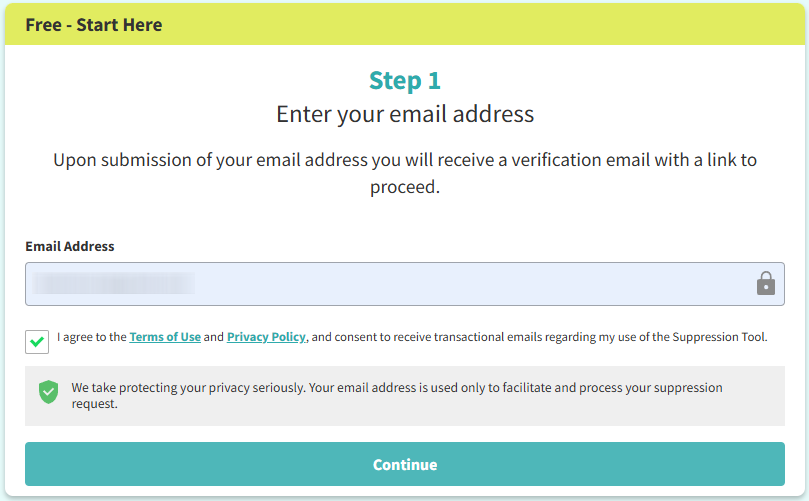
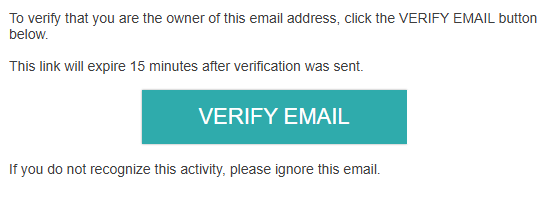
Enter your email address exactly as requested. You’ll need to verify ownership by clicking a link. If the message does not arrive, check the Spam or Promotions folders. This step is essential to ensure that your personally identifiable information is protected.

Submit identifiers
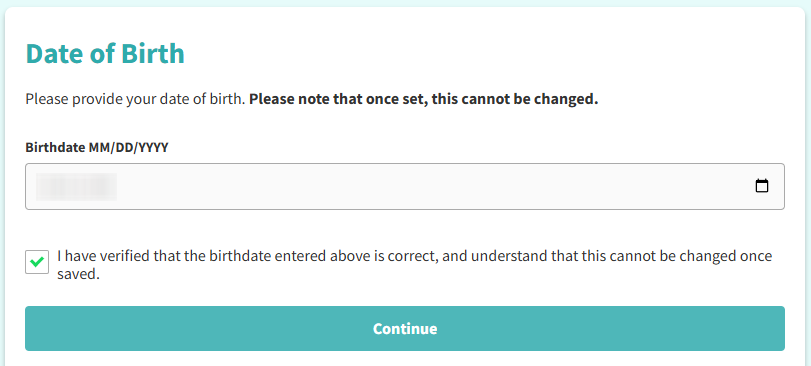
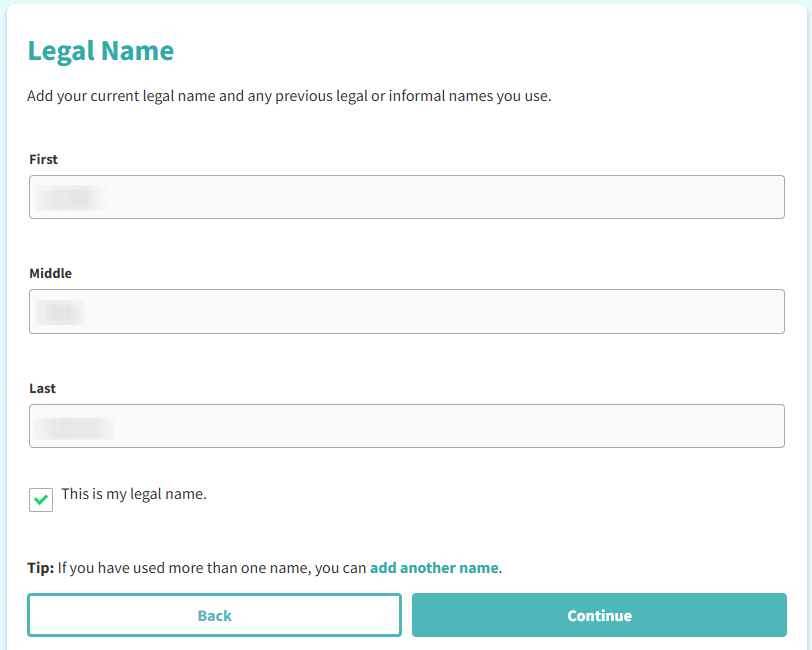
Provide your full name and enter your date of birth. The system can find matching profiles in the database. Only submit what is required and do not share extra personal data. This helps remove your personal information accurately.
Confirm deletion
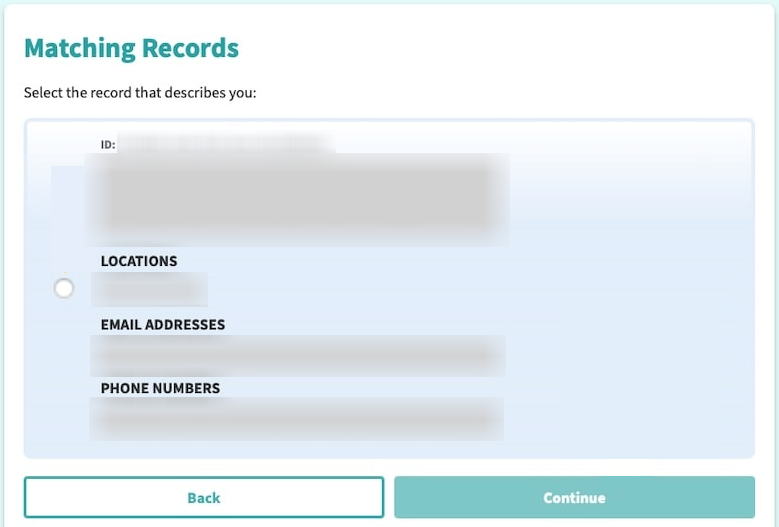
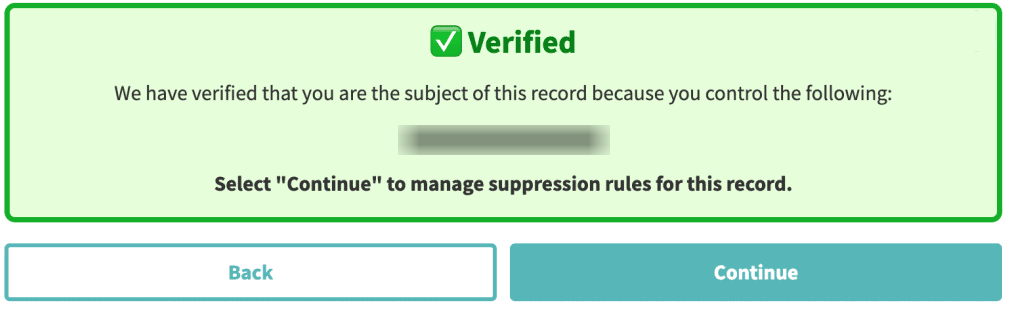
After you select your record, confirm your request. The page may say “Remove Your Data from TruthFinder,” “Suppression,” or similar wording. Completion usually triggers an on-screen confirmation and an email notice.
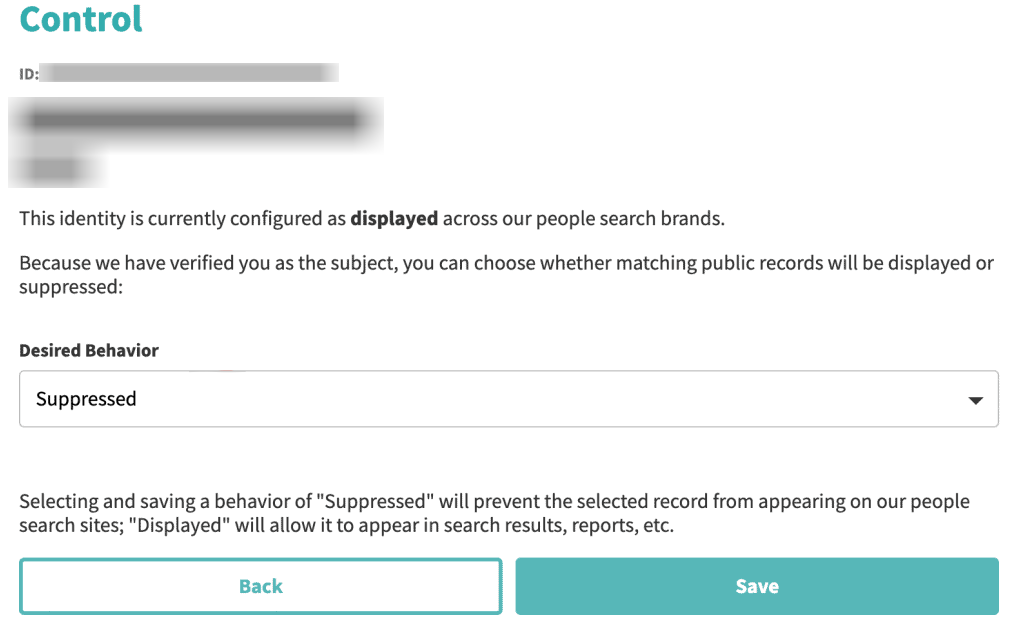
Track confirmation & timeline
Save all confirmation messages. TruthFinder opt-out process timelines vary, but most data removal requests are processed within several days. Keep records in case you need customer support or to follow up.
Timelines, Verification & What to Expect
Most requests are acknowledged immediately by email. Verification typically occurs through a confirmation link. Data removal often completes within several days. However, some removals may take longer due to third-party feeds. If nothing changes after the stated window, submit a follow-up through customer support. You may also need to repeat the opt-out process once.
Edge Cases & Troubleshooting
- No access to original email/phone: use another email and explain in notes if available.
- “Record not found”: try alternate name formats or addresses.
- CAPTCHA errors: refresh and retry later.
- Code not arriving: request a verification code again and check Spam.
- Region blocked (EU/UK/CA): use privacy rights contact instead.
- Account vs listing confusion: cancel account separately if you use TruthFinder.
- Failed submission: wait 24 hours and resubmit removal requests.
Will my data reappear?
Listings can reappear because data brokers collect updates from public records and third parties. Another data broker or sites like TruthFinder may republish similar details. To protect your privacy, set a reminder every 3–6 months to check and re-submit opt-out requests. Keep confirmation emails and consider addressing other data broker sites. This reduces identity theft risks.
Manual vs Assisted Removal
Manual:
Pros
- direct control of your information;
- costs nothing;
- you decide when to re-check listings.
Cons
- requires time and repeated monitoring.
Assisted:
Pros
- you remove your data faster,
- handle verification,
- track the process,
- and monitor re-listing across data broker sites.
Cons
- you still need to confirm identity and consent.
We remove your data for you - faster, verified, trackable.
Discover Which Sites Share Your Private Details—Instantly and Free.
FAQ
TruthFinder is one of many data brokers. It collects and sells aggregated public information. TruthFinder uses public records, commercial sources, and third-party data.
Opt out of TruthFinder by submitting a request through the official page.
Most opt-out requests are completed within several days, though re-listing risk remains.
This procedure prevents unauthorized deletion and protects personal data.
TruthFinder is a legitimate people search platform, not a consumer reporting agency under the Fair Credit Reporting Act.
TruthFinder claims it does not sell any user data directly. However, it may share your information in accordance with its privacy policy.
Yes, you can unsubscribe separately if you use TruthFinder subscriptions.
Re-submit opt-out requests and keep confirmation emails.
Removal suppresses public listings but cannot erase public records.
Limit what you share your information online, monitor search sites, and repeat personal information removal regularly.
TruthFinder is one service operated by PeopleConnect.

Posted by Ava J. Mercer
More People Search Removal Guides
- 411.com Opt Out Guide
- Absolute People Search Opt Out Guide
- Advanced People Search Opt Out Guide
- AnyWho Opt Out Guide
- BeenVerified Opt Out Guide
- CheckPeople Opt Out Guide
- CheckSecrets Opt Out Guide
- CocoFinder Opt Out Guide
- ContactOut Opt Out Guide
- DOBsearch Opt Out Guide
- FamilyTreeNow Opt Out Guide
- FastBackgroundCheck Opt Out Guide
- Find People Fast Opt Out Guide
- FindPeopleSearch Opt Out Guide
- FreePeopleDirectory: Opt Out Guide
- FreePeopleSearch Opt Out Guide
- GladIKnow Opt Out Guide
- GoLookUp Opt Out Guide
- IDCrawl Opt Out Guide
- Information.com Opt Out Guide
- Inforver Opt Out Guide
- Instant Checkmate Opt Out Guide
- InstantPeopleFinder Opt Out Guide
- Kiwi Searches Opt Out Guide
- MyLife Opt Out Guide
- Nuwber Opt Out Guide
- OfficialUSA Opt Out Guide
- PeekYou Opt Out Guide
- PeopleByName Opt Out Guide
- PeopleFinder Opt Out Guide
- PeopleFinders Opt Out Guide
- PeopleLooker Opt Out Guide
- PeopleLookup Opt Out Guide
- PeopleSearch Opt Out Guide
- PeopleSearchNow Opt Out Guide
- PeopleSmart Opt Out Guide
- PeopleWhiz Opt Out Guide
- PersonSearchers Opt Out Guide
- Persopo Opt Out Guide
- PrivateEye Opt Out Guide
- PrivateRecords Opt Out Guide
- Public Data Check Opt Out Guide
- Public Data USA Opt Out Guide
- Public Records 360 Opt Out Guide
- PublicRecordsNow Opt Out Guide
- Quick People Trace Opt Out Guide
- Radaris Opt Out Guide
- RealPeopleSearch Opt Out Guide
- SearchPeopleFREE Opt Out Guide
- SearchUSAPeople Opt Out Guide
- Semcasting Opt Out Guide
- Social Catfish Opt Out Guide
- Spokeo Opt Out Guide
- ThatsThem Opt Out Guide
- TruePeopleSearch Opt Out Guide
- TruthFinder Opt Out Guide
- UnMask Opt Out Guide
- US Search Opt Out Guide
- USA People Search Opt Out Guide
- USATrace Opt Out Guide
- Veripages Opt Out Guide
- Whitepages Opt Out Guide
- Wyty Opt Out Guide
- ZabaSearch Opt Out Guide


