
Opt Out Guides
ContactOut Opt Out Guide
Before You Opt Out of ContactOut, Check Your Exposure
Privacy Writer
A. J. MercerAva J. Mercer
Updated
Read
5 min
Before You Opt Out of ContactOut, Check Your Exposure
Removing a record from ContactOut matters because the site can expose a name, address, email, and phone numbers in an accessible directory. This, in turn, raises privacy risk and can lead to unwanted contact. This professional platform indexes publicly available information from websites and social media, then matches it to a person.
How to opt out of ContactOut
Use the official opt-out form, enter your email address, open the verification link, then add the record link and the requested data. Deletion may take 24 hours, while some requests may be processed within one week.
Checklist:
- Search for your record
- Copy the profile URL
- Open the privacy page
- Verify your email
- Complete the CAPTCHA
- Submit identifiers
- Paste the profile URL
- Save the confirmation message
- Set a reminder to re-opt out
Find out if your private details were exposed
ContactOut – Quick Facts
| Parameter | Value |
| Domain | contactout.com |
| Data Types | contact data, email, phone numbers, employer, job titles, social profiles |
| Opt-out Methods | web form/email |
| Identity Verification | verification link |
| Typical Response Time | 24 hours to 1 week |
| Re-listing Risk | medium |
ContactOut is a people search platform focused on professional information and sales technology. It indexes publicly available addresses from websites and social media, uses AI matching, and accepts requests through a web form or support inbox.
Common data you may find:
- Names and detailed profile links
- Work email
- Phone numbers
- Employer and team
- Job titles
- Social profiles
- Industry or company page
Step-by-Step Guide
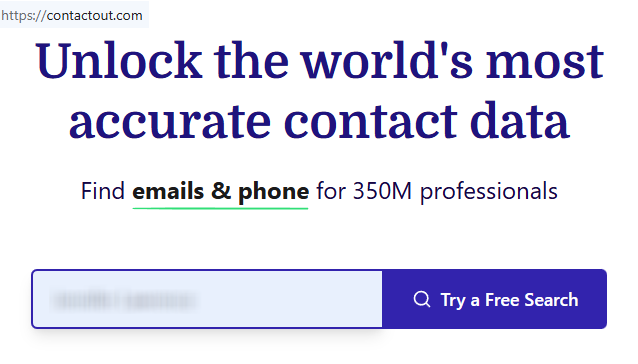
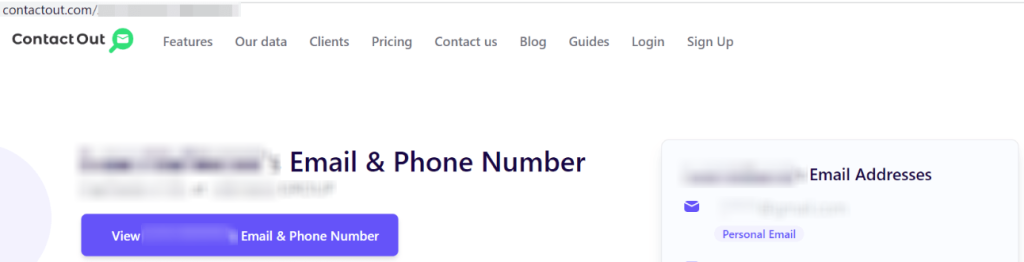
Search for your record and copy the profile URL
Open the site, use the search tools, and locate the matching record. Copy the full URL, not a results page. If you save proof for yourself, blur personal information in screenshots first.
Open the privacy page and pass verification
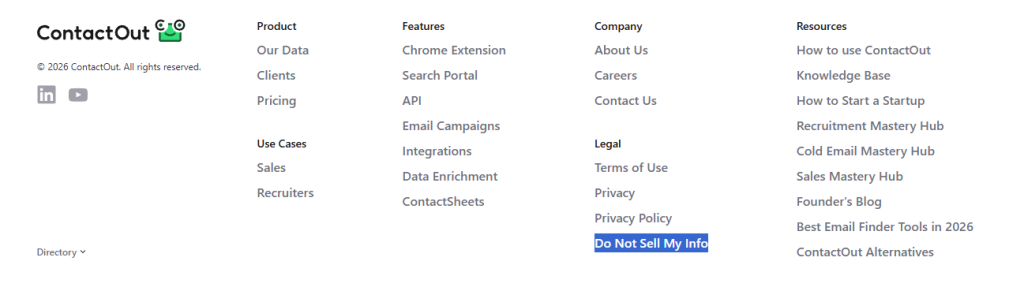
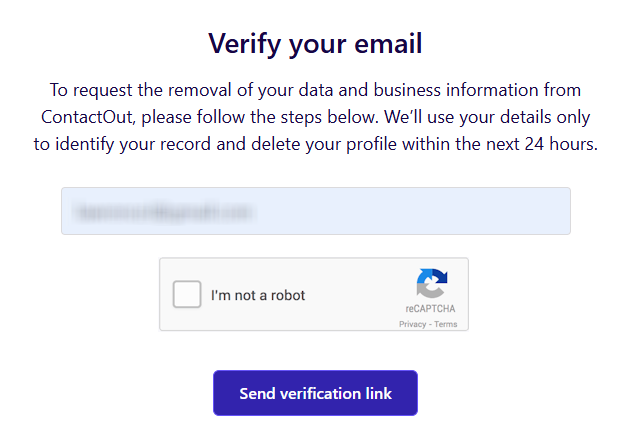
Go to the privacy request page, enter your email address, and use the link that arrives to verify your request. Check Spam before trying again. Tip: Use the same inbox throughout the whole process so the records correspond.
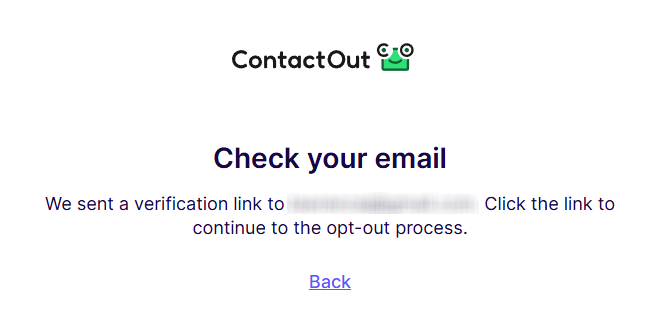
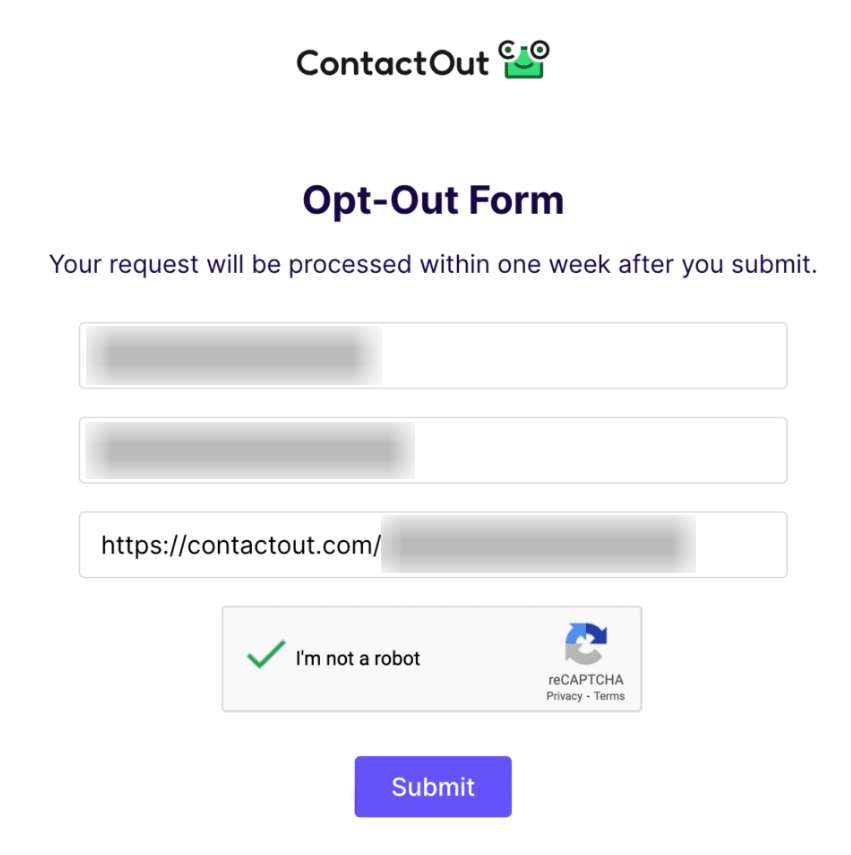
Submit your identifiers and paste the URL
After verification, use the link and add the minimum information requested to match the record. Review everything before you send it.
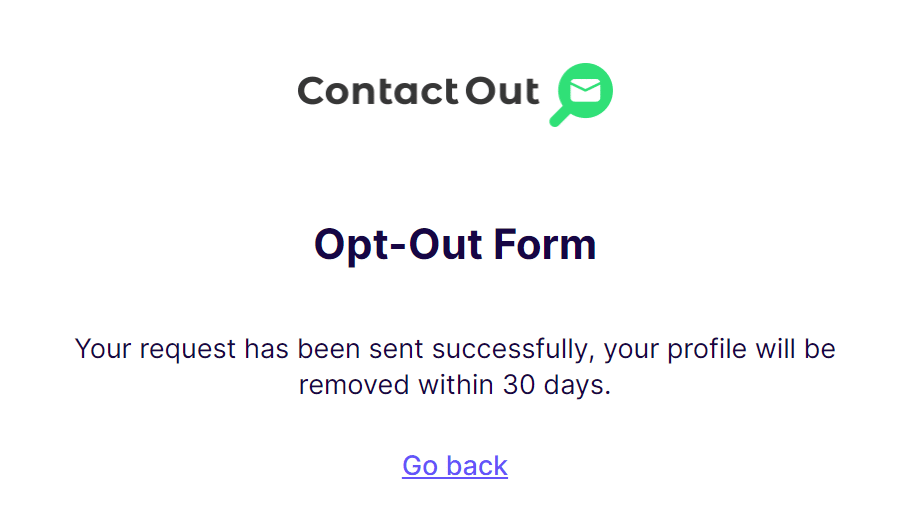
Confirm deletion
Look for an on-page message or follow-up note in your inbox that shows the request was accepted. Tip: Wait for the final screen instead of closing the tab early.
Track confirmation & timeline
Check your inbox and revisit the record after the stated window. The information is typically removed within 24 hours. However, sometimes, processing takes up to one week. Tip: Set a calendar reminder for day 7 so you can follow up once if needed.
Timelines, Verification & What to Expect
The ContactOut opt-out process usually starts fast, but the full delete request may take a little longer. It uses your data only to identify the record, and that information will be removed within one day to one week. A final note may appear on the page, in your inbox, or both. If nothing arrives after 7 days, use the same page once more or write to the support address shown on the contact page. Include the same link and your earlier note.
Edge Cases & Troubleshooting
- No access to the original inbox or phone: try the form with a current inbox, then ask support for another verification path if the system cannot match you.
- “Record not found”: search again by name, employer, and first letter. The directory may update as new source pages are crawled.
- CAPTCHA or submission errors: refresh once, switch browsers, or use a private window. Do not send automated retries.
- Verification code not arriving: check Spam, Promotions, and company filters, then try once more with the same inbox.
- Form rejects the request by region (EU/UK/CA): use the privacy rights path and note your region; the official notices mention GDPR (General Data Protection Regulation) and CCPA (California Consumer Privacy Act) rights.
- Account deletion vs. public record confusion: product account settings are different from public record deletion. Use the request page for the record and support for account issues.
- Re-submitting after a failed attempt: wait for the full window, then try once more.
Will my data reappear?
A record can return when new pages are crawled, when partner feeds refresh, or when other brokers like ContactOut update their files. If public contact information remains online, a broker may collect it again. Keep every message, monitor the site every 3–6 months, and resend a request quickly if the record returns. It also helps to remove your data from visible source pages, limit social media accounts, and review related removals next. This is why people who handle data from ContactOut manually often set reminders, while others automate repeat checks with a removal service to safeguard their privacy.
Manual vs Assisted Removal
Manual:
Pros
- Full control over each step and each field
- easy to follow up
- good for one site or a small list
Cons
- Slower because you must locate each record, verify it, and repeat checks
- you must watch people search sites and data brokers like this one by yourself
- you handle repeat opt-out requests on your own
Assisted:
Pros
- Easier to automate repeat checks across services like ContactOut
- useful for tracking, recurring checks, and a dashboard
- saves time when data brokers continuously refresh records
Cons
- Costs money, and no premium plan can promise the same outcome every time
We remove your data for you - faster, verified, trackable.
Discover Which Sites Share Your Private Details—Instantly and Free.
FAQ
It is a professional directory that indexes public information, people’s contact details, and matches them to a person for outreach, recruiting, or marketing use cases, including marketing workflows.
Use the official page, verify your inbox, include the record link, and send the request.
The privacy page links to the official opt-out page, which is the main route for a record request.
Official pages suggest about 24 hours to one week.
The company indexes publicly available information from websites and social media.
Check Spam, retry once, confirm the inbox spelling, and then use support if there is still no response.
The California notice says you or an authorized person may make a request related to your personal info.
Check after one week, then every 3–6 months, because refreshed source pages can recreate a record.
A recruiter or account owner can use support for account cancellation questions, and use the request page for data removal. Those are separate actions.

Posted by Ava J. Mercer
More People Search Removal Guides
- 411.com Opt Out Guide
- Absolute People Search Opt Out Guide
- Advanced People Search Opt Out Guide
- AnyWho Opt Out Guide
- BeenVerified Opt Out Guide
- CheckPeople Opt Out Guide
- CheckSecrets Opt Out Guide
- CocoFinder Opt Out Guide
- ContactOut Opt Out Guide
- DOBsearch Opt Out Guide
- FamilyTreeNow Opt Out Guide
- FastBackgroundCheck Opt Out Guide
- Find People Fast Opt Out Guide
- FindPeopleSearch Opt Out Guide
- FreePeopleDirectory: Opt Out Guide
- FreePeopleSearch Opt Out Guide
- GladIKnow Opt Out Guide
- GoLookUp Opt Out Guide
- IDCrawl Opt Out Guide
- Information.com Opt Out Guide
- Inforver Opt Out Guide
- Instant Checkmate Opt Out Guide
- InstantPeopleFinder Opt Out Guide
- Kiwi Searches Opt Out Guide
- MyLife Opt Out Guide
- Nuwber Opt Out Guide
- OfficialUSA Opt Out Guide
- PeekYou Opt Out Guide
- PeopleByName Opt Out Guide
- PeopleFinder Opt Out Guide
- PeopleFinders Opt Out Guide
- PeopleLooker Opt Out Guide
- PeopleLookup Opt Out Guide
- PeopleSearch Opt Out Guide
- PeopleSearchNow Opt Out Guide
- PeopleSmart Opt Out Guide
- PeopleWhiz Opt Out Guide
- PersonSearchers Opt Out Guide
- Persopo Opt Out Guide
- PrivateEye Opt Out Guide
- PrivateRecords Opt Out Guide
- Public Data Check Opt Out Guide
- Public Data USA Opt Out Guide
- Public Records 360 Opt Out Guide
- PublicRecordsNow Opt Out Guide
- Quick People Trace Opt Out Guide
- Radaris Opt Out Guide
- RealPeopleSearch Opt Out Guide
- SearchPeopleFREE Opt Out Guide
- SearchUSAPeople Opt Out Guide
- Semcasting Opt Out Guide
- Social Catfish Opt Out Guide
- Spokeo Opt Out Guide
- ThatsThem Opt Out Guide
- TruePeopleSearch Opt Out Guide
- TruthFinder Opt Out Guide
- UnMask Opt Out Guide
- US Search Opt Out Guide
- USA People Search Opt Out Guide
- USATrace Opt Out Guide
- Veripages Opt Out Guide
- Whitepages Opt Out Guide
- Wyty Opt Out Guide
- ZabaSearch Opt Out Guide


