
Opt Out Guides
CocoFinder Opt Out Guide
Before You Opt Out of CocoFinder, Check Your Exposure
Privacy Writer
A. J. MercerAva J. Mercer
Updated
Read
5 min
Before You Opt Out of CocoFinder, Check Your Exposure
CocoFinder is a people search website that can expose a large amount of data, such as your name, address, or phone number. This may raise privacy concerns and increase identity theft risk. CocoFinder gathers its data from public records and commercial sources. The platform places records in a searchable database that can expand your digital footprint and online presence.
How to opt out of CocoFinder
To opt out of CocoFinder, use the official opt-out page, search for your listing, submit the form with your link and contact details, then confirm by link or email. This process is straightforward and helps you track the request.
Checklist:
- Search for your record
- Copy the profile URL
- Open the privacy page
- Locate the form
- Submit your identifiers
- Save the confirmation message
- Set a reminder to re-opt out
Find out if your private details were exposed
CocoFinder – Quick Facts
| Parameter | Value |
| Domain | cocofinder.com |
| Data Types | contacts, addresses, relatives, and other record details |
| Opt-out Methods | web form/email |
| Identity Verification | confirmation email |
| Typical Response Time | 1–3 days |
| Re-listing Risk | medium |
The site is a people search service that gathers consumer data from public records and commercial sources. Websites like CocoFinder can collect data, display personal details, and make information more accessible online.
Common data you may find:
- Names and aliases
- Current and past addresses
- Phone listings
- Email details
- Age indicators
- Relatives or household links
- Property records like assessments
- Search results tied to location history
Step-by-Step Guide
Search for your record and copy the profile URL
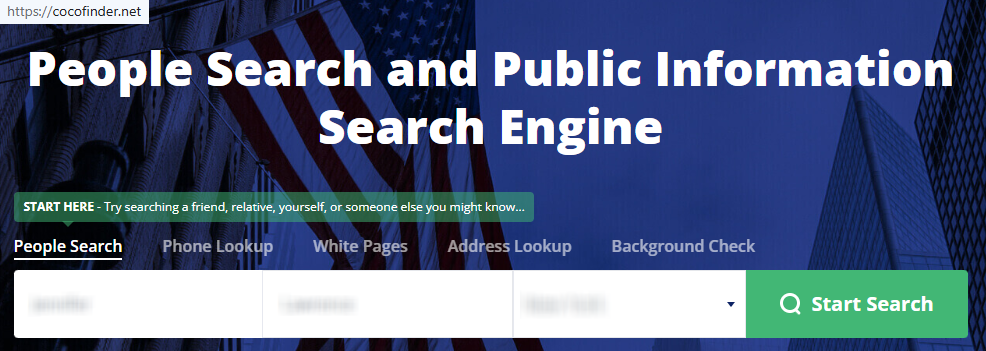
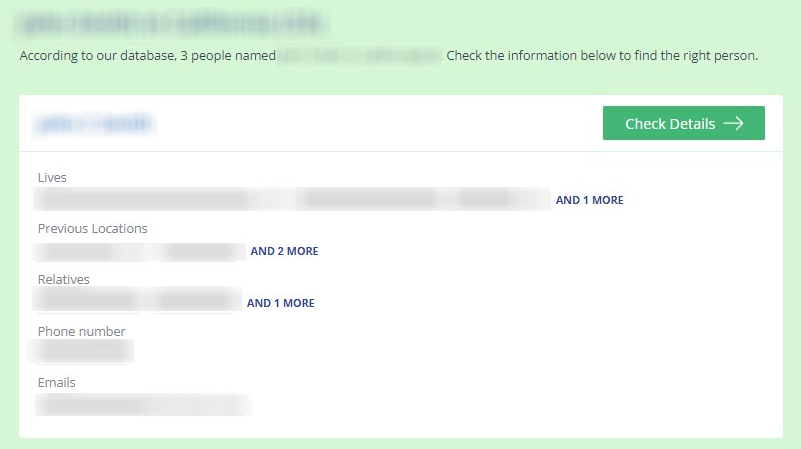
Go to cocofinder.com and use the search tool. Enter your first and last name. Add city and state, and narrow results. Open the closest match, check details, and find your record before copying the full URL. Blur personal data in any screenshot you keep.
Open the privacy page and locate the opt-out form
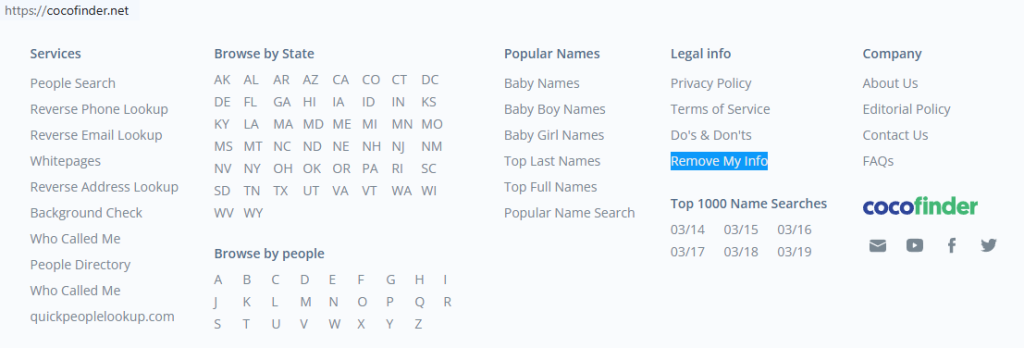
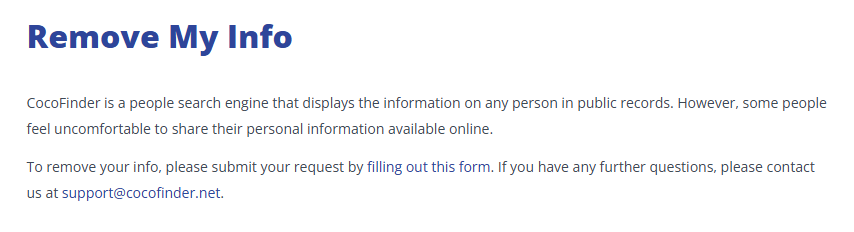
Start from the bottom of the page and open the privacy link. On that screen, find the CocoFinder opt-out page and then the form. Keep the copied URL ready before you fill out the form. The page is labeled as Remove My Info.
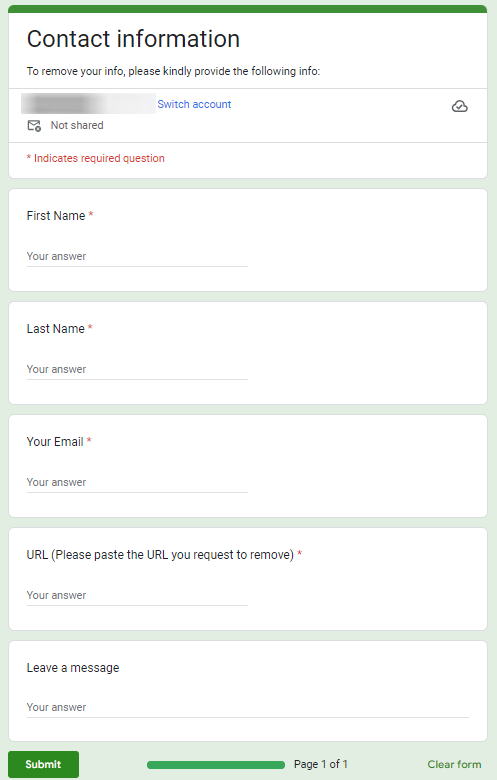
Submit your identifiers and paste the profile URL
Use the form with your name, email address, and the profile URL. Add any requested phone or other details so staff can check them. This is the main opt-out request submission used to remove your information from CocoFinder.
Confirm deletion
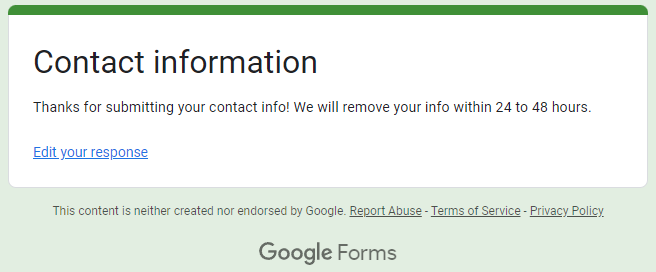
After you submit, look for an on-page notice or a message that asks for verification of your opt-out request. Use that link to complete the process and remove your info. Once confirmed, the request has been made, and the listing from the search results should move into data removal review.
Track confirmation & timeline
Most requests are handled within a few days. Check back once, save the confirmation, and confirm the page was removed from CocoFinder. If the listing remains, submit one more removal request. Keep the link handy for follow-up.
Timelines, Verification & What to Expect
Typical processing takes 1–3 days, sometimes within 24 to 48 hours. Confirmation usually arrives by email or as an on-page message after you submit. If nothing appears after three days, use the contact method on the privacy page. Then, resend once. Keep the link and confirmation so you can show when information should be removed.
Edge Cases & Troubleshooting
- No access to the original email or phone: Use a current contact and include the exact link. Ask support to clear the public listing.
- “Record not found”: Search with old locations, other spellings, or reverse phone details to locate your listing.
- CAPTCHA or submission errors: Refresh, switch browsers, and paste the link again before you submit.
- Verification code not arriving: Check Spam and confirm the email was typed correctly.
- Form rejects the request by region (EU/UK/CA): Follow local instructions shown on the privacy page or use email.
- Account deletion vs. public listing removal confusion: how to cancel CocoFinder refers to an account; billing questions are separate from public-profile suppression.
- Re-submitting after a failed attempt: Wait briefly, review details, and send one new request instead of many rapid submissions.
Will my data reappear?
Listings can return because data brokers like CocoFinder, partner feeds, and resellers refresh profiles over time. This explains why people opt out of data broker pages again later. That means similar sites may republish listing data. To reduce repeat exposure, set a reminder every 3–6 months and keep confirmation emails. Act quickly if a profile returns.
Manual vs Assisted Removal
Manual:
Pros
- More control over each URL and each opt-out choice
- useful when you want to remove your data from CocoFinder yourself
- good for one directory listing
Cons
- Takes time to clear a listing and monitor re-listing
- hard to handle many people search sites
- requires repeat checks
Assisted:
Pros
- Helpful as an automated data removal service
- better tracking, recurring checks, and support
- can help across many listings
Cons
- Usually paid
- less direct control over each submission
- you still need to review confirmations
We remove your data for you - faster, verified, trackable.
Discover Which Sites Share Your Private Details—Instantly and Free.
FAQ
It is a directory-style service that compiles contact and location records from commercial and public sources.
Open the privacy page, paste the link, add your details, and send the request.
It is often linked near the bottom of the page.
Search for your name, copy the link, and use the official privacy form.
Most requests are reviewed in 1–3 days after confirmation.
Wrong details, a broken link, or failed verification are common causes.
Try older locations, other spellings, or phone-search methods.
Account changes are different from public listing suppression.
Not always. Data brokers can refresh records, so repeat checks matter.
Anyone wanting stronger privacy and less sensitive personal information online.
Check similar directories and information from data broker sites. This is useful if you want to protect your privacy across major data sources.

Posted by Ava J. Mercer
More People Search Removal Guides
- 411.com Opt Out Guide
- Absolute People Search Opt Out Guide
- Advanced People Search Opt Out Guide
- AnyWho Opt Out Guide
- BeenVerified Opt Out Guide
- CheckPeople Opt Out Guide
- CheckSecrets Opt Out Guide
- CocoFinder Opt Out Guide
- ContactOut Opt Out Guide
- DOBsearch Opt Out Guide
- FamilyTreeNow Opt Out Guide
- FastBackgroundCheck Opt Out Guide
- Find People Fast Opt Out Guide
- FindPeopleSearch Opt Out Guide
- FreePeopleDirectory: Opt Out Guide
- FreePeopleSearch Opt Out Guide
- GladIKnow Opt Out Guide
- GoLookUp Opt Out Guide
- IDCrawl Opt Out Guide
- Information.com Opt Out Guide
- Inforver Opt Out Guide
- Instant Checkmate Opt Out Guide
- InstantPeopleFinder Opt Out Guide
- Kiwi Searches Opt Out Guide
- MyLife Opt Out Guide
- Nuwber Opt Out Guide
- OfficialUSA Opt Out Guide
- PeekYou Opt Out Guide
- PeopleByName Opt Out Guide
- PeopleFinder Opt Out Guide
- PeopleFinders Opt Out Guide
- PeopleLooker Opt Out Guide
- PeopleLookup Opt Out Guide
- PeopleSearch Opt Out Guide
- PeopleSearchNow Opt Out Guide
- PeopleSmart Opt Out Guide
- PeopleWhiz Opt Out Guide
- PersonSearchers Opt Out Guide
- Persopo Opt Out Guide
- PrivateEye Opt Out Guide
- PrivateRecords Opt Out Guide
- Public Data Check Opt Out Guide
- Public Data USA Opt Out Guide
- Public Records 360 Opt Out Guide
- PublicRecordsNow Opt Out Guide
- Quick People Trace Opt Out Guide
- Radaris Opt Out Guide
- RealPeopleSearch Opt Out Guide
- SearchPeopleFREE Opt Out Guide
- SearchUSAPeople Opt Out Guide
- Semcasting Opt Out Guide
- Social Catfish Opt Out Guide
- Spokeo Opt Out Guide
- ThatsThem Opt Out Guide
- TruePeopleSearch Opt Out Guide
- TruthFinder Opt Out Guide
- UnMask Opt Out Guide
- US Search Opt Out Guide
- USA People Search Opt Out Guide
- USATrace Opt Out Guide
- Veripages Opt Out Guide
- Whitepages Opt Out Guide
- Wyty Opt Out Guide
- ZabaSearch Opt Out Guide


