
Opt Out Guides
Inforver Opt Out Guide
Before You Opt Out of Inforver, Check Your Exposure
Privacy Writer
A. J. MercerAva J. Mercer
Updated
Read
5 min
Before You Opt Out of Inforver, Check Your Exposure
Removing exposed details matters because a name, address, and phone number can increase unwanted contact and reduce privacy. Inforver’s lookup can display contacts, current living details, social identifiers, financial status, and personality data.
How to opt out of Inforver
To opt out of inforver.com, go to the homepage, find your listing, add the exact page address, add your details, and send the form. You or an authorized agent may request an opt-out. Deletion is stated as within three business days.
Checklist:
- Search for your record
- Match your listing
- Copy the profile URL
- Open the privacy page
- Submit your identifiers
- Paste the URL
- Save the confirmation message
- Set a reminder to re-opt out
Find out if your private details were exposed
Inforver – Quick Facts
| Parameter | Value |
| Domain | inforver.com |
| Data Types | contacts, addresses, possible social identifiers, background details |
| Opt-out Methods | web form or email |
| Identity Verification | on-page notice or confirmation email |
| Typical Response Time | up to three business days |
| Re-listing Risk | medium |
Inforver is a people search site for U.S. lookups. Official pages describe contact details, residence details, social identifiers, and public records as possible information from inforver.com. The control page says each matching listing has a unique address and needs its own action.
Common data you may find:
- Names and known aliases
- Phone numbers
- Current and past addresses
- Relatives or household details
- Social profiles
- Public-record references
- Arrest records, where available
- Contact information
Step-by-Step Guide
Search for your record
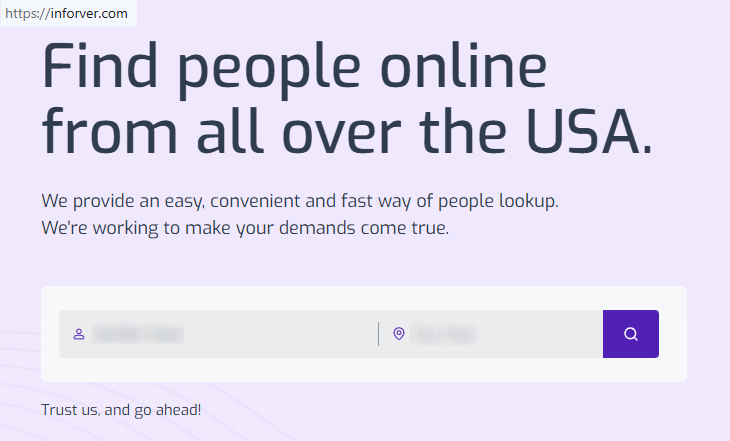
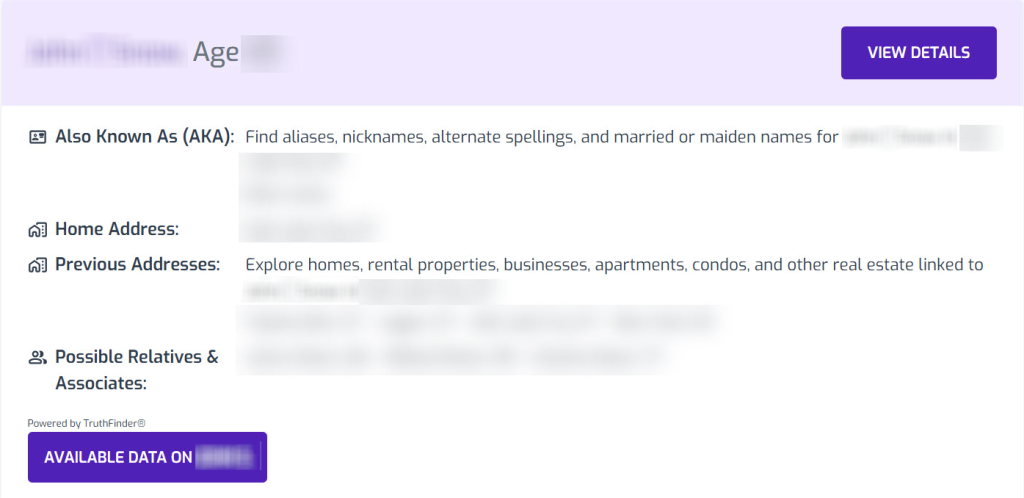
Navigate to Inforver and click the search field. Enter your first and last name, as well as the state where you live (as a rule, the city and state). Click the search button. Review the results for the closest match. Screenshot only if needed, and blur exposed personal information before saving or sharing.
Copy the profile URL
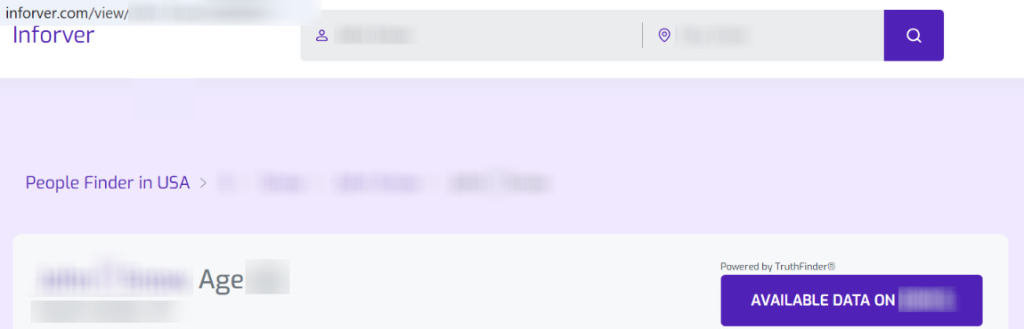
Open the matching listing and use the browser bar to keep the exact address. If you see the control profile button and click it, the site may redirect to the control form. Keep the original page address in case the form needs it.
Submit your identifiers
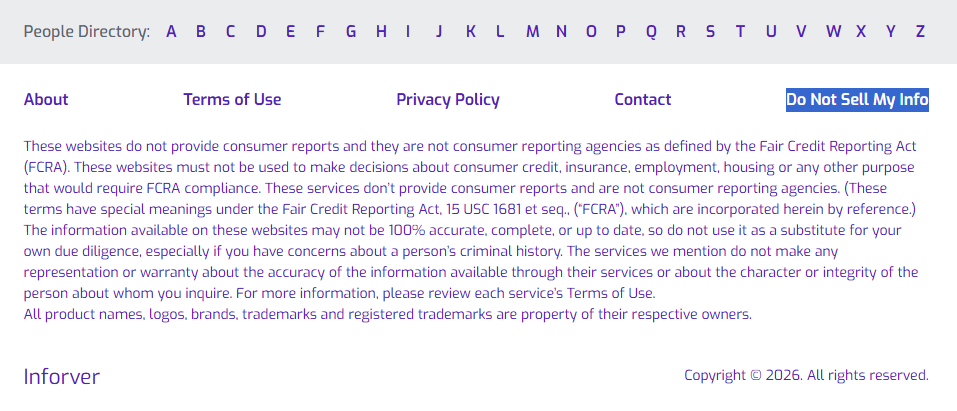
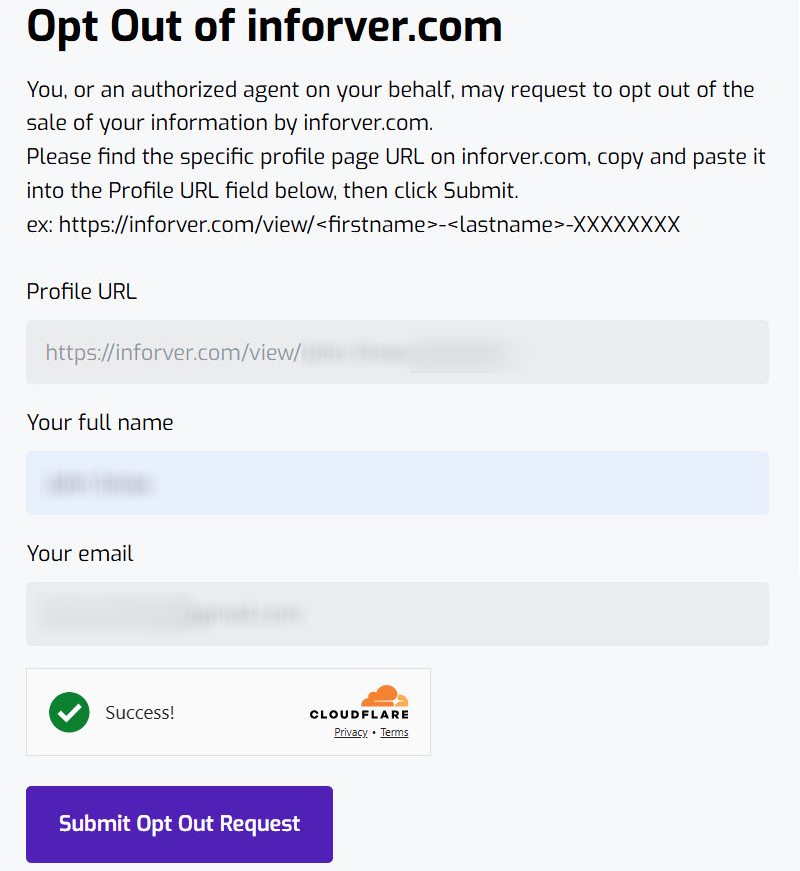
On the Do Not Sell My Info webpage, open the opt-out form. Paste the listing address and enter your full name and email address. Complete the security CAPTCHA and click the send action. For best security, use a primary email address you control and can monitor.
Confirm deletion
Check your email inbox for an email from Inforver. Open the email and click the prompt to confirm your opt-out request. If no message arrives, check Spam or Promotions once. This step helps support the suppression of personal data.
Track confirmation & timeline
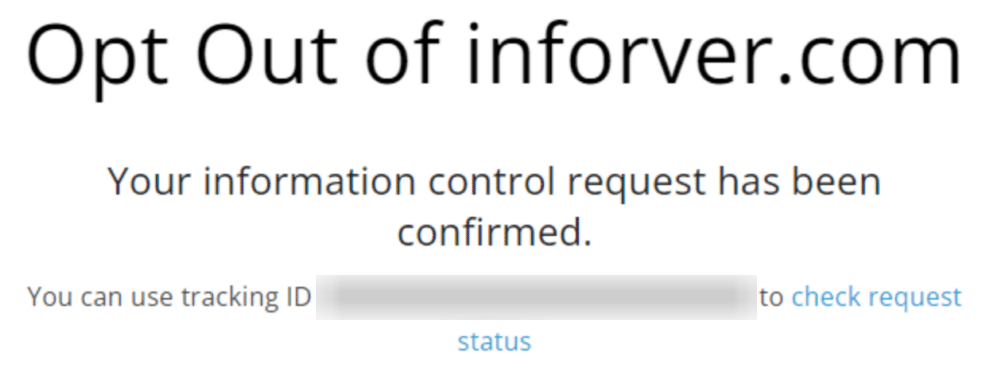
Save the on-page note (the notification will appear at once). Recheck the listing after three business days, based on the site’s stated timeline. If the listing remains, try again once using the same page address and the same identifying details.
Timelines, Verification & What to Expect
Expect up to three business days. Confirmation usually appears on the page or by email. If nothing changes after that window, use the contact path on the control page or try again once. Keep a simple record of the date, listing address, and any confirmation so you can compare results later.
Edge Cases & Troubleshooting
- No access to the original email/phone: use a current email you control and state that you are the subject or authorized agent.
- “Record not found”: try name variations, location changes, and older addresses; there may be no active listing.
- Form rejects the action by region: say whether you are a resident of California, the UK, or the EU/EEA when contacting support.
- Account deletion vs. listing suppression: account closure is separate; terms say subscription changes must be emailed three days before renewal.
- Retrying after a failed attempt: wait one business day, then initiate a new try with the same details.
- If you need instructions on how to opt, return to the form fields and follow the required field order.
Will my data reappear?
Listings can return when aggregators, partner feeds, resellers, or new records refresh a data broker file. Reduce recurrence by keeping confirmation emails, saving the listing address, and setting a 3–6 month reminder. If the same record returns, re-file quickly and check related sites like similar directories manually to improve your privacy.
Manual vs Assisted
Manual:
Pros
- You keep control, learn how to opt out of Inforver, and can repeat checks without using a paid tool.
Cons
- Manual work takes time, requires repeated monitoring, and may miss a duplicate profile from dozens of data sources.
Assisted:
Pros
- A data removal service can automate scans, track confirmation, and monitor listings across dozens of data brokers.
Cons
- Some services include automated service plans, premium tiers, custom removals, marketing emails, and paid plans starting after free tools or scans.
We remove your data for you - faster, verified, trackable.
Discover Which Sites Share Your Private Details—Instantly and Free.
FAQ
Search for yourself, use the exact listing address, add the required identifiers, solve the challenge, and send the form.
Use the official control form, provide the exact listing address, and complete any confirmation link promptly. Repeat for duplicate listings.
Review the site, terms, and control page. They explain lookup use, listed categories, as well as how to opt out and remove your data.
The form uses your name and email to match the listing and send confirmation or follow-up messages.
After the form, look for the confirmation message and follow the email prompt if provided.
Try older addresses, alternate spellings, or location changes. If no listing appears, save a note and recheck later.
The site states that the deletion timing is within three business days. Recheck manually, document the result, and repeat only if needed.
Each listing has a unique address. Send a separate action for each one that matches you to safeguard your privacy.
For subscription changes, email support at least three days before renewal, based on the terms. Listing suppression is different.
New data feeds, reseller updates, or record refreshes can recreate exposure. A recurring check helps catch changes.
You or an authorized agent may act. Keep authorization notes in case support asks.
Use this page following the steps outlined, then review related directories across the people-search sites covered.

Posted by Ava J. Mercer
More People Search Removal Guides
- 411.com Opt Out Guide
- Absolute People Search Opt Out Guide
- Advanced People Search Opt Out Guide
- AnyWho Opt Out Guide
- BeenVerified Opt Out Guide
- CheckPeople Opt Out Guide
- CheckSecrets Opt Out Guide
- CocoFinder Opt Out Guide
- ContactOut Opt Out Guide
- DOBsearch Opt Out Guide
- FamilyTreeNow Opt Out Guide
- FastBackgroundCheck Opt Out Guide
- Find People Fast Opt Out Guide
- FindPeopleSearch Opt Out Guide
- FreePeopleDirectory: Opt Out Guide
- FreePeopleSearch Opt Out Guide
- GladIKnow Opt Out Guide
- GoLookUp Opt Out Guide
- IDCrawl Opt Out Guide
- Information.com Opt Out Guide
- Inforver Opt Out Guide
- Instant Checkmate Opt Out Guide
- InstantPeopleFinder Opt Out Guide
- Kiwi Searches Opt Out Guide
- MyLife Opt Out Guide
- Nuwber Opt Out Guide
- OfficialUSA Opt Out Guide
- PeekYou Opt Out Guide
- PeopleByName Opt Out Guide
- PeopleFinder Opt Out Guide
- PeopleFinders Opt Out Guide
- PeopleLooker Opt Out Guide
- PeopleLookup Opt Out Guide
- PeopleSearch Opt Out Guide
- PeopleSearchNow Opt Out Guide
- PeopleSmart Opt Out Guide
- PeopleWhiz Opt Out Guide
- PersonSearchers Opt Out Guide
- Persopo Opt Out Guide
- PrivateEye Opt Out Guide
- PrivateRecords Opt Out Guide
- Public Data Check Opt Out Guide
- Public Data USA Opt Out Guide
- Public Records 360 Opt Out Guide
- PublicRecordsNow Opt Out Guide
- Quick People Trace Opt Out Guide
- Radaris Opt Out Guide
- RealPeopleSearch Opt Out Guide
- SearchPeopleFREE Opt Out Guide
- SearchUSAPeople Opt Out Guide
- Semcasting Opt Out Guide
- Social Catfish Opt Out Guide
- Spokeo Opt Out Guide
- ThatsThem Opt Out Guide
- TruePeopleSearch Opt Out Guide
- TruthFinder Opt Out Guide
- UnMask Opt Out Guide
- US Search Opt Out Guide
- USA People Search Opt Out Guide
- USATrace Opt Out Guide
- Veripages Opt Out Guide
- Whitepages Opt Out Guide
- Wyty Opt Out Guide
- ZabaSearch Opt Out Guide


