
Opt Out Guides
North Carolina Resident Database Opt Out Guide
Before You Opt Out of North Carolina Resident Database, Check Your Exposure
Privacy Writer
A. J. MercerAva J. Mercer
Updated
Read
5 min
Before You Opt Out of North Carolina Resident Database, Check Your Exposure
North Carolina Resident Database is a publicly accessible website. It can show names, addresses, age details, and contact information for a North Carolina resident. That can raise privacy and security concerns, including fraud, identity theft, misuse, and unwanted emails. The service displays information from North Carolina voter registration records and related public files.
How to opt out of North Carolina Resident Database
North Carolina Resident Database has an online opt-out form. Open the official page, paste the URL, answer the prompt, and enter your identifiers. This online opt-out path is the main procedure on the platform. The removal usually takes one-two days.
Checklist:
- Search for your record
- Copy the URL
- Open the opt-out page
- Submit your identifiers
- Paste the URL
- Save the confirmation message
- Set a reminder to re-opt out
Find out if your private details were exposed
North Carolina Resident Database – Quick Facts
| Parameter | Value |
| Domain | northcarolinaresidentdatabase.com |
| Data Types | names, address history, age details, neighbors, phone fields |
| Opt-out Methods | web form |
| Identity Verification | simple on-page question |
| Typical Response Time | 24 – 48 hours |
| Re-listing Risk | medium |
North Carolina Resident Database is a people-search website. Its records come from public voter registration records. The platform displays information about North Carolina residents for people, households, and neighborhoods. It’s not affiliated with the state government and is not a consumer reporting agency. Therefore, do not treat the site as a source for court or criminal records.
Common data you may find:
- Names and known aliases
- Phones
- Mail contacts (city, state, and ZIP details)
- Current and past address details
- Age or birth-year details
- Neighbor or household links
Step-by-Step Guide
Search for your record and copy the profile URL
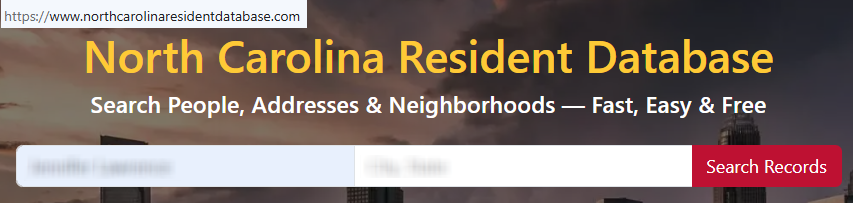
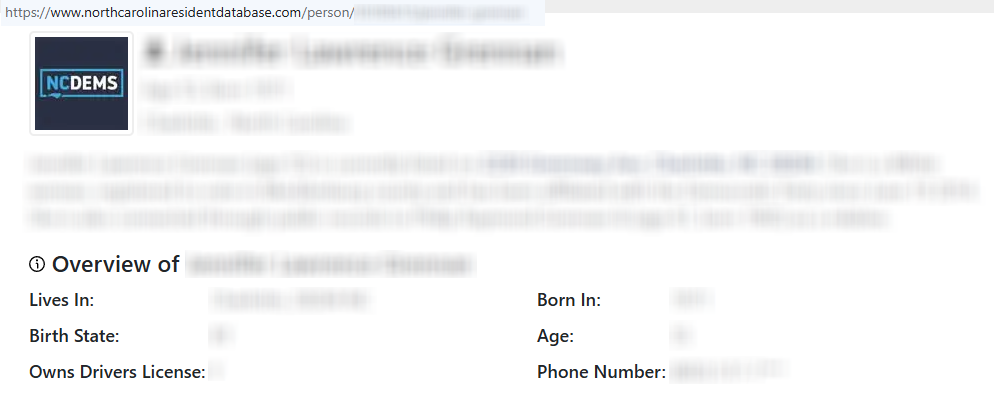
Go to the home page. Use the search fields to enter your name and city. Open the matching page and copy the full URL from the browser bar. If you save screenshots, blur personal information online before sharing. Tip: Double-check similar names so you copy the right page and protect your online presence.
Open the opt-out page
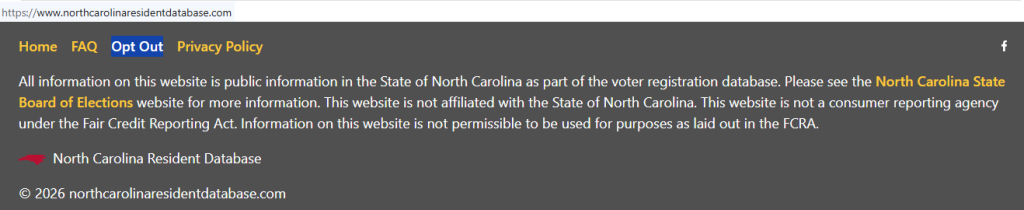
Open the official page from the footer. Look for the field that asks for the record link you want to remove. Keep the copied URL ready before you submit. Tip: If the page loads poorly on mobile, try desktop first, and check the box only if the page asks for a verification prompt.
Submit your identifiers and paste the URL
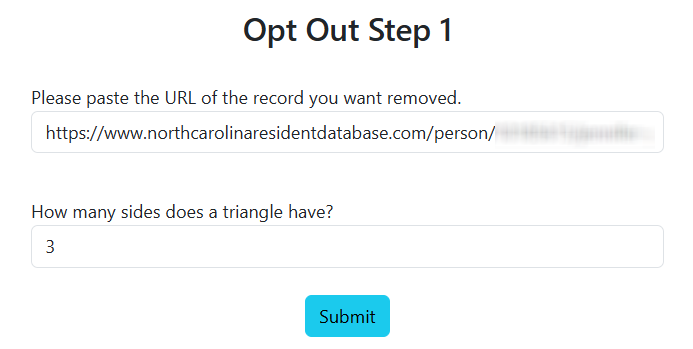
Paste the URL into the field, complete the simple prompt, and submit the form. Keep the screen open until you see the next message. Tip: If you hit an error, refresh once and try again carefully. This is the main step to remove information tied to the page.
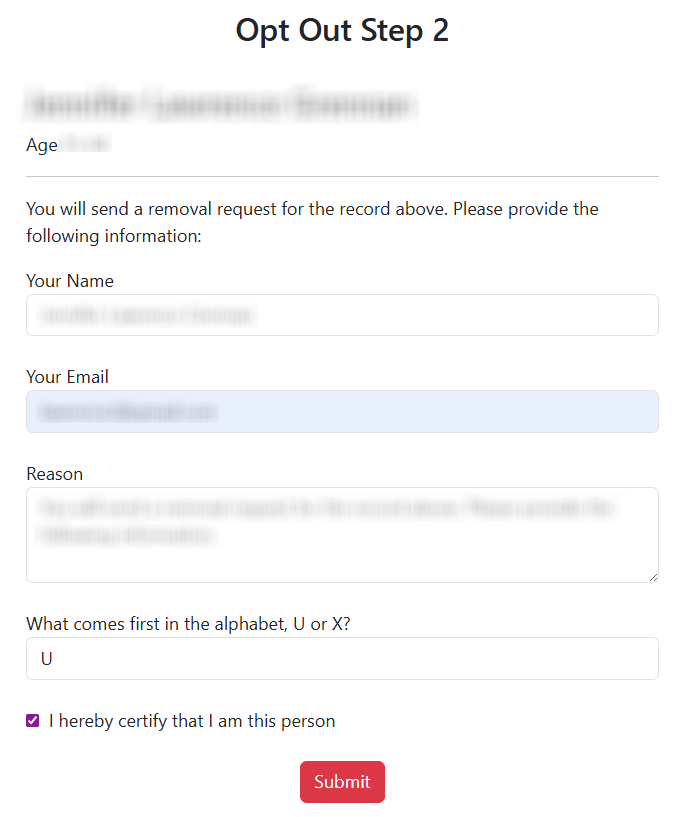
Confirm deletion
Review the confirmation screen after you submit. Save the message or a screenshot so you can track the result later. Tip: If the flow sends anything by mail, check Spam before you try a second time. Some users think this means canceling access, but the real goal is page removal.
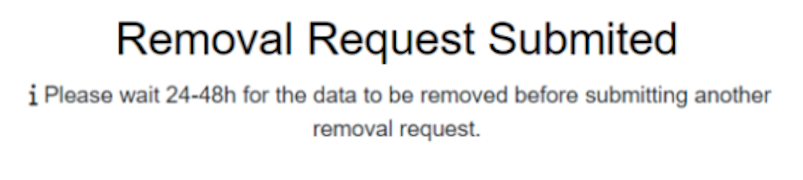
Track confirmation & timeline
Check the page after you submit and keep any confirmation details. Records are updated about once a month, so check again if a page stays live after the first pass. Tip: Save the date of each step for your records. Data is usually deleted from North Carolina Resident Database within 24 – 48 hours.
Timelines, Verification & What to Expect
The website does not post a firm timer. In practice, many people check again in one-two days after they act. Confirmation is usually on-page, and a message may appear in some flows. If nothing changes after two days, verify the URL and try once more.
Edge Cases & Troubleshooting
- No access to the original contact: start with the public URL. Use current details if the form asks for identity confirmation.
- “Record not found”: search again with name and city variations, then confirm the exact page before you submit.
- CAPTCHA or submission errors: refresh the page, switch browsers, or try the website again later.
- Verification code not arriving: check Spam and wait a few minutes before a second try.
- Form rejects the request by region: use the standard public page path shown on the site.
- Account deletion vs. public page confusion: this process is for a public page, not how to close a user account.
- Re-submitting after a failed attempt: try once more and save the confirmation message.
- Looking beyond one page: this page covers one service; related sites may need separate opt-out requests.
Will my data reappear?
It can. A data broker may refresh records from public sources, partner feeds, or resellers, so data should be removed after a valid request, but it can return later. To reduce repeat exposure and enhance your data privacy, keep each confirmation note, set a 3–6 month reminder, and act fast if the listing returns. After you opt out of northcarolinaresidentdatabase.com, monitor related removals next so your personal data is harder to find across search sites.
Manual vs Assisted
Manual:
Pros
- more control over each query;
- useful when you want to remove your information on one site;
- clear view of each confirmation step.
Cons
- more time to watch repeats;
- easy to miss re-listing on other sites;
- you handle each procedure yourself.
Assisted:
Pros
- faster work across many pages;
- central tracking and verification;
- helpful for recurring checks.
Cons
- service cost;
- less direct control over each step;
- some cases still need extra review.
We remove your data for you - faster, verified, trackable.
Discover Which Sites Share Your Private Details—Instantly and Free.
FAQ
It is the official path for a public page on North Carolina Resident Database. You copy the URL, use the form, and confirm.
Search for the matching record, copy the URL, open the form, and paste the link.
It is on the service page and asks you to paste the URL of the record you want removed.
The site does not publish a firm timer, so many people recheck within 24 – 48 hours and then after the next refresh.
The pages use public voter registration records and related information from North Carolina.
Try name and city variations, then compare similar pages before you make another query.
Check every 3–6 months again, especially if the page returns after an update.
Any North Carolina resident who wants more privacy and a simple instruction path for a public page can use this instruction.
When you remove your data, you remove a public listing. It does not always close an account because many people never created one.

Posted by Ava J. Mercer
More Public & Property Records Removal Guides
- BlockShopper Opt Out Guide
- BusinessProfiles Opt Out Guide
- City-Data Opt Out Guide
- ClustrMaps Opt Out Guide
- Florida Residents Directory Opt Out Guide
- Homemetry Opt Out Guide
- Michigan Residents Database Opt Out Guide
- MineralHolders Opt Out Guide
- My Health Record Opt Out Guide
- Neighbor.Report Opt Out Guide
- NeighborWho Opt Out Guide
- NJ Parcels Opt Out Guide
- NJPropertyRecords Opt Out Guide
- North Carolina Resident Database Opt Out Guide
- Ohio Residents Database Opt Out Guide
- OnlineSearches Opt Out Guide
- Rehold Opt Out Guide
- SearchSystems Opt Out Guide
- US Records Opt Out Guide
- VoterRecords Opt Out Guide


