
Opt Out Guides
VoterRecords Opt Out Guide
Before You Opt Out of VoterRecords, Check Your Exposure
Privacy Writer
A. J. MercerAva J. Mercer
Updated
Read
5 min
Before You Opt Out of VoterRecords, Check Your Exposure
Removing your listing from VoterRecords can help protect your privacy when a public profile shows your name, street address, and phone details in one place. This service appears online and is tied to public records and related commercial sources, so one listing can make contact details easier to find.
How to opt out of VoterRecords
Go to the official website first. Search and open the matching profile. Go to the privacy form and add the requested details. Finish the verification step from the confirmation email or on-screen notice. The processing may take up to 14 days.
Checklist:
- Search for your record
- Match your listing
- Open the privacy page
- Enter your identifiers
- Complete the CAPTCHA
- Save the confirmation message
Find out if your private details were exposed
VoterRecords – Quick Facts
| Parameter | Value |
| Domain | voterrecords.com |
| Data Types | contacts, addresses, voter details, household links, and related public-record information |
| Opt-out Methods | web form; contact option if needed |
| Identity Verification | listing match plus message by email or on-screen notice |
| Typical Response Time | several days to about 2 weeks |
| Re-listing Risk | medium |
VoterRecords is a people-search provider focused on voter-related listings. The site aggregates and displays public-record information.
Common data you may find:
- Full name
- Current address
- Past address history
- Age or year of birth
- Party affiliation or status details
- Household links
- County, precinct, or district details
- Phone numbers
- Emails
- Property details (if available)
Step-by-Step Guide
Search for your record
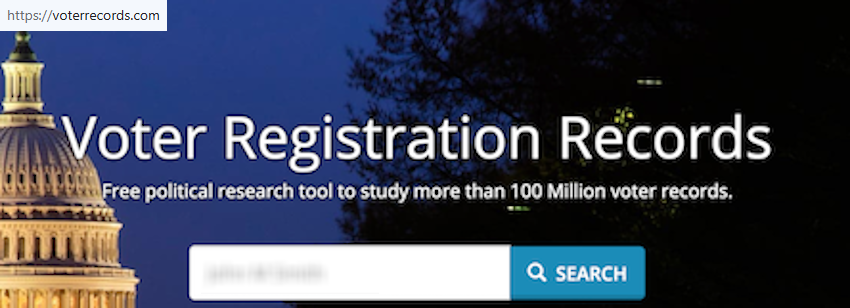
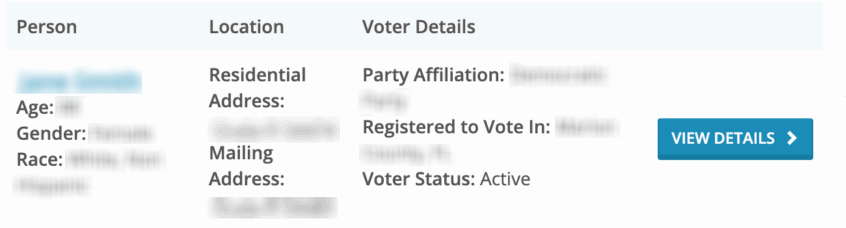
Go to voterrecords.com and enter your first and last name, plus state if asked. Review the results and open the closest match. Blur personal details in any screenshot you keep or share. Tip: Try a past city or ZIP if the first lookup shows nothing.
Open the opt-out page
On the matching profile, move to the bottom and look for “Record Opt-Out” or similar text. Select that option to open the form connected to that listing. Tip: If the screen stalls, reload once and reopen the profile from the results.

Submit your identifiers
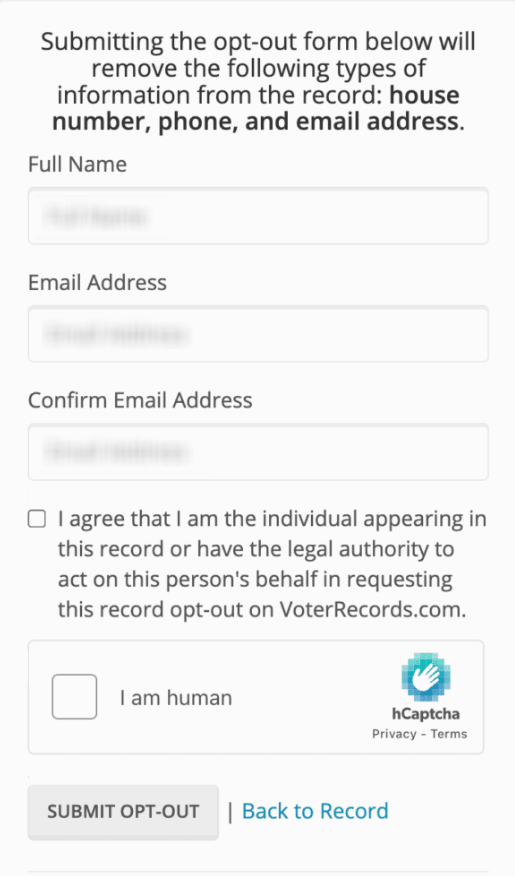
Fill the required fields exactly as shown, such as your name and inbox details. Complete any CAPTCHA, then send the form. Tip: Double-check spelling before sending so the request is easier to verify.
Confirm deletion
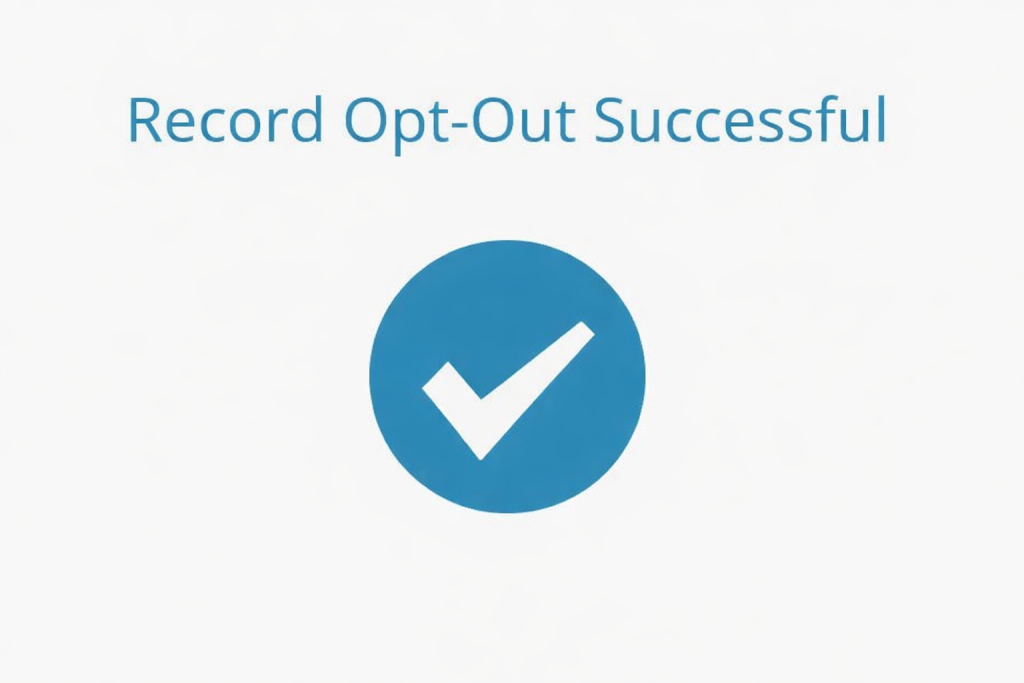
After sending the form, look for a confirmation email or a success notice on the screen. Open any verification URL quickly and keep the message for your files. Tip: Check Spam or Promotions if nothing arrives after a few minutes.
Track confirmation & timeline
Save the final notice, write down the date, and check the listing again after several days. If it still appears after the stated window, reach the contact option and use your earlier details. Tip: Keep a redacted before-and-after screenshot for your records.
Timelines, Verification & What to Expect
Most VoterRecords requests seem to need a brief verification step and then close within several days, though the processing may take up to 14 days. The response usually appears on-screen or by email. If nothing changes after that window, contact the company and send one follow-up removal request with the earlier details.
Edge Cases & Troubleshooting
- No access to the original inbox or phone: try the same listing with a current inbox. Contact support and ask for another verification path.
- “Record not found”: try a past city, state, ZIP, or another variation of your details, then compare the closest matches.
- CAPTCHA or sending errors: reload the form, turn off blockers for that tab, and try again from the same listing.
- Verification code not arriving: wait a few minutes, check junk folders, then resend once if that option appears.
- Form rejects the request by region: privacy rights can vary, so ask the contact team what route applies in your area.
- Account deletion vs. public listing removal confusion: a listing takedown is different from cancel actions tied to voter registration or another account.
- Trying again after a failed attempt: wait for the review window, then send one clean follow-up with the same details.
Will my data reappear?
A listing can return when a provider refreshes from public-record feeds, partner sources, or later updates tied to the same person. The risk looks medium, so keep each notice, set a 3–6 month reminder, and act quickly if the listing comes back. It also helps to check related removals next.
Manual vs Assisted Removal
Manual:
Pros
- Lower cost;
- more control;
- good for one provider.
Cons
- More time;
- you track each message;
- you repeat checks yourself.
Assisted:
Pros
- Faster multi-broker workflow;
- verification tracking;
- recurring checks.
Cons
- Paid help;
- some listings still need direct verification;
- coverage varies.
We remove your data for you - faster, verified, trackable.
Discover Which Sites Share Your Private Details—Instantly and Free.
FAQ
It is a voter-focused people-search provider that combines public-record details into one listing and offers a listing-based removal flow.
Open the matching listing, choose “Record Opt-Out,” complete the form, and finish verification.
People usually reach it from the matching listing by going to the bottom and selecting the “Record Opt-Out” button.
A careful estimate is several days to about two weeks, depending on verification and follow-up.
Check junk folders first. If nothing appears, repeat the last step once and confirm the inbox details were entered correctly.
Try a past address area, state, ZIP, or another variation of your details, then compare close matches.
They are separate. Listing removal affects the public profile, while registration changes go through the election offices.
Anyone who can identify the matching listing and complete the verification step should be able to start the process.
Look once after several days, again in about two weeks, and then every 3–6 months because refreshed source data can lead to re-listing.
A profile may show your address history, phone details, district information, household links, and similar public-record details.
A paid provider can manage repeated requests and tracking, but you should still review scope, timing, and any extra verification steps.

Posted by Ava J. Mercer
More Public & Property Records Removal Guides
- BlockShopper Opt Out Guide
- BusinessProfiles Opt Out Guide
- City-Data Opt Out Guide
- ClustrMaps Opt Out Guide
- Florida Residents Directory Opt Out Guide
- Homemetry Opt Out Guide
- Michigan Residents Database Opt Out Guide
- MineralHolders Opt Out Guide
- My Health Record Opt Out Guide
- Neighbor.Report Opt Out Guide
- NeighborWho Opt Out Guide
- NJ Parcels Opt Out Guide
- NJPropertyRecords Opt Out Guide
- North Carolina Resident Database Opt Out Guide
- Ohio Residents Database Opt Out Guide
- OnlineSearches Opt Out Guide
- Rehold Opt Out Guide
- SearchSystems Opt Out Guide
- US Records Opt Out Guide
- VoterRecords Opt Out Guide


