
Opt Out Guides
Rehold Opt Out Guide
Before You Opt Out of Rehold, Check Your Exposure
Privacy Writer
A. J. MercerAva J. Mercer
Updated
Read
5 min
Before You Opt Out of Rehold, Check Your Exposure
Rehold is a people search directory. It can display your name, address, including ZIP code, and phone on a property page, sometimes without your consent. When that personal information is exposed, it can invite unwanted contact. The site typically compiles real estate data and property information from public records and other commercial sources. Protecting your privacy by opting out can reduce how widely it’s shown.
How to opt out of Rehold
Use the official privacy page to open the opt-out form on rehold.com, find your record, and use the Do Not Sell My Info page to choose what you want to remove. Submit one opt-out request, then confirm using a link delivered to your email; updates often take a few days, but timing varies.
Checklist:
- Open the online form
- Search by address to find your record
- Select items and solve the CAPTCHA
- Enter your email address and click Submit
- Submit the opt-out request, then set a reminder for repeat opt-outs
Find out if your private details were exposed
Rehold – Quick Facts
| Parameter | Value |
| Domain | rehold.com |
| Data Types | contacts, addresses, property details, sales history |
| Opt-out Methods | web form/request via email |
| Identity Verification | confirmation link to complete |
| Typical Response Time | up to 48 hours |
| Re-listing Risk | medium |
Rehold is a data broker that aggregates household and property pages using public sources and other commercial resources, then shows them in preliminary results; data from Rehold may include linked contact fields.
Common data you may find:
- Full name and known aliases
- Phone numbers
- Email addresses
- Current and past addresses
- Relatives or household links
- Ownership or tax summaries
- Map location and neighborhood context
Step-by-Step Guide
Search for your record
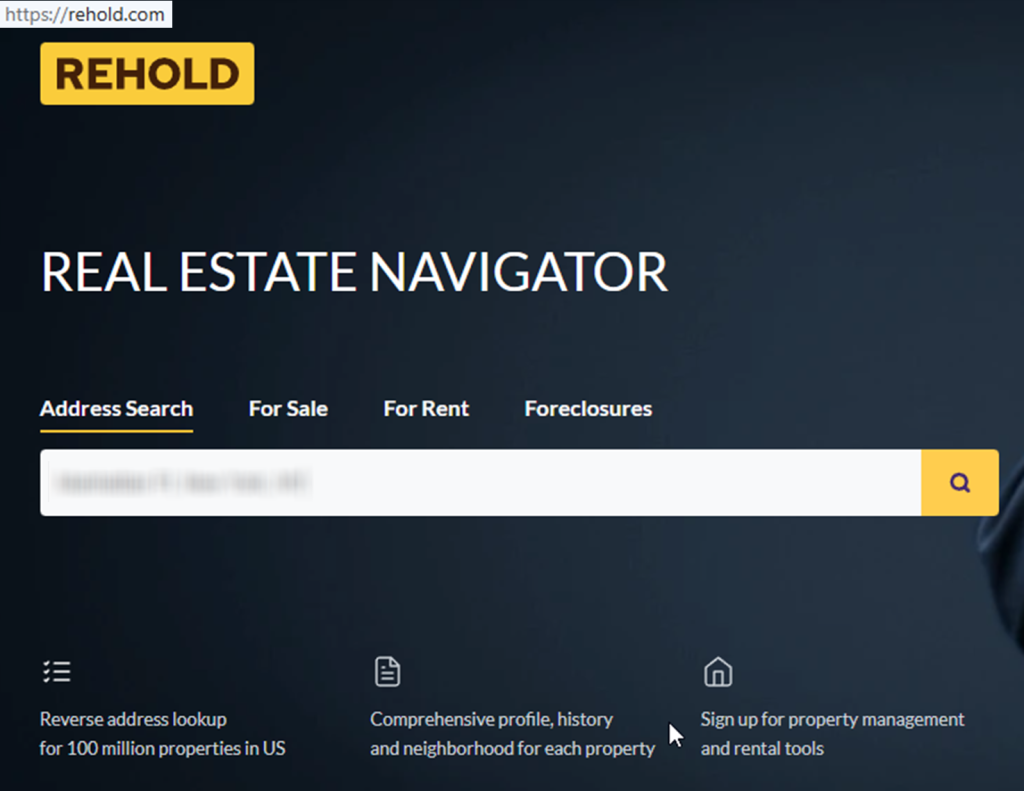
On rehold.com, use the main search bar to look up your address and open the listing page. If you can’t locate it, go to the bottom of the page and pick your state, then narrow by city and street until you reach the following page for the right home. Tip: If you take screenshots for reference, blur personally identifiable information so you keep your information private.
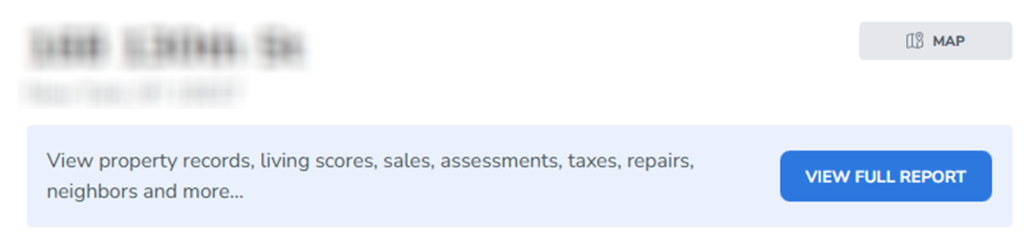

Copy and paste the profile URL
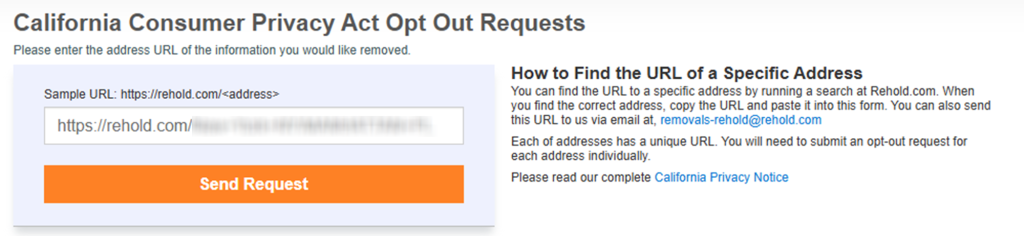
When your record loads, copy the link from the browser address bar. Save it in a note in case you need to reference the exact listing in a request form or follow-up message, and avoid storing extra personal data you don’t need.
Verify via code or link (email/SMS)
Scroll to the bottom. Find the Do Not Sell My Info link and click it. Select the fields you want hidden. Enter your name and email. You’ll usually be asked for your name and email address. Check your inbox. Open the verification email from Rehold and use the link to complete the opt-out process.
Confirm deletion / Do-Not-Sell request
In the panel, choose the information to be removed and click remove next to each row, then apply the change. This is the main way to remove information from a listing, and it’s also the quickest route to remove yourself from Rehold. If the page shows household members, you can also remove additional entries the same way, which helps remove your personal details from results.
Track confirmation & timeline
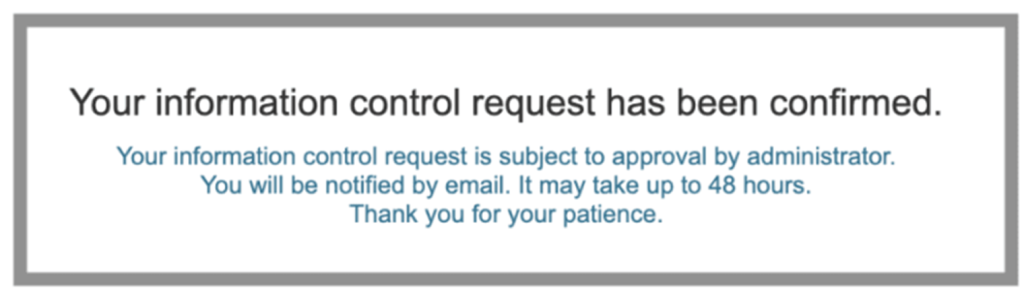
After submitting, save the on-page success message and keep the confirmation email. If the request stalls, send one removal request and keep notes on what was requested so you can verify the information removed later; this can help if you still need to remove your info later. If the page seems gone but information from Rehold still appears in a browser cache, try again after a short wait or contact Rehold directly.
Timelines, Verification & What to Expect
Processing time varies. However, some changes appear within 48 hours, and most updates show within a few days. If data is still visible after about a week and you want it removed, resubmit once using the same steps. Keep your personal notes and proof of submission in one place, because repeat opt-outs are sometimes needed when sources refresh.
Edge Cases & Troubleshooting
- No access to the original email/phone: Use a current address you control and include the listing link so support can identify it.
- “Record not found”: Try alternate formatting (Street vs. St) or nearby address variants.
- CAPTCHA or submission errors: Refresh the page and try again; switch browsers if needed.
- Verification code not arriving: Check Spam/Promotions and resubmit once.
- Form rejects the request by region (EU/UK/CA): Use the contact page to ask what options apply in your location.
- Account deletion vs. public listing removal confusion: Listing suppression is separate from account settings; cancel an account only if you created one.
- Re-submitting after a failed attempt: Wait a few minutes, then send a new request with the same identifiers.
Will my data reappear?
Re-listing can happen when multiple data broker sources refresh or when partner feeds and resellers republish similar pages. To reduce the chance, keep the confirmation message, set a 3–6 month reminder, and re-submit quickly when you spot a new listing. If you need a fast removal, file a new opt-out request and track it, then check related sites next.
Manual vs Assisted Removal
Manual:
Pros
- More information control;
- you choose what information you want;
- easier to keep it private with careful redaction.
Cons
- More time;
- repeat checks;
- more follow-ups.
Assisted:
Pros
- Faster submissions;
- verification support;
- tracking dashboard;
- recurring checks.
Cons
- Requires sharing details with a service;
- may not cover every site.
We remove your data for you - faster, verified, trackable.
Discover Which Sites Share Your Private Details—Instantly and Free.
FAQ
Try a private window, then repeat the same steps and submit again once. If it keeps failing, capture the error (redacted) and use the site’s contact option.
Look in Spam/Promotions and search for the site name. If nothing shows up, resubmit once and keep the on-page success message as proof.
Sometimes, caches update slowly. Give it a few days, then re-check; if the listing is still there, repeat the opt-out request once.
Provide only what the web form requires and avoid adding extras. Keep notes minimal and redact details in any images.
On the listing page, scroll until you see the control link near the map area, then tap it and follow the prompts.
It’s a directory that compiles home-related listings from common sources and makes them searchable.
Submitting usually takes 5–15 minutes, and updates often take a few days. Save your proof so you can follow up if needed.
Use this opt-out guide and start from the property search step, then open the control link and submit your request.
If the web form blocks your region, use the contact page and ask for the best method available, providing the listing link.
Re-check in about a week, then every 3–6 months. Keep your proof so you can resubmit quickly.
Listing removal hides a page from search results, while account deletion (if you have one) is separate.

Posted by Ava J. Mercer
More Public & Property Records Removal Guides
- BlockShopper Opt Out Guide
- BusinessProfiles Opt Out Guide
- City-Data Opt Out Guide
- ClustrMaps Opt Out Guide
- Florida Residents Directory Opt Out Guide
- Homemetry Opt Out Guide
- Michigan Residents Database Opt Out Guide
- MineralHolders Opt Out Guide
- My Health Record Opt Out Guide
- Neighbor.Report Opt Out Guide
- NeighborWho Opt Out Guide
- NJ Parcels Opt Out Guide
- NJPropertyRecords Opt Out Guide
- North Carolina Resident Database Opt Out Guide
- Ohio Residents Database Opt Out Guide
- OnlineSearches Opt Out Guide
- Rehold Opt Out Guide
- SearchSystems Opt Out Guide
- US Records Opt Out Guide
- VoterRecords Opt Out Guide


