
Opt Out Guides
BusinessProfiles Opt Out Guide
Before You Opt Out of BusinessProfiles, Check Your Exposure
Privacy Writer
A. J. MercerAva J. Mercer
Updated
Read
5 min
Before You Opt Out of BusinessProfiles, Check Your Exposure
BusinessProfiles can show a company name, address, phone, and officer details tied to a business. That can expose private information when public filings place personal data next to a business record. BusinessProfiles states that it sources records from government registration agencies and displays this content in one searchable directory.
How to opt out of BusinessProfiles
BusinessProfiles does not offer a routine opt-out path for most profiles. Its FAQ and Privacy Policy say it generally will not delete or change data because it is a public record. However, it may review temporary suppression in exceptional safety cases. Source changes usually appear within 5–20 days.
Checklist:
- Search for your record
- Match your business
- Copy the business URL
- Open the official page
- Submit your identifiers
- Paste the business URL
- Save the confirmation message
Find out if your private details were exposed
BusinessProfiles – Quick Facts
| Parameter | Value |
| Domain | businessprofiles.com |
| Data Types | names, roles, registration details, addresses, and phone details |
| Opt-out Methods | exceptional suppression form; official inquiry page |
| Identity Verification | a signed form may be required |
| Typical Response Time | 5–20 days |
| Re-listing Risk | high |
BusinessProfiles is a corporate registration directory. Its official pages say the website does not operate the source registries and may acquire records from government agencies, then publish them in a searchable format. It also offers a document delivery service.
Common data you may find:
- Legal names
- Officer and director names
- Registration details
- Jurisdiction of formation
- Status
- Formation date
- Address data
- Registered agent details
- Shareholder data (where available)
- Filing references
Step-by-Step Guide
Search for your record and copy the business URL
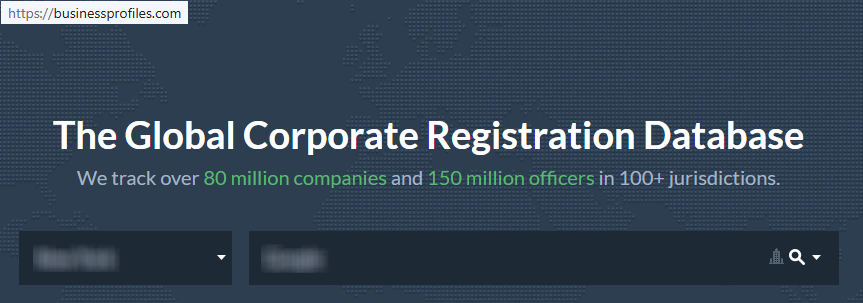
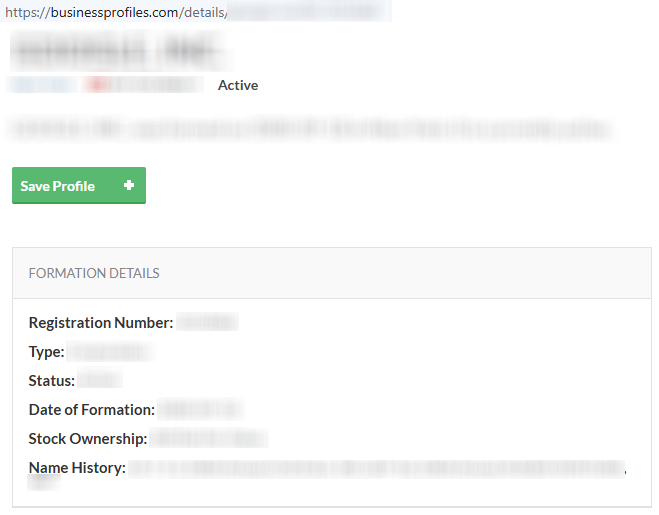
Go to BusinessProfiles and search by name or registration details. Open the matching result and copy the full URL from the browser bar. Tip: Check the jurisdiction and formation date first so you do not choose the wrong profile.
Open the About page
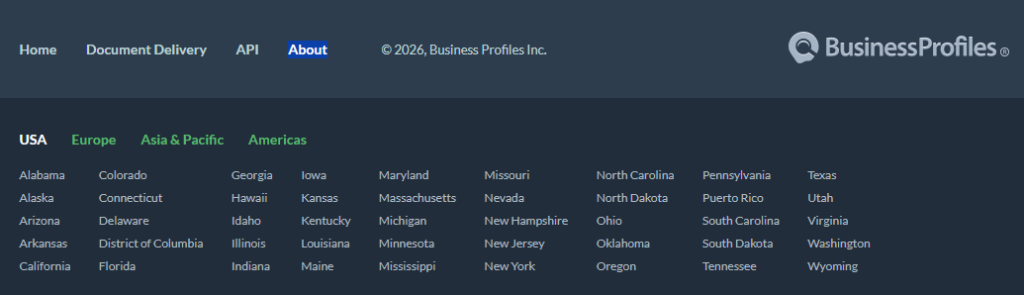
Open the official About page from the footer menu. You should see a subject selector and a message box. Tip: The same page links back to the FAQ if you need the stated rule on profile changes.
Submit your identifiers and paste the business URL
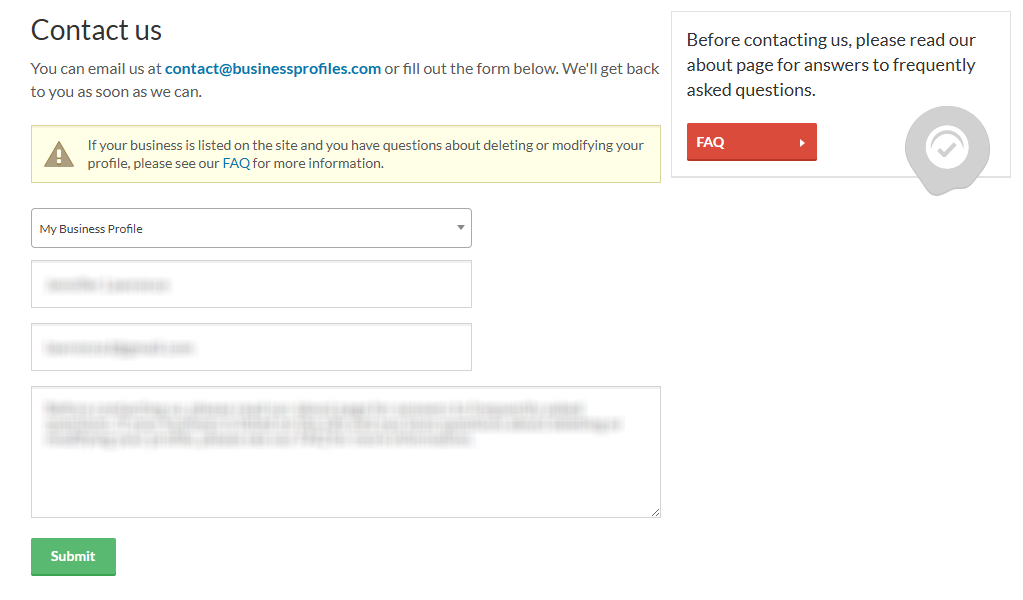
Select “My Business Profile,” add your details, and paste the URL. If the issue involves safety, ask whether BusinessProfiles will review suppression. Please blur personal details in any screenshots you keep. Tip: Send the exact business name shown on the profile so the team can match it faster.
Confirm deletion
After submission, look for an on-page note or a reply from BusinessProfiles. The official pages do not promise normal deletion, so confirm whether they will review, suppress, or direct you to the source registry instead. Tip: Check Spam before you send a second note.

Track confirmation & timeline
Save the confirmation and track the date for 5–20 days. If the source registry updates first, BusinessProfiles may refresh later. Tip: Keep a simple list, then follow up once if nothing changes after the stated window. Send the same thread again and include the URL.
Timelines, Verification & What to Expect
A practical window is 5–20 days when the underlying registry changes. Confirmation may appear on-page or by email. If you get no update after 20 days, return to the official page, reference your earlier note, and send one clear follow-up with the same URL and any proof that supports your case.
Edge Cases & Troubleshooting
- No access to the original phone: identify the business with the exact URL and explain your role. BusinessProfiles does not describe normal code verification for routine listing edits.
- “Record not found”: search by registration number, jurisdiction, or officer name. Small differences can change results.
- CAPTCHA or submission errors: reload the page, disable blockers for one try, and press the submit button again. If the issue stays, use the posted address instead.
- Verification code not arriving: the official pages do not describe one, so wait for a manual reply instead and check Spam once.
- Form rejects the request by region (EU/UK/CA): ask what path they allow for suppression or source correction in your region.
- Account deletion vs. public listing removal confusion: deleting a free login does not automatically change a public profile built from public records.
- Re-submitting after a failed attempt: send one clean follow-up after you have the exact URL and concise facts.
- How to cancel BusinessProfiles: the public pages do not show a self-serve closure path; review sign-in help only for login issues.
Will my data reappear?
Data can reappear when source records stay public, when a third party republishes the same filing data in its database or blog, or when the platform refreshes a registry feed. To lower repeat exposure, set a 3–6 month reminder, keep every confirmation, and re-submit quickly if needed. The privacy community often checks related removals next.
Manual vs Assisted Removal
Manual:
Pros
- More control over each record
- lower cost
- good for one customer record.
Cons
- Takes more time
- you monitor every profile yourself
- rules vary by party
Assisted:
Pros
- Faster checks across more than one profile
- verified tracking dashboard
- repeat monitoring in one place.
Cons
- Less direct control
- added fee
- may still require your input.
We remove your data for you - faster, verified, trackable.
Discover Which Sites Share Your Private Details—Instantly and Free.
FAQ
BusinessProfiles is a corporate directory with public registration data about companies and officers.
Routine removal is usually not available. BusinessProfiles states that exceptional suppression may be reviewed for safety-related cases.
Open the official page, include the URL, and explain the risk clearly. Ask whether temporary suppression is available.
The official FAQ explains that the records come from government registration agencies, so officer names can appear with a profile.
The site does not show a normal public form. It refers to a suppression form only in exceptional cases.
Update the underlying registry first, then monitor the profile during the stated refresh window.
Source-driven changes generally appear within 5–20 days. Exceptional review timing is not stated.
No. The login and the public profile are separate.
Use the official page and include the exact URL and a short explanation.
Follow up after about 20 days if there is no visible change or reply.

Posted by Ava J. Mercer
More Public & Property Records Removal Guides
- BlockShopper Opt Out Guide
- BusinessProfiles Opt Out Guide
- City-Data Opt Out Guide
- ClustrMaps Opt Out Guide
- Florida Residents Directory Opt Out Guide
- Homemetry Opt Out Guide
- Michigan Residents Database Opt Out Guide
- MineralHolders Opt Out Guide
- My Health Record Opt Out Guide
- Neighbor.Report Opt Out Guide
- NeighborWho Opt Out Guide
- NJ Parcels Opt Out Guide
- NJPropertyRecords Opt Out Guide
- North Carolina Resident Database Opt Out Guide
- Ohio Residents Database Opt Out Guide
- OnlineSearches Opt Out Guide
- Rehold Opt Out Guide
- SearchSystems Opt Out Guide
- US Records Opt Out Guide
- VoterRecords Opt Out Guide


