
Opt Out Guides
TruthRecord Opt Out Guide
Before You Opt Out of TruthRecord, Check Your Exposure
Privacy Writer
A. J. MercerAva J. Mercer
Updated
Read
5 min
Before You Opt Out of TruthRecord, Check Your Exposure
If your personal information is listed, your full name, address, and contact details can become easier to find, which can raise privacy concerns and affect your online presence. TruthRecord is a data broker site that typically shows records gathered from public records and other sources, then formats them into a listing for browsing. In this TruthRecord opt-out guide, you’ll learn how to remove your info, what you need to submit, and how to check your status without over-sharing. You’ll also see quick steps, screenshots, official page cues, and a simple timing overview to help you stay organized. Reducing exposure can help if you’re dealing with unwanted contact, stalk attempts, or other malicious use.
How to opt out of TruthRecord
Open the official form, find your listing, select the right profile, enter the required identifiers, and confirm via an email link or text code. After you confirm, updates often appear within one day, depending on update cycles.
Checklist:
- Open the official opt-out form
- Enter identifiers (email/phone)
- Complete CAPTCHA
- Confirm via code/link
- Save the email receipt
- Set a reminder to re-opt-out
Find out if your private details were exposed
TruthRecord – Quick Facts
| Parameter | Value |
| Domain | truthrecord.org |
| Data Types | contacts, addresses, possible social identifiers, public records |
| Opt-out Methods | web form/email/mail |
| Identity Verification | link by email or code by SMS |
| Typical Response Time | within one day |
| Re-listing Risk | medium |
About TruthRecord
TruthRecord is a people search directory and background check service that compiles information online into one view. It states that it may collect details from public records and other sources, and it offers data privacy laws options, including controls related to selling your personal data.
Common data you may find:
- Names and known aliases
- Current and past addresses
- Contact information (phones and emails)
- Relatives and household links
- Property and real-estate records
- Court records
- Marriage licenses
- Criminal records
- Photos or social links (if available)
- Financial history (if available)
Step-by-Step Guide
Open the official opt-out form
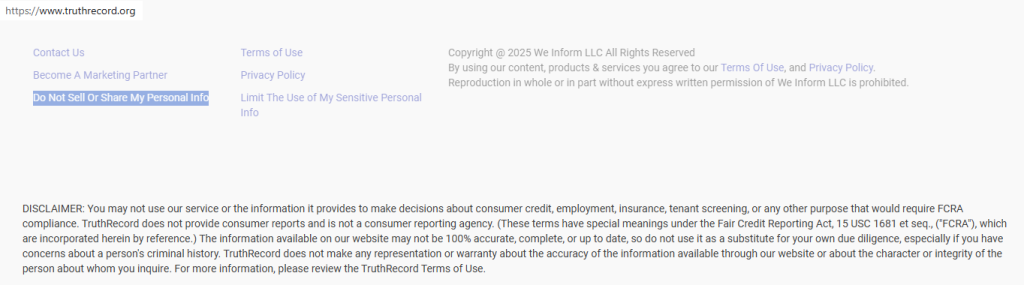
Open the site in a browser. Scroll to the bottom of the page for the footer link. You’ll see the “Do Not Sell or Share” tab there. Choose it to reach the take-down page. When you take screenshots, blur or redact sensitive details first. If you are using a shared device, sign out afterward and close the page when you finish.
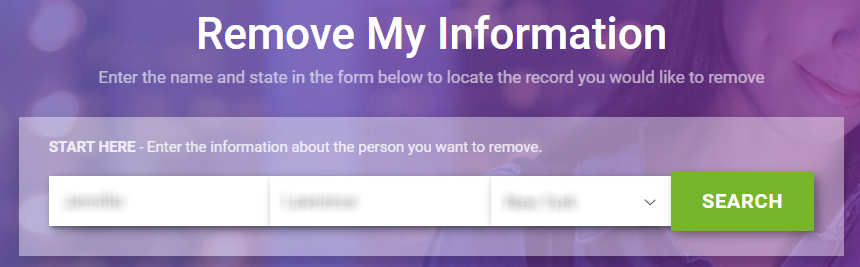
Submit your identifiers (email/phone + CAPTCHA)
Use the search fields to find your listing. Then, select the matching profile from the search results. Enter the required identifiers (often name, location, and an email address). Solve the CAPTCHA and submit. Double-check spelling so the system matches the correct entry in the database. Save a screenshot of the final screen with sensitive fields blurred.
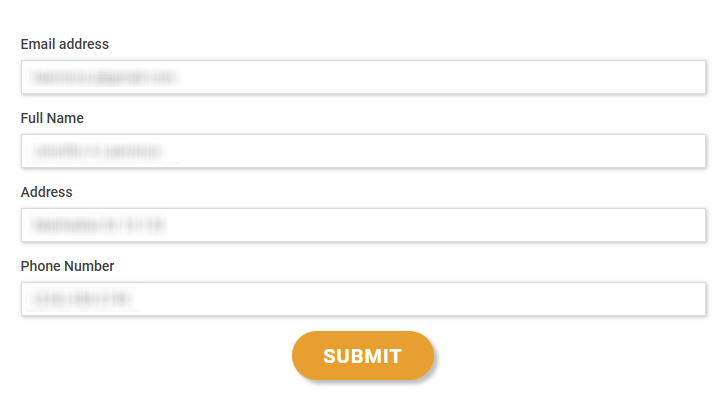
Verify via code or link (email/SMS)
After submitting, open the verification email you receive and click the button or link to verify your email address and finish. If the page prompts you to request a verification code by SMS, enter it and continue. If the message does not arrive, look in spam.
Confirm deletion / Do-Not-Sell request
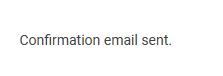
When the success screen loads, save the on-page receipt for your records. If you see a choice labeled Sell or Share My Personal Info, pick the option that matches your goal, such as suppression. This can help suppress the listing from public view, but it may not delete the underlying record at the source. Blur sensitive fields in any screenshots before storing them.
Track confirmation & timeline
Keep the receipt message and date in one place, so you have a way to get back to it later. If you still see the listing after several days, repeat the form once with the same identifiers. This is also a good time to check other data broker pages and decide whether you want broader help with listings. If you use a service, share only what it needs so your details stay minimal.
Timelines, Verification & What to Expect
Most submissions are handled within one day, but timing depends on how often the site refreshes and whether your verification step completes. You may see a success notice right away, and you might also get an email follow-up. If you do not see either after Y days, use the site’s contact options and try once more. Before sharing any proof with support, delete your personal information from screenshots. This is a simple way to regain peace of mind and enhance your privacy.
Edge Cases & Troubleshooting
- No access to the original email/phone: use a current email and contact support for a workaround, then verify identity using the option they provide.
- “Record not found”: try alternate spellings, nearby cities, or prior states; some records are split across many sources.
- CAPTCHA errors: refresh, clear cookies, switch devices, or try again later.
- Code or email not arriving: check your inbox, then check spam, then resend once.
- Regional limits (EU/UK/CA): if the web form blocks you, use the privacy page to submit a general request.
- Account vs listing confusion: a subscription account is separate from a public listing; ending a plan may not remove your data.
- Re-submit after failure: correct typos, submit once more, and save the success screen.
- How to cancel: open your account menu and follow the site’s steps.
Will my data reappear?
Re-listing can happen when the partner feeds refresh, when broker sites like other directories republish, or when the site refreshes its database from public records again. Some companies collect and sell listings across many platforms, so a data broker listing can return even after you de-list it. To lower the risk of identity theft, set a reminder every 3–6 months, save your data removal emails, and repeat the same steps quickly if your listing returns. Another contributor is when new public records entries are added or corrected. Saving receipts and checking your name periodically is a way to get ahead of repeats. A VPN can be a way to keep browsing less trackable. Data brokers like this can update quickly, so take control with reminders and keep receipts.
Related removals
- TruePeopleSearch
- FastPeopleSearch
- Whitepages
- Spokeo
- USPhoneBook
- UnMask
- WeInform
- ThatsThem
Manual vs Assisted Removal
Manual:
- Pros: you keep your data, you maintain control of your data, and you can handle one listing at a time across data broker sites.
- Cons: it takes time, it can require repeat checks, and some search sites need a new receipt each cycle.
Assisted:
- Pros: a removal service can speed up data removal, track outcomes, and run recurring checks across multiple data broker listings.
- Cons: you share personal data with a provider and may need occasional verification.
We remove your data for you - faster, verified, trackable.
Discover Which Sites Share Your Private Details—Instantly and Free.
FAQ
Reddit posts often say the footer link is easier to spot on desktop. If the menu collapses, try rotating your phone or using a desktop view to find the footer link near the bottom area.
Users report that the site sends a message you must confirm. Use an address you can access, keep the message for your records, and avoid adding extra personal information that the form does not require.
Reddit threads commonly suggest waiting a few minutes and checking junk mail. If it still fails, use the contact options to ask for help completing verification.
Some users say listings can reappear after refresh cycles. Keep the saved email, set a reminder, and repeat the same steps if the listing shows up again.
Many comments warn about oversharing. Provide only what the form requires, blur screenshots, and do not add new contact info that is not needed to match the record.
It is described as a directory that aggregates personal details into a single listing for browsing. If you want less exposure, follow the steps above and keep your receipt.
Suppression usually means the public listing is hidden, while deletion can refer to removing stored data under a privacy option. The exact wording depends on the choices shown during the finish step.
This process focuses on the listing on the site. Underlying court filings usually remain with the original source, even if the listing is no longer visible here.
A removal service can help across many broker listings, but you should still save receipts and follow up when a site asks for a new code.
It can reduce casual lookup, but it cannot guarantee behavior changes. For stronger protection, remove your information on other sites and review what details are public.

Posted by Ava J. Mercer
More Background & Criminal Removal Guides
- AdvancedBackgroundChecks Opt Out Guide
- Affordable Background Checks Opt Out Guide
- ArrestFacts Opt Out Guide
- Background Check Gateway Opt Out Guide
- BackgroundCheckers Opt Out Guide
- BackgroundChecks.com Opt Out Guide
- CyberBackgroundChecks Opt Out Guide
- EasyBackgroundChecks Opt Out Guide
- GovernmentRegistry Opt Out Guide
- GovWarrantSearch Opt Out Guide
- InfoTracer Opt Out Guide
- JailBase Opt Out Guide
- LocatePeople Opt Out Guide
- MugshotLook Opt Out Guide
- Mugshots Opt Out Guide
- National Public Data Opt Out Guide
- Public Information Services Opt Out Guide
- Search Public Records Opt Out Guide
- SearchQuarry Opt Out Guide
- SmartBackgroundChecks Opt Out Guide
- SpyFly Opt Out Guide
- TruthRecord Opt Out Guide


