
Opt Out Guides
Verisk Opt Out Guide
Before You Opt Out of Verisk, Check Your Exposure
Privacy Writer
A. J. MercerAva J. Mercer
Updated
Read
5 min
Before You Opt Out of Verisk, Check Your Exposure
Removing data from Verisk matters because exposed name, address, and phone details can make it easier for strangers to connect different records about you. Verisk is a data analytics company serving the insurance industry and risk markets, with analytics tools for service support.
How to opt out of Verisk
Use the official Verisk data rights page. Use the contact data and address the support team. The process usually takes 15–45 days, depending on verification and the type of request; the support team may process one request at a time. Keep a copy of every message.
- Open the privacy page
- Choose the Client Privacy Notice option
- Address the support team
- Save the reply message
- Set a reminder to re-opt out
Find out if your private details were exposed
Verisk – Quick Facts
| Parameter | Value |
| Domain | verisk.com |
| Data Types | Contact details, addresses, identifiers, account data, device data, vehicle or insurance-related data, where applicable |
| Opt-out Methods | Web form, email, mail, and contact form |
| Identity Verification | Email reply, code, or proof of identity if required |
| Typical Response Time | 15–45 days |
| Re-listing Risk | Medium |
Verisk provides data, analytics, and technology services for insurance and risk-related markets. It may collect personal or business data from you, from online activity, from public records, and from commercial or client sources, depending on the product and relationship. It may also use information to protect against fraud, disclose data when legally required, prevent financial loss, and support enforcement needs; some site data is collected automatically through the system.
Common data you may find:
- Names and known aliases
- Emails
- Phone numbers
- Current and past addresses
- Online identifiers
- Account or client access details
- Insurance-related claim or policy data, where applicable
- Vehicle or driver-related record data where permitted
- Employment or professional details where relevant
- Public record data from government or commercial sources
Step-by-Step Guide
Open the privacy page
Go to the Verisk Privacy Notices page. Use the footer link. Before saving screenshots, blur personal data, codes, and account fields.
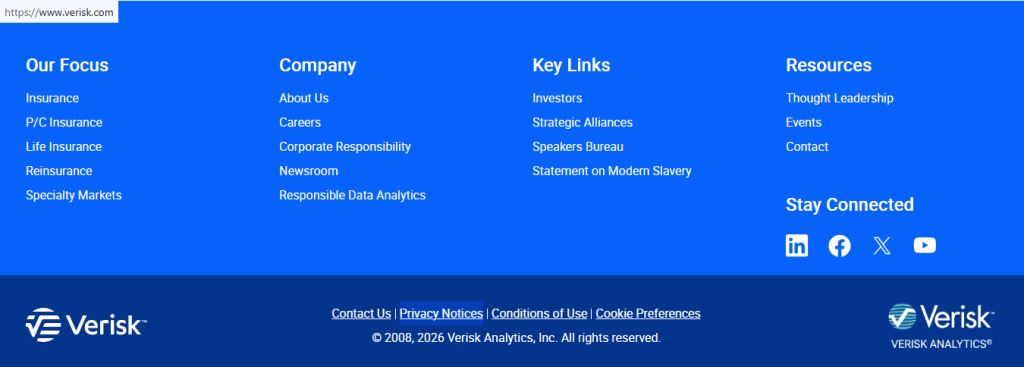
Choose the Client Privacy Notice option
Select the Client Privacy Notice option if your information relates to account access, support, or a business-facing service. If you are a resident with state rights, use the state data notice instead. Read the page for contact choices, verification language, and any region-specific limits.

Contact the support team
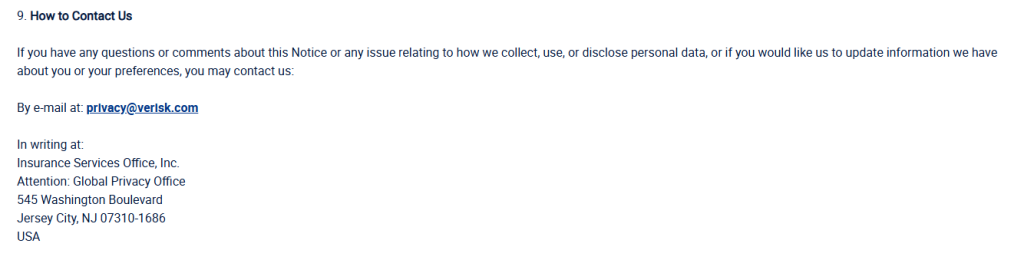
Send the request to the listed contact, such as privacy @verisk.com. Include your name, email, phone, address, and the action sought: access, deletion, correction, or removal. Use a clear email title, and do not include unnecessary sensitive documents.
Confirm deletion
Watch for an email, code, on-page reply, or support reply. If Verisk asks for identity proof, provide only what is required and redact account numbers, balances, or unrelated details. Verification information may be required to validate identity and address.
Track confirmation & timeline
Save the reply, date, case number, and any response from the service team. Check Spam and Promotions folders for replies. If no response arrives after 45 days, follow up through the same channel and include the first request date, email, and email title.
Timelines, Verification & What to Expect
Most data rights request process handling takes 15–45 days, depending on identity checks, process limits, region, and the type of record involved. You usually receive a reply by email or an on-page message after submission. If nothing arrives after 45 days, use the contact link or data email, reference your earlier request, and resubmit once with the same details.
Edge Cases & Troubleshooting
- No access to the original email/phone: Use your current email, explain the change, and provide matching identifiers. Verisk may require extra proof before it can respond.
- “Record not found”: Try past addresses, alternate name versions, and old phone numbers. A missing result does not always mean no data exists.
- CAPTCHA or submission errors: Clear cookies, try another browser, and disable extensions. If the form still fails, use the listed email.
- Verification code not arriving: Check Spam, Promotions, and blocked senders. Then retry once and confirm the phone or email is typed correctly.
- Form rejects the request by region: Use the state, EU, UK, or CA contact route shown in the notice. Region rules may change the available options.
- Account deletion vs. public listing removal confusion: Closing an account may not remove public or client-sourced data. State the exact removal action you want.
- Re-submitting after a failed attempt: Wait for the stated window, then send one follow-up. Include the reply, email title, and first submission date.
- Need to cancel a product login: Contact product support separately. A service cancellation is different from a data rights request.
Will my data reappear?
Data can reappear when aggregators, partner feeds, public records, or resellers refresh their files. Verisk and other firms may also retain data when a legal obligation or legitimate need applies. Keep every reply, set a 3–6 month reminder, and re-submit quickly if needed. Check related removals next, especially insurance, vehicle, and people-search brokers that may collect similar data.
Manual vs Assisted Removal
Manual:
Pros
- Direct control over each request;
- you deal directly with each contact route.
Cons
- It takes time, repeated monitoring, careful record keeping, and patience.
Assisted:
Pros
- Better when you want speed, verification, a tracking dashboard, and recurring checks.
Cons
- Costs;
- less hands-on control over every message.
We remove your data for you - faster, verified, trackable.
Discover Which Sites Share Your Private Details—Instantly and Free.
FAQ
Use the official data rights page and privacy email. Include your name, email, phone, mailing details, and the specific action you want.
Start on the Verisk notices page. Choose the notice matching your relationship, then use the listed email route.
Review the state rights or client notice options. Some routes separate advertising choices from deletion, access, correction, and deletion actions.
Plan for 15–45 days. Verification may require more review, and region-specific review may extend the process, so keep the reply and follow up after the window.
The company may need to confirm that the request matches the data. Use only required proof, and redact unrelated details before upload.
Use the official contact route and specify vehicle or driver-related data. Also, check your automaker app settings and connected car permissions.
Submit a fresh request or clarify your role. Authorized agents may require proof that they can act for the person.
Resubmit once after the stated window if no response arrives. Include the first reply, original subject, and matching contact details.
Public records, commercial feeds, or partner updates can reintroduce data. Keep replies and repeat the removal check every 3–6 months.
Cancellation stops account access or billing. A data deletion request asks Verisk to remove eligible personal data from relevant systems.
Use the appeal or contact route in the notice. For regional rights questions, consider a qualified data professional instead of guessing.
Store replies, limit new sharing, check related brokers, and turn off unnecessary app data sharing. Repeat checks help reduce recurrence.

Posted by Ava J. Mercer
More Data Brokers & AdTech Removal Guides
- 33Across Opt Out Guide
- Acxiom Opt Out Guide
- AdDefend Opt Out Guide
- AdElement Opt Out Guide
- AdMarketplace Opt Out Guide
- Adstra Opt Out Guide
- Alesco Data Opt Out Guide
- Allant Group Opt Out Guide
- Anteriad Opt Out Guide
- Appier Opt Out Guide
- Aristotle Opt Out Guide
- Arity Opt Out Guide
- Buyerlink Opt Out Guide
- Complete Mailing Lists Opt Out Guide
- CoreLogic Opt Out Guide
- Data Axle Opt Out Guide
- Epsilon Opt Out Guide
- Exactag Opt Out Guide
- FourLeafData Opt Out Guide
- FullContact Opt Out Guide
- Gemini Opt Out Guide
- Giant Partners Opt Out Guide
- Habu Opt Out Guide
- Kochava Opt Out Guide
- LexisNexis Opt Out Guide
- LiveRamp Opt Out Guide
- Lotame Opt Out Guide
- MediaWallah Opt Out Guide
- Oracle Opt Out Guide
- Outbrain Opt Out Guide
- PacificEast Opt Out Guide
- PeopleConnect Opt Out Guide
- PubMatic Opt Out Guide
- PubWise Opt Out Guide
- Quantcast Opt Out Guide
- Site Impact Opt Out Guide
- Statara Opt Out Guide
- Taboola Opt Out Guide
- VenPath Opt Out Guide
- Verisk Opt Out Guide


