
Opt Out Guides
Complete Mailing Lists Opt Out Guide
Before You Opt Out of Complete Mailing Lists, Check Your Exposure
Privacy Writer
A. J. MercerAva J. Mercer
Updated
Read
5 min
Before You Opt Out of Complete Mailing Lists, Check Your Exposure
If your details are in CompleteMailingLists records, they can affect your privacy by exposing your name, address, and email. The Privacy Policy says the company collects personal information you provide and can also obtain it from public sources and other companies for marketing purposes. Then, it uses the data for marketing-related services and database upkeep.
How to opt out of Complete Mailing Lists
Open the official Do Not Sell My Personal Information page, finish the online form, submit, and follow the confirmation step. Your request is typically handled in 7–14 days.
Checklist:
- Open the official opt-out form
- Enter identifiers (email/name/address)
- Pass CAPTCHA/verification
- Confirm deletion
- Save the confirmation
Find out if your private details were exposed
Complete Mailing Lists – Quick Facts
| Parameter | Value |
| Domain | completemailinglists.com |
| Data Types | contacts, addresses, demographics, possible social identifiers |
| Opt-out Methods | web form/phone/mail |
| Identity Verification | on-page confirmation |
| Typical Response Time | 7–14 days |
| Re-listing Risk | medium |
CompleteMailingLists is a consumer data provider. Its policy describes collecting data you submit and acquiring it from public sources and third parties, then using it to verify, update, and maintain its database for marketers and partners, and to share certain categories with them.
Common data you may find:
- Name and aliases
- Postal address history
- Telephone numbers
- Email addresses
- Year of birth
- Professional details
- Education details
- Online activity signals
- Commercial information
- Inferences
Step-by-Step Guide
Open the official opt-out form
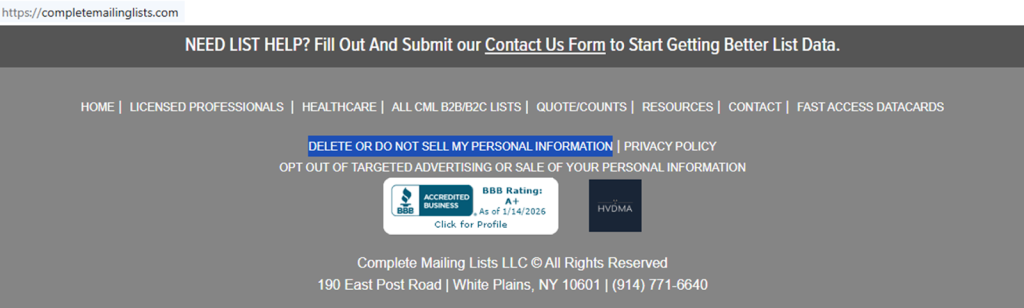
Go to the website footer and open the “Do Not Sell My Personal Information” page. Look for the fields and the “Submit Request” button. Before typing anything, review the deletion choices. Then, select the one that matches your goal. If you save a screenshot for your records, blur sensitive information first, and don’t post it online. Tip: Use a private window so autofill does not appear.
Enter your identifiers (email/name/address + CAPTCHA)
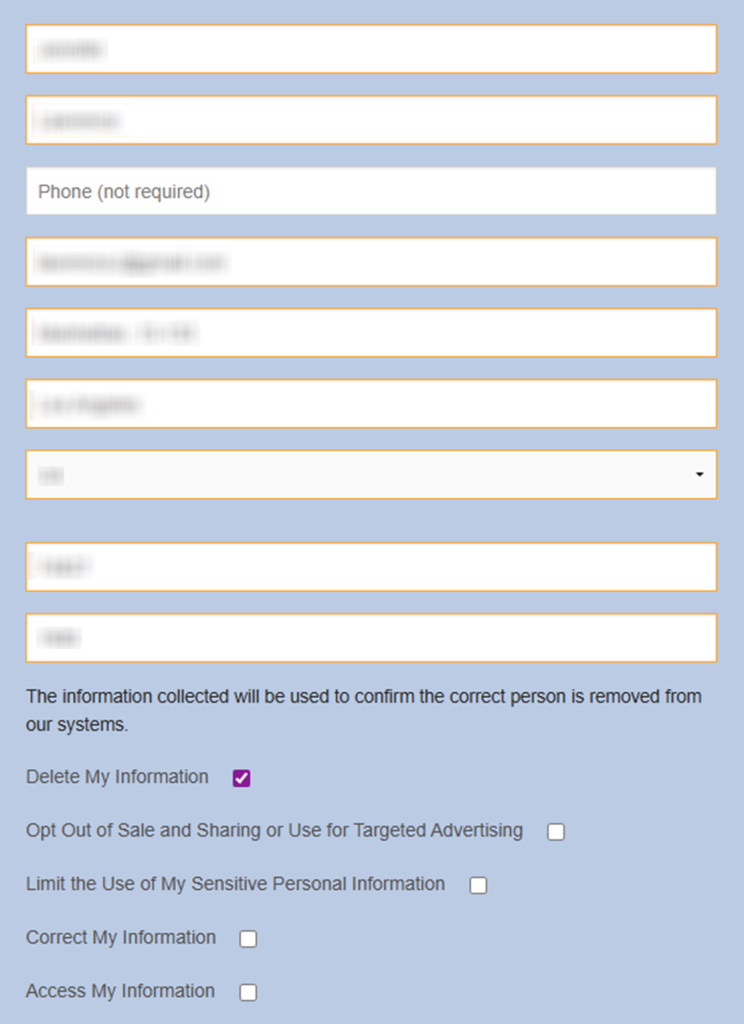
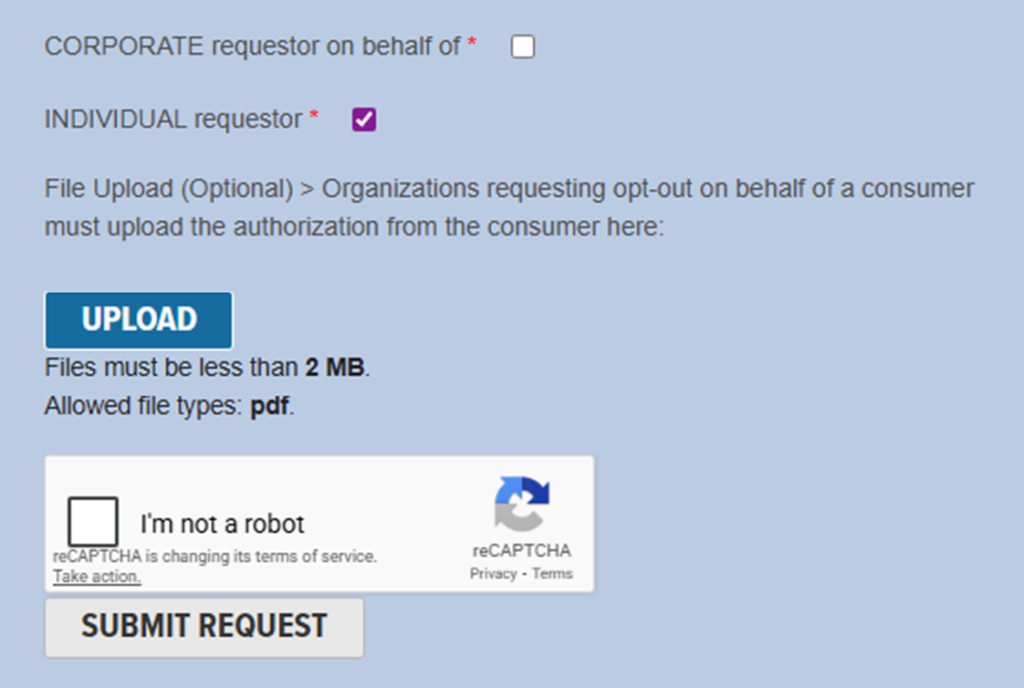
Enter the necessary identifiers (first and last name, street address, city, state, ZIP, year of birth, and your email). Complete the CAPTCHA. Press “Submit Request.” Save a copy for your records. Tip: If a field is unclear, leave it blank unless it is marked required.
Verify via code or link (email/SMS)
After you submit, watch for a verification step. It may show on the page, or it may arrive as an email message with a link; if you entered a Phone, it may arrive as an SMS code. Follow the direct instructions to finish verification. Keep the message in a safe folder as proof and do not forward it. Write down the time you finished verification in case you need to follow up. Tip: Check the Spam folder if you don’t see the message right away.
Confirm deletion / Do-Not-Sell request
Select what you want to do: delete your record, opt out of sale/sharing, limit sensitive use, correct data, or Access data. Tip: Save a redacted screenshot that shows only the option you selected and the page title, not the fields you typed.
Track confirmation & timeline
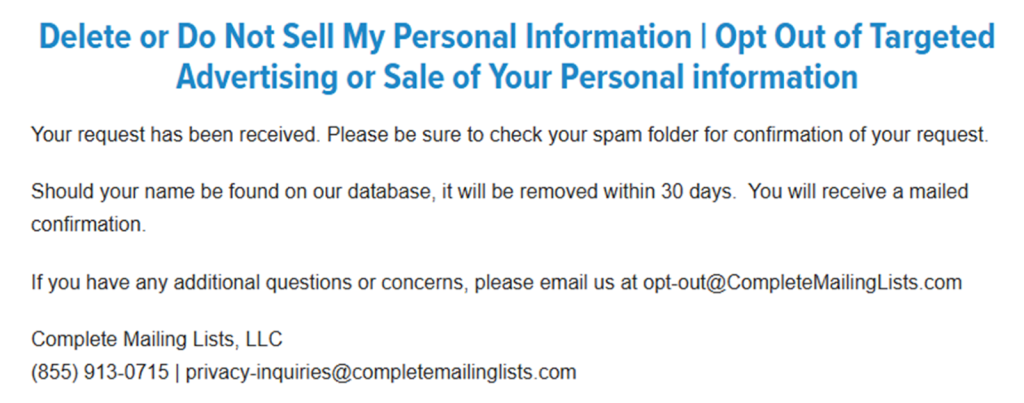
Save any on-page success notice and keep the confirmation. Write down the date you submitted. Check back after 7–14 days. If you submitted by mail, keep the envelope receipt for security. Tip: Keep a short, clear note so you can repeat the process quickly if the entry returns.
Timelines, Verification & What to Expect
A typical window is 7–14 days to process a privacy submission, depending on volume and what you selected. You may see an on-page message right away, and the company may send a follow-up email. Save any on-screen receipt you see after you press “Submit Request.” If you do not receive anything after 14 days, use the Privacy Policy details to ask for an update.
Edge Cases & Troubleshooting
- No login to the original email/Phone: use the Phone option on the page, or use the Privacy Policy contact details and explain the issue.
- “Record not found”: re-check name spelling, try a prior postal address, and submit again.
- CAPTCHA or submission errors: clear cache, try another browser, or try later.
- Verification code not arriving: wait 10 minutes, check Spam, then resubmit once.
- Form rejects the submission by region (EU/UK/CA): ask for the national process that applies where you live.
- Account settings vs. listing change: focus on the page choices instead of canceling a newsletter registration.
- Re-submitting after failure: change one field at a time and keep screenshots redacted.
- Authorized agent issues: if acting on behalf of another person, include a signed authorization.
Will my data reappear?
Re-listing can happen when a directory refresh pulls in new public records, partner feeds, or reseller updates. One resource may repopulate another service later, even after you took action. The safest approach is ongoing monitoring. Keep your proof, set a 3–6 month reminder, and repeat the steps quickly if the entry returns. If you see the same record again, note the date so you can spot a pattern.
Manual vs Assisted Removal
Manual:
- Pros: More control and direct control over the website; no extra money; you decide what to leave and what to remove.
- Cons: Time investment and repeat monitoring; you must track each proof message yourself and keep a list of dates.
Assisted:
- Pros: Faster handling, tracking dashboard, and recurring checks; guidance on verification steps and record matching so you can learn what to check.
- Cons: You still need to check what unwanted data you provide; many services require registration; you may need to register.
We remove your data for you - faster, verified, trackable.
Discover Which Sites Share Your Private Details—Instantly and Free.
FAQ
You can ask the company’s privacy team what data is retained for suppression and whether other data was deleted. Keep any proof you receive so you can follow up if messages continue and you need to reference the date.
It helps match the correct database record when many people have similar names. Provide only the fields required on the page.
Check Spam and confirm you entered the right email. If it still doesn’t arrive, submit again once and keep the date.
Look in the website footer for privacy links. If you can’t find it, use the site’s Contact page and ask where to submit an opt-out or deletion submission. If search is available, look for “Do Not Sell” in the footer links.
Check every 3–6 months and keep a proof message each time. If a record returns sooner, repeat the step quickly and keep your dates. Keeping the same identifiers each time makes matching easier if the record returns.
Use the “Do Not Sell My Personal Information” page. Enter your identifiers, submit your request, and follow the verification step.
The policy says it can collect identifiers like name and postal addresses, plus demographic, professional, education, and some online activity information, as well as inferences. This is meant to describe categories, so you may not see every item tied to you.
The page shows choices to delete information, opt out of sale and sharing, limit sensitive use, correct information, or Access My Information for free. Select one, submit, and keep any proof shown. Save the on-page proof so you can reference what you selected later.
The page states you can call the listed number to submit by telephone. Ask for any reference number the agent can offer.
Authorized agents can submit on behalf of individuals if they provide written authorization. The company may ask for extra verification. If you are an agent, be ready to show the signed authorization if asked.
It varies, but a practical window is about 7–14 days. If you don’t see any on-page receipt or follow-up after that, use the Privacy Policy details and include the date you submitted and the option you chose. Keep your proof so support can match your record. Save the date you submitted for your own reference in case you need to follow up again.

Posted by Ava J. Mercer
More Data Brokers & AdTech Removal Guides
- 33Across Opt Out Guide
- Acxiom Opt Out Guide
- AdDefend Opt Out Guide
- AdElement Opt Out Guide
- AdMarketplace Opt Out Guide
- Adstra Opt Out Guide
- Alesco Data Opt Out Guide
- Allant Group Opt Out Guide
- Anteriad Opt Out Guide
- Appier Opt Out Guide
- Aristotle Opt Out Guide
- Arity Opt Out Guide
- Buyerlink Opt Out Guide
- Complete Mailing Lists Opt Out Guide
- CoreLogic Opt Out Guide
- Data Axle Opt Out Guide
- Epsilon Opt Out Guide
- Exactag Opt Out Guide
- FourLeafData Opt Out Guide
- FullContact Opt Out Guide
- Gemini Opt Out Guide
- Giant Partners Opt Out Guide
- Habu Opt Out Guide
- Kochava Opt Out Guide
- LexisNexis Opt Out Guide
- LiveRamp Opt Out Guide
- Lotame Opt Out Guide
- MediaWallah Opt Out Guide
- Oracle Opt Out Guide
- Outbrain Opt Out Guide
- PacificEast Opt Out Guide
- PeopleConnect Opt Out Guide
- PubMatic Opt Out Guide
- PubWise Opt Out Guide
- Quantcast Opt Out Guide
- Site Impact Opt Out Guide
- Statara Opt Out Guide
- Taboola Opt Out Guide
- VenPath Opt Out Guide
- Verisk Opt Out Guide


