
Opt Out Guides
Arity Opt Out Guide
Before You Opt Out of Arity, Check Your Exposure
Privacy Writer
A. J. MercerAva J. Mercer
Updated
Read
5 min
Before You Opt Out of Arity, Check Your Exposure
Taking your listing down matters because an exposed name, home address, and phone number can raise privacy risk and unwanted contact. Arity generally shows records based on information it may collect through business relationships, public records, and commercial sources. If you want personalized insurance pricing without broad sharing, you can use the official tools below to limit use, seek erasure, and control online tracking.
How to opt out of Arity
Use the official consumer privacy page, complete the online form with basic contact details, then confirm via a link or code. The company will review the form, usually within 7–12 days.
Checklist:
- Open the official opt-out form
- Enter email/phone
- Complete CAPTCHA
- Confirm via code/link
- Save the confirmation email
- Set a reminder to repeat
Find out if your private details were exposed
Arity – Quick Facts
| Parameter | Value |
| Domain | arity.com |
| Data Types | contact details, addresses, device options, mobility signals, and risk indicators |
| Methods | Cookie Settings on the website; non-cookie webform; AppChoices tool (download) on your mobile device |
| Identity Verification | email/SMS code to verify your identity |
| Typical Response Time | about 7–12 days |
| Re-listing Risk | medium |
This company provides mobility insights and may engage in marketing and advertising activities. Its privacy statement explains personal information collected and says it uses a variety of information to facilitate campaigns, including analytics to measure the effectiveness, for an advertiser and a partner. It may disclose details for advertising purposes and usage reporting.
Common data you may find:
- Name and known aliases
- Phone numbers
- Email addresses
- Current and past addresses
- Date of birth
- Device identifier
- Trip metrics such as miles traveled
- Driving behavior signals like acceleration and brake events
- Driving score and other score outputs
- Precise geolocation (when you enable it with consent)
Step-by-Step Guide
Open the official opt-out form
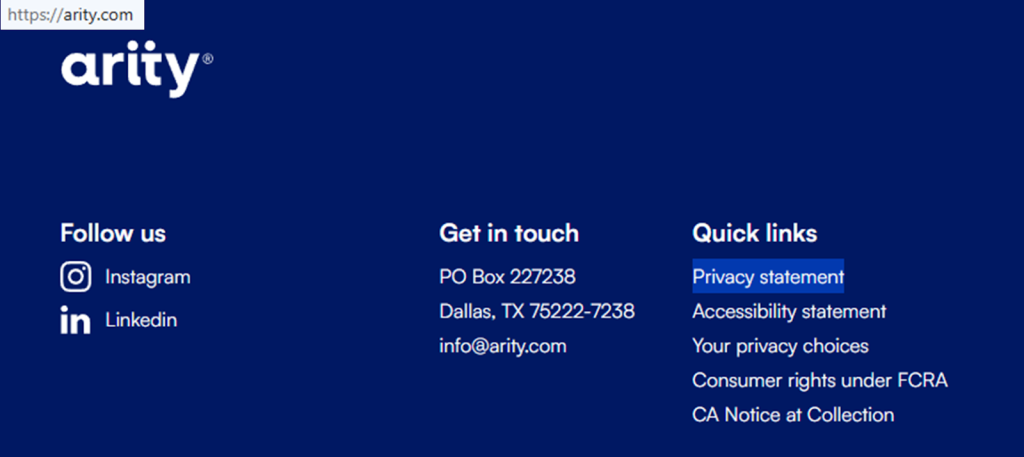
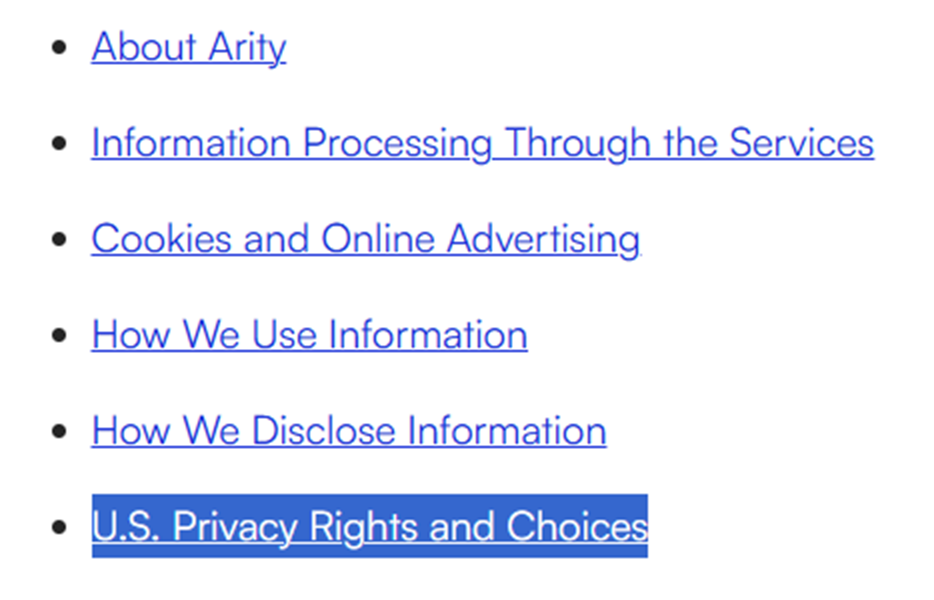
Start at the consumer rights portal linked from the privacy statement. In the first screen, look for the “U.S. Privacy Rights and Choices” link. Then, click the online webform. Use the same details you used with the linked feature, if any. If you capture screens, blur sensitive details and any codes.

Submit your identifiers (email/phone + CAPTCHA)
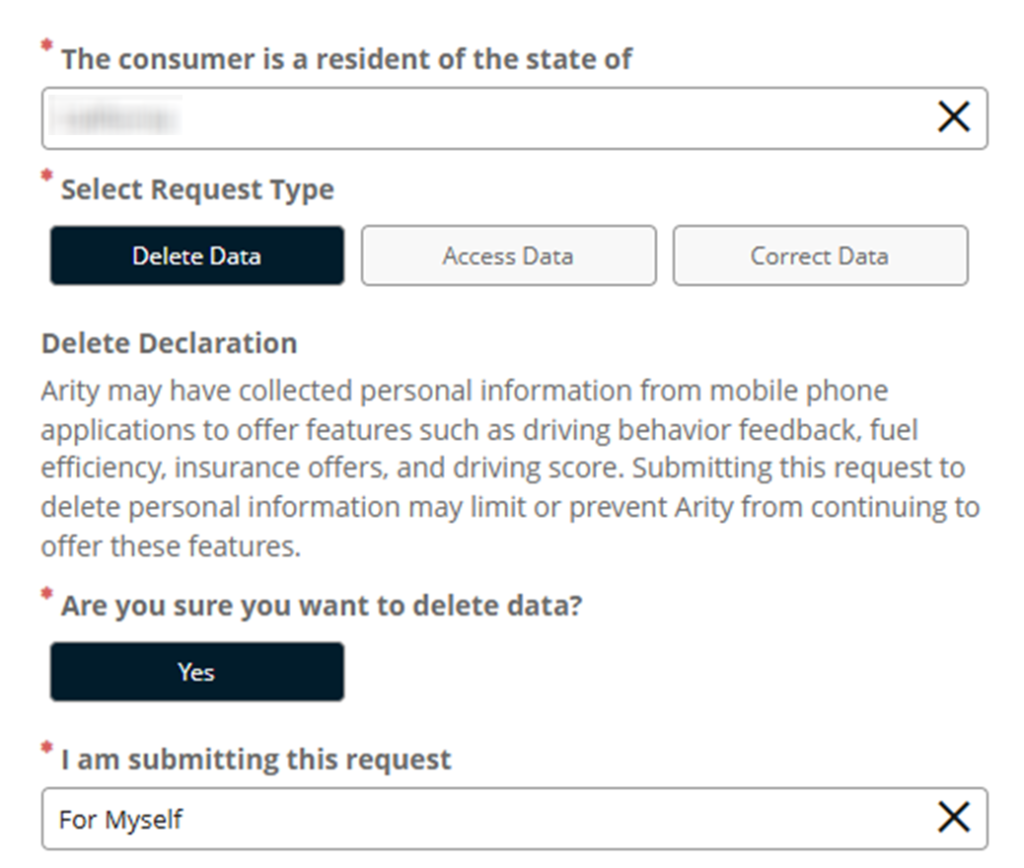
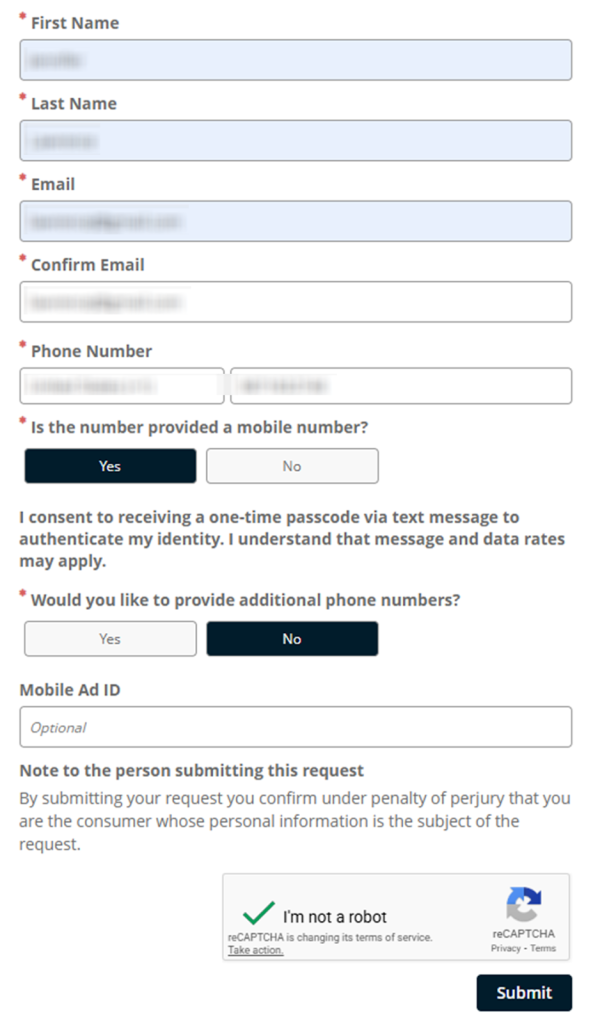
Enter the required fields (name, contact info, and state of residence). Complete the CAPTCHA, and review any checkboxes. Use the same spelling as your original signup. Before you press “Submit,” review for typos. Keep a screenshot of the final confirmation page, but redact everything sensitive first. If the page errors, refresh once and try again.
Verify via code or link (email/SMS)
Look for the verification message and follow the link or enter the code on the portal. Check spam folders before you resend. Keep the portal tab open while you check messages, and copy the code exactly. If you open the link in a separate window, return to the portal and finish the final “Confirm” click. If you receive the code via text, enter it promptly before it expires. Save the final confirmation.
Confirm deletion / Do-Not-Sell request
Wait for an on-page success message. If a second confirmation page appears, scroll and click “Finish.” Some rights differ under state privacy laws and California law, so follow the portal prompts and keep the confirmation screen.
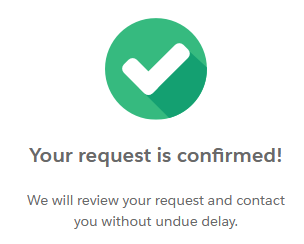
Track confirmation & timeline
Store your case number and dates so you can follow up if needed. If you used your driving behavior data as part of an insurance quote for auto insurance, you can also obtain a consumer report under the FCRA through the Arity Services portal and dispute inaccurate information. This can affect premium rate decisions by insurance companies and other insurance providers, and it can matter for employment screening by an employer or your insurance provider.
Timelines, Verification & What to Expect
Most confirmations arrive on the final page and by email within about 7–14 days, depending on the type of request and verification. If you get a link to view status, open it once. Take a redacted screenshot for your records. Avoid sending extra documents. If you do not hear back after 14 days, use the phone line listed in the privacy policy. Keep records so you can track what you sent and when.
Edge Cases & Troubleshooting
- No access to the original email/phone: call the toll-free number or mail the contact address; explain the changed contact details.
- “Record not found”: check spelling and try a second phone number format.
- CAPTCHA or submission errors: try a different browser, disable blockers, and retry once.
- Verification code not arriving: check spam, wait 10 minutes, then resend once.
- Form rejects the request by region (EU/UK/CA): use the contact section to ask what options apply.
- Account closure vs. listing suppression: closing an account does not always erase underlying records used for modeling.
- Need to cancel a product account: use the account options first, then complete the portal form to delete data.
- Authorized agent problems: confirm you have signed permission to act on someone’s behalf.
Will my data reappear?
Reappearance can happen when upstream sources refresh, when a partner feed updates, or when data brokers publish similar records. Even after you delete, new information may be acquired later through normal acquisition cycles. Changes can also happen when a connected service updates its terms or when you reinstall a feature and re-enable permissions. To reduce repeats, keep confirmations, make it a habit to check monthly and every 3–6 months, and re-submit quickly if the record comes back.
Related removals
- Life360
- GasBuddy
- LexisNexis
- Verisk
- Digital Advertising Alliance
Manual vs Assisted Removal
Manual:
- Pros: More control over each option; clear consent choices and recordkeeping; you keep your own timeline and proof; you decide what personal information and for what purposes you provide.
- Cons: More time and repeat checks; easy to miss re-listing; more follow-up work; updates can require repeats.
Assisted:
- Pros: Faster turnaround and tracking dashboard; help to communicate with services and coordinate follow-ups; recurring checks; one place for confirmations.
- Cons: You still provide personal information; less direct control over each step; it may involve a fee.
We remove your data for you - faster, verified, trackable.
Discover Which Sites Share Your Private Details—Instantly and Free.
FAQ
It can support driving analysis features offered by other products. If you turned on a driving feature, review that product’s controls and use the official portal to limit targeted ads and clear records. Keep the confirmation page. Repeat the check after major app updates.
Some portals use it to match records and reduce false matches. Share only what is required. Keep copies of confirmations.
If you used a telematics program for an insurance quote, get your consumer report in the Arity Services portal, review it, and dispute errors. Use the same contact details you used in the program, and keep a copy of the report plus any dispute outcome for your records.
Some models weigh specific behavior more heavily. If you believe entries are wrong, get your report and dispute the item so it can be reviewed and corrected if appropriate. Also, check the report’s date range, since older trips can affect averages.
Use the contact options in the privacy statement. Include your name and contact details. Do not send ID unless you are specifically asked to do so.
Wait about 14 days. If nothing arrives, resubmit once and keep the confirmation screen. Write down the date you sent it and any case number so you can reference it.
Use the Cookie Settings control to manage tracking technologies used for targeted ads. Look for toggles labeled “Targeting” or “Advertising,” switch them off, then save. If you do not see the banner, try another page on the same site and refresh once.
Use the non-cookie webform and submit your contact info so the system can apply the preference. After you submit, watch for a confirmation message and keep it. This method can help when browser controls are unavailable or blocked.
An authorized agent can submit for you. However, you may need to provide signed permission. If the portal cannot validate the agent, submit the form yourself and keep the confirmation.
Use the Arity Services portal to get one free copy each year. Follow the prompts, confirm the delivery method, and save the confirmation message.

Posted by Ava J. Mercer
More Data Brokers & AdTech Removal Guides
- 33Across Opt Out Guide
- Acxiom Opt Out Guide
- AdDefend Opt Out Guide
- AdElement Opt Out Guide
- AdMarketplace Opt Out Guide
- Adstra Opt Out Guide
- Alesco Data Opt Out Guide
- Allant Group Opt Out Guide
- Anteriad Opt Out Guide
- Appier Opt Out Guide
- Aristotle Opt Out Guide
- Arity Opt Out Guide
- Buyerlink Opt Out Guide
- Complete Mailing Lists Opt Out Guide
- CoreLogic Opt Out Guide
- Data Axle Opt Out Guide
- Epsilon Opt Out Guide
- Exactag Opt Out Guide
- FourLeafData Opt Out Guide
- FullContact Opt Out Guide
- Gemini Opt Out Guide
- Giant Partners Opt Out Guide
- Habu Opt Out Guide
- Kochava Opt Out Guide
- LexisNexis Opt Out Guide
- LiveRamp Opt Out Guide
- Lotame Opt Out Guide
- MediaWallah Opt Out Guide
- Oracle Opt Out Guide
- Outbrain Opt Out Guide
- PacificEast Opt Out Guide
- PeopleConnect Opt Out Guide
- PubMatic Opt Out Guide
- PubWise Opt Out Guide
- Quantcast Opt Out Guide
- Site Impact Opt Out Guide
- Statara Opt Out Guide
- Taboola Opt Out Guide
- VenPath Opt Out Guide
- Verisk Opt Out Guide


