Opt Out Guides

AeroLeads OptOut Guide
Before You Opt Out of , Check Your Exposure
882,888 have already made this search
Privacy Writer
A. J. MercerAva J. Mercer
Updated
Read
5 min
Before You Opt Out of , Check Your Exposure
882,888 have already made this search
If a listing exposes your name, address, and phone number, it can raise privacy risk and unwanted outreach online. Therefore, opting out of Aeroleads matters. Internet listings often pull data from public records and commercial resources, then display that digital information in a searchable database, which can affect accuracy.
How to OptOut of AeroLeads
Use the official Contact Us form, provide identifiers (name/email/phone), and complete verification. Processing usually takes 7–14 days.
Checklist:
- Open the official removal form
- Enter identifiers (name/email/phone)
- Complete CAPTCHA/verification
- Save confirmation
- Set a reminder to re-opt-out
Find out if your private details were exposed

882,888 have already used our search
AeroLeads – Quick Facts
| Parameter | Value |
| Domain | aeroleads.com |
| Data Types | names, job titles, work emails, telephone numbers, company details |
| Removal Methods | web form/email |
| Identity Verification | confirmation message |
| Typical Response Time | 7–14 days |
| Re-listing Risk | medium |
This service maintains business contact data for outreach, and its privacy policy says it may collect such identifiers as name, email, and telephone number, along with other business information. Its privacy section says you can request deletion and notes that data may be collected again later after it is removed, which is why it’s valuable to learn how to get your information off the Internet.
Common data you may find:
- Full name (and aliases)
- Job title and company
- Work email
- Telephone number
- Current address
- Company website
- Location tag
Step-by-Step Guide
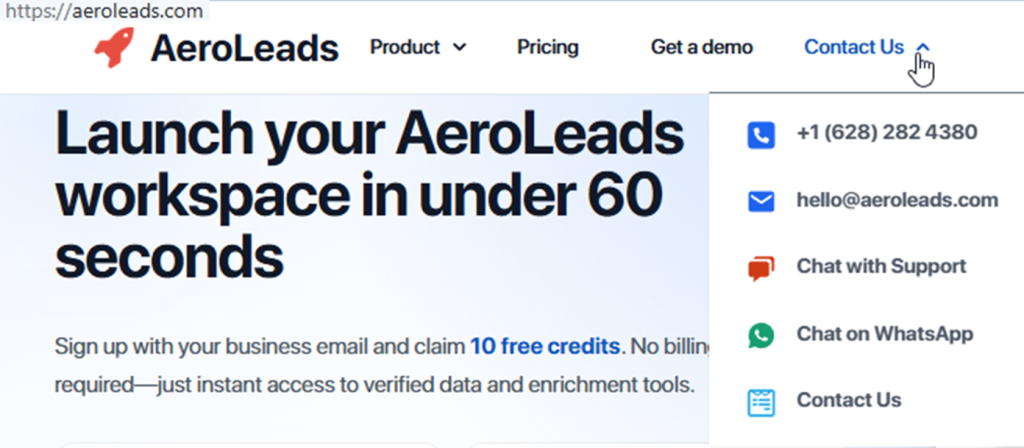
Open the Contact Us page
Open the “Contact Us” screen on the company website or use the helpdesk route, following the instructions shown there. Enter only what is necessary. Tip: Blur personal information in any screenshot you save.
Enter your identifiers (name/email/phone + CAPTCHA)
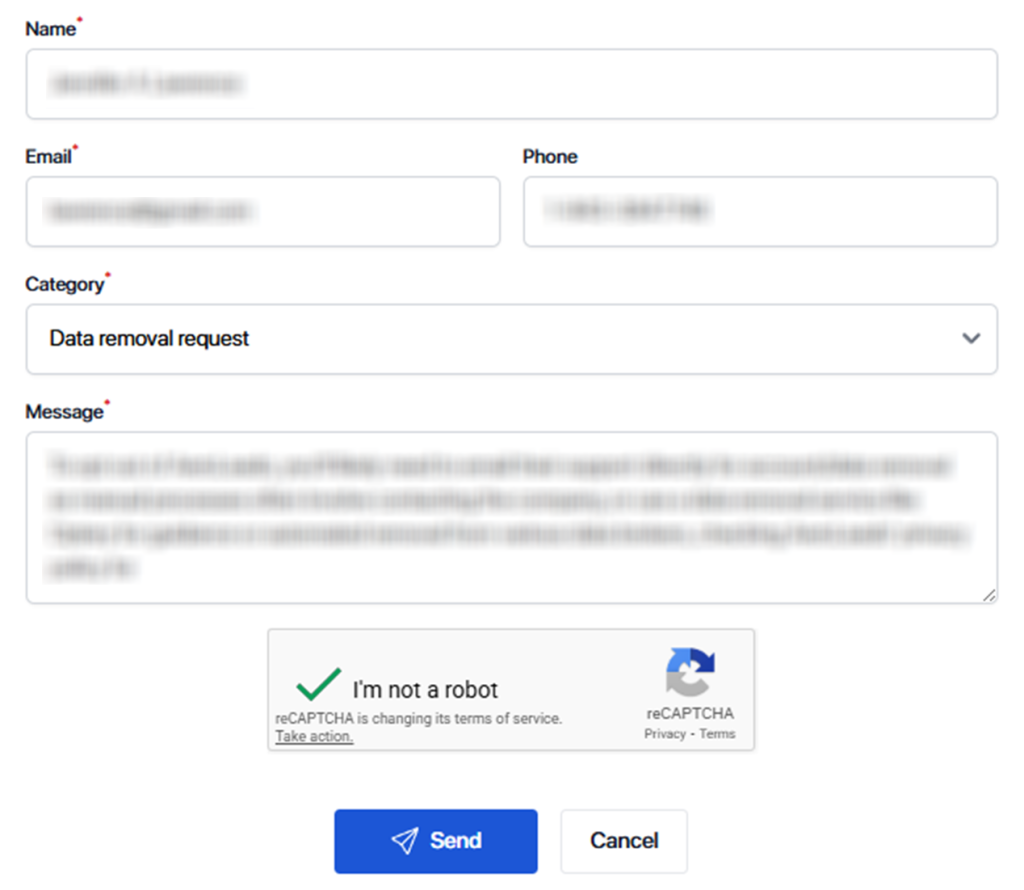
Write a short opt-out request in plain text, and include your name plus the email you want removed. Add your mobile number only if it appears in the listing. Choose the category of your request. Complete the CAPTCHA and click “Send.” Repeated tries can trigger a force block. Save a redacted success notice.
Confirm deletion / Do-Not-Sell request
Write a message and explain a specific reason for why you are removing your data. Keep the message professional and direct. If the flow offers an option to request a copy instead, ignore it and continue with deletion.
Track confirmation & timeline
Keep the confirmation message and the date you submitted. After 14 days, search again for the same listing and note the result. If it remains, write one follow-up message to the support address; this can improve accuracy and help ensure the right entry is handled. For an organization handling high volume, a simple sheet can be a base log and safeguard tracking, including the information provided.
Timelines, Verification & What to Expect
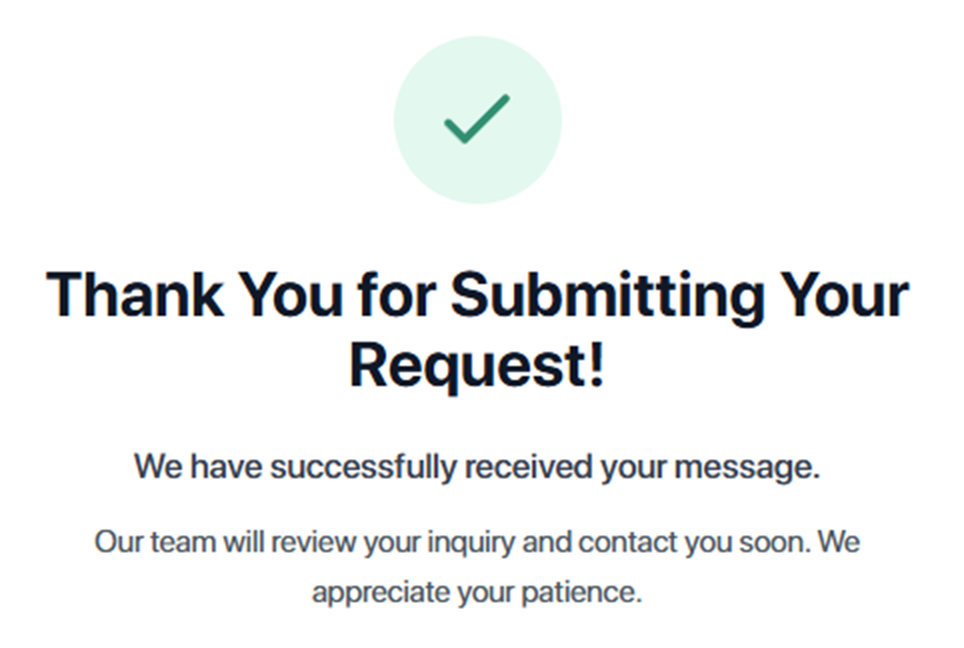
Most removals take 7–14 days. You may see an on-screen notice right after you submit, then get a confirmation message later. If nothing arrives after 14 days, resend once with a redacted screenshot. When you receive a note that the data deleted is complete, keep it. However, it is not a guarantee that the listing will not return.
Edge Cases & Troubleshooting
- No access to the original email/number: explain the change and provide a new reply email; include the profile URL.
- “Listing not found”: try a different search term and verify you copied the right listing.
- CAPTCHA errors: refresh the site or switch browsers.
- Code not arriving: check Spam/Promotions, then ask support to resend.
- Region limits (EU/UK/CA): use the GDPR removal control or write to the privacy contact.
- Listing vs. account: subscription deletion is separate; the helpdesk says it is handled manually by email.
- Billing: to cancel a subscription, message support before the next billing date; do not pay for any extra fee, and keep the reply for your customer file.
Will my data reappear?
Re-listing can happen when the database refreshes from public platforms, partner feeds, or another data broker, so a removed record may return in the latest update cycle. Aeroleads notes that after personal data is deleted, it may be obtained again later. To reduce recurrence, set a 3–6 month reminder, keep your confirmation message, and repeat the same steps quickly if you discover a new listing; this standard routine improves protection and lowers the threat of repeated exposure.
Manual vs Assisted Removal
Manual:
Pros
- more control over what you provide and when you send;
- no need to purchase a plan or tool;
- easier to verify each result and track volume.
Cons
- more time and repeated monitoring across each site;
- more work to keep information accurate and data deletion status consistent.
Assisted:
Pros
- faster service with tracking dashboard, recurring checks, and a comprehensive view;
- help with verification, documentation, and additional follow-ups.
Cons
- less direct control and a possible subscription cost for the service.
We remove your data for you - faster, verified, trackable.
Discover Which Sites Share Your Private Details—Instantly and Free.
882,888 have already used our search
FAQ
Use the removal form, include the profile link, then complete the verification step. Re-check after 7–14 days; if it remains, follow up once with the same data.
Search engines can cache content, so first remove the listing at the source and keep your confirmation. Then wait for re-crawling, or use Google’s removal process for outdated snippets.
Use the support email channel and include your name, the profile link, and the identifier you want removed. Save what you sent, then follow up once after the usual timeline.
If the telephone number is shown, sharing it can help match the correct record, but you can still request deletion with your name and email. Expect verification before removal.
Aggregated data can be mixed with similar names, which affects accuracy.
Their GDPR section describes deletion rights and includes a “Request Data Removal” control; if it fails, message support and reference the regulation.
Use the Contact Us screen on the website or the support email channel.
If you do not get confirmation within 14 days, resend once with the same identifiers and a redacted screenshot, then wait again.
Include your name and the email address to remove; add the phone number only if it is shown. Avoid extra personal information.
The company may collect the same data again later, even after deletion. Keep your confirmation email and repeat the steps if needed.

Posted by Ava J. Mercer
More B2B Contact Data Removal Guides
- AeroLeads OptOut Guide Opt Out Guide
- Apollo Opt Out Guide
- AroundDeal Opt Out Guide
- Cognism Opt Out Guide
- Emailfinder.com Opt Out Guide
- Lusha Opt Out Guide
- PeopleDataLabs Opt Out Guide
- Pipl Opt-Out Guide Opt Out Guide
- RocketReach Opt Out Guide
- SalesIntel Opt Out Guide
- Seamless AI Opt Out Guide
- UpLead Opt Out Guide
- Versium Analytics Opt Out Guide
- Yellow Pages Opt Out Guide
- ZoomInfo Opt Out Guide