
Opt Out Guides
Pipl Opt-Out Guide
Before You Opt Out of , Check Your Exposure
Privacy Writer
A. J. MercerAva J. Mercer
Updated
Read
5 min
Before You Opt Out of , Check Your Exposure
Pipl profiles can surface your name, address, and phone number, which can raise an online privacy concern when details are easy to copy or share. Pipl.com may show identity and contact records gathered from public sources and commercial sources, then display them in one place so you can decide what to hide. It can also show relatives, past locations, or other references that shape what others see about you.
How to opt out of Pipl
Use the official form, provide the name and email address, complete a short check, then confirm with a code or link. It usually takes 10–30 days. Save your notes, and repeat the opt-out from Pipl if a record returns.
Checklist:
- Open the official form
- Enter identifiers (contact fields)
- Check the CAPTCHA box
- Confirm via code/link
- Save the message
- Set a reminder to re-opt-out
Find out if your private details were exposed
Pipl – Quick Facts
| Parameter | Value |
| Domain | Pipl |
| Data Types | contacts, addresses, possible social identifiers, job history |
| Opt-out Methods | web form/mail |
| Identity Verification | code or link |
| Typical Response Time | 10–30 days |
| Re-listing Risk | medium |
Pipl is a people-search platform that collects consumer data from online directories and other resources into a searchable database. Pipl may show information related to personal contacts and household links.
Common data you may find:
- Names and known aliases
- Phones and mobiles
- Inbox contact points
- Current and past addresses
- Age range or year of birth
- Relatives or household links
- Property and real-estate records
- Social profile links
Step-by-Step Guide
Open the official opt-out form
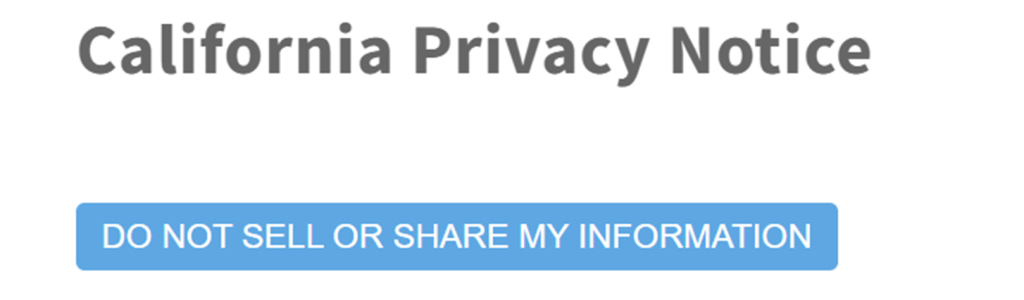
Open the Pipl site. Use the footer link and look for Pipl’s privacy policy. Click the “Do Not Sell” button. Look for a simple layout with a few fields and a clear next-step button. Tip: Take a screenshot of your files, but blur sensitive details before saving or sharing them anywhere.

Submit your identifiers (email/phone + human check)
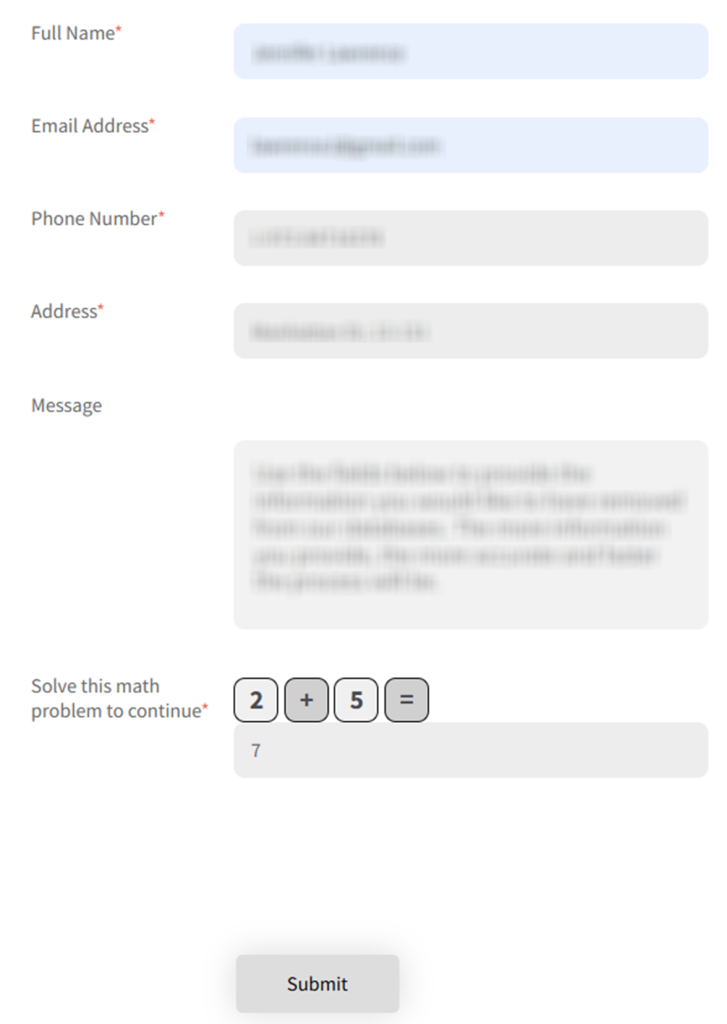
Fill the required fields. Enter your full name, email, phone number, and home address. If the page asks you to confirm a small consent notice, read it first so you know what you are agreeing to. Tip: If you see an error, switch browsers or disable extensions, then try again later.
Verify via code or link (email/SMS)
If prompted, verify with the code or link you receive. If nothing arrives, refresh and check Spam. Some systems send a short one-time code, while others provide a clickable link that opens a completion page in your browser. Follow the on-screen instructions exactly to remove information. Tip: File the message so you can find it later.
Confirm deletion / Do-Not-Sell request
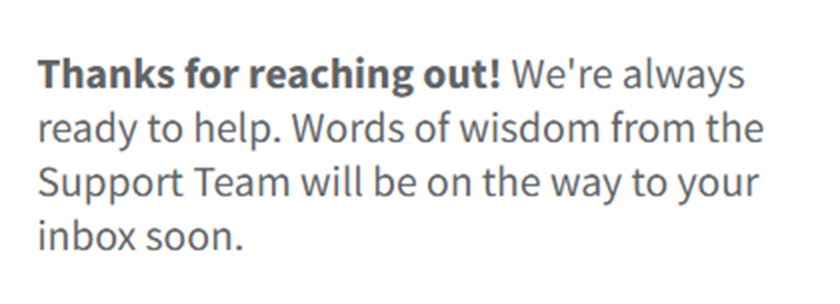
After you finish, you may see a completion message and a reference number. Save the page for your records and keep any reply you receive. If you take any screenshots for your files, redact sensitive details before storing them. Tip: Share only the minimum needed, and keep copies in a private folder.
Track confirmation & timeline
Track your timeline (often 10–30 days). If the listing is still visible, send one follow-up and keep notes on dates. Save the date you submitted and the date you completed the code/link step. If you move or change contact details, repeat the same flow so the record can be matched again. Tip: If you see “remove my information” denied once, wait a day and try again.
Timelines & What to Expect
Most consumers see results within 10–30 days, though you may get an on-page receipt right away. Some people get a message with status details after review. Others simply notice the listing no longer appears when they search again. If you see nothing after 30 days, resubmit once with the same identifiers and a brief concern. Avoid sending documents unless asked. If you get a reference number on-screen, save it with the date so you can describe what happened clearly if you need help.
Edge Cases & Troubleshooting
- No access to the original inbox/phone: Use the contact route and explain the change; ask what alternative check is accepted.
- “Record not found”: Try prior addresses or name variants, then try again.
- Human check or submission errors: Switch browsers, disable extensions, and try again later.
- Code not arriving: Check Spam, then request a new code once.
- Form rejects the removal request by region (EU/UK/CA): Ask whether the process is accessible for your region, or use mail if offered.
- For California residents: Expect an extra step to confirm identity and authority, and keep copies of what you send.
- Account close vs public listing confusion: delete access separately, then follow the same steps for the listing.
- If you are a resident outside the US: Ask whether mail options apply and keep your dates consistent.
Will my data reappear?
Re-listing can happen when data brokers aggregate and update records. This also may happen when a partner feed updates a profile or when resources change over time. Even after a successful take-down, a new update can republish similar details under a slightly different format. Keep your saved messages, set a 3–6 month reminder, and resubmit fast if the profile returns. Remove your information from Pipl and related brokers. Re-check your search results occasionally. This helps protect your privacy and shrink your digital footprint.
Manual vs Assisted Options
Manual:
Pros
- You control each step and keep your own records of personal information and personal data.
Cons
- More time and repeated checks across data brokers;
- manual work also requires you to track updates and repeat the same steps if a listing comes back.
Assisted:
Pros
- Faster handling, a tracking dashboard, and comprehensive coverage across consumer records.
Cons
- You still provide consent, and the service may rely on third-party outreach.
We remove your data for you - faster, verified, trackable.
Discover Which Sites Share Your Private Details—Instantly and Free.
FAQ
First, confirm whether you started it on the official service; if not, contact customer support to ask what triggered it. Don’t share extra details until you understand the context.
Look for the consumer-facing page that asks for identifiers and a short message; users report it sits under the footer links on the site.
It helps match identity and reduce fraud. Provide only what is required, then keep your records so you can follow up if needed.
Use the official contact route. Reference the same details you entered and ask what to do next. Keep it short and avoid adding extra documents unless asked.
Explain your affiliation and role. Be ready to provide proof if asked. Keep every message and share only what is requested.
Usually, it’s a 10–30–day window; keep your notes, then review again after the window, before you follow up once.
You’ll usually provide your name and contact information; sometimes, Identity Verification is required to match the record.
Set a reminder for 3–6 months. Re-submit quickly if you see a new listing.
Records can be updated from updated sources or vendor feeds; removing related broker entries can lower recurrence.
Close the account access first, then follow the same steps for the public listing.
It is typically used to match your identity to a record and reduce misuse; provide only what the form asks for.

Posted by Ava J. Mercer
More B2B Contact Data Removal Guides
- AeroLeads Opt Out Guide
- Apollo Opt Out Guide
- AroundDeal Opt Out Guide
- Cognism Opt Out Guide
- Emailfinder.com Opt Out Guide
- Lusha Opt Out Guide
- PeopleDataLabs Opt Out Guide
- Pipl Opt-Out Guide Opt Out Guide
- RocketReach Opt Out Guide
- SalesIntel Opt Out Guide
- Seamless AI Opt Out Guide
- UpLead Opt Out Guide
- Versium Analytics Opt Out Guide
- Yellow Pages Opt Out Guide
- ZoomInfo Opt Out Guide


