
Opt Out Guides
Cognism Opt Out Guide
Before You Opt Out of Cognism, Check Your Exposure
Privacy Writer
A. J. MercerAva J. Mercer
Updated
Read
5 min
Before You Opt Out of Cognism, Check Your Exposure
If your business contact details show up in a listing, it can create a privacy risk by exposing your first and last name, address, and phone numbers. Cognism is a B2B sales intelligence platform that compiles contact data from publicly available sources and third-party data providers, then makes it accessible to customers for outreach and marketing.
How to opt out of Cognism
Open the official privacy page (Privacy Center), submit identifiers (email/phone), complete the CAPTCHA, then confirm via email. Only verified submissions are accepted, and it usually takes 3–30 days. Save proof and repeat every few months if needed.
Checklist:
- Open the official opt-out form
- Enter identifiers (email/phone)
- Complete CAPTCHA/verification
- Confirm via email
- Save the confirmation
- Set a reminder to repeat later
Find out if your private details were exposed
Cognism – Quick Facts
| Parameter | Value |
| Domain | cognism.com |
| Data Types | business contact information, employer company details, location, social media profile links |
| Opt-out Methods | Privacy Center web form/email |
| Identity Verification | confirmation email |
| Typical Response Time | 3–30 days |
| Re-listing Risk | medium |
Cognism is a B2B directory. Its policy describes collecting business information from public records, company websites, professional network resources, and third parties. It may create a work email address based on a pattern when one is missing. Cognism’s algorithms can publish a profile with multiple data points, so consider a data deletion follow-up if you see repeats; this supports privacy, security, and phishing prevention in corporate environments.
Common data you may find:
- Business emails
- Company names
- Telephone numbers
- Job titles
- Contact details
- Social media platforms
Step-by-Step Guide
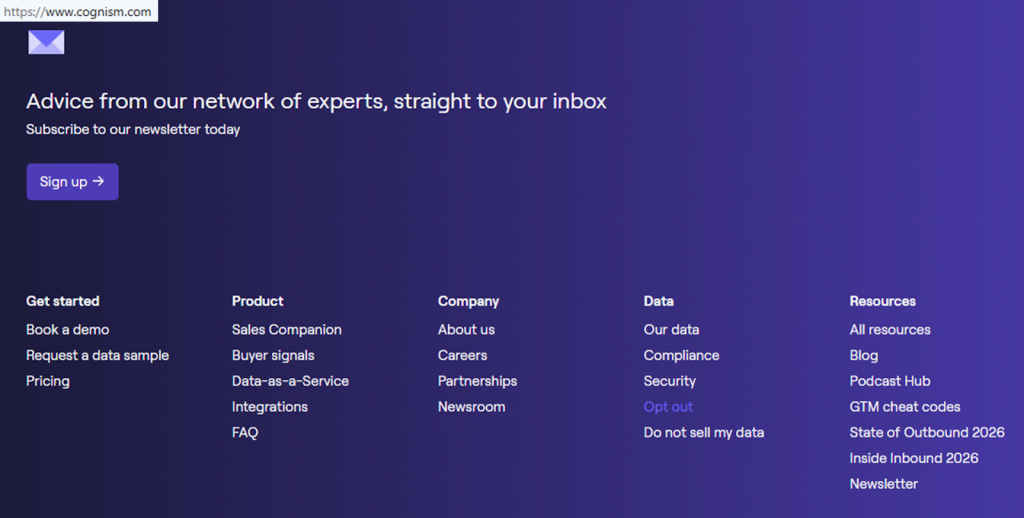
Open the official opt-out form
Open the Privacy Center from the website footer, then choose the data removal option. Look for a primary button like “Opt out.” If you capture a screenshot, blur any personal information before you store it. Tip: If the page redirects, return to the official page and try again.
Submit your identifiers (email/phone + CAPTCHA)
Enter the required identifiers (often first and last name, company, and job), then complete the CAPTCHA and submit. Keep entries accurate so the broker can match the right record. If there’s a notes box, don’t add extra detail; share only what’s required. Tip: If you changed roles, include the current company’s name.
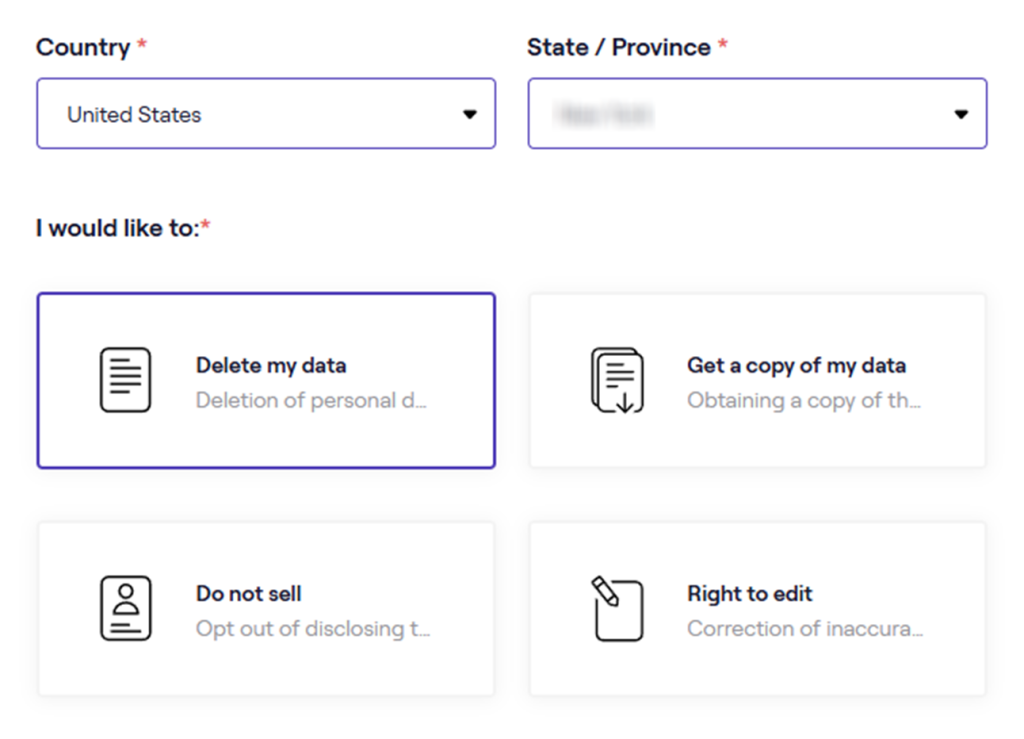
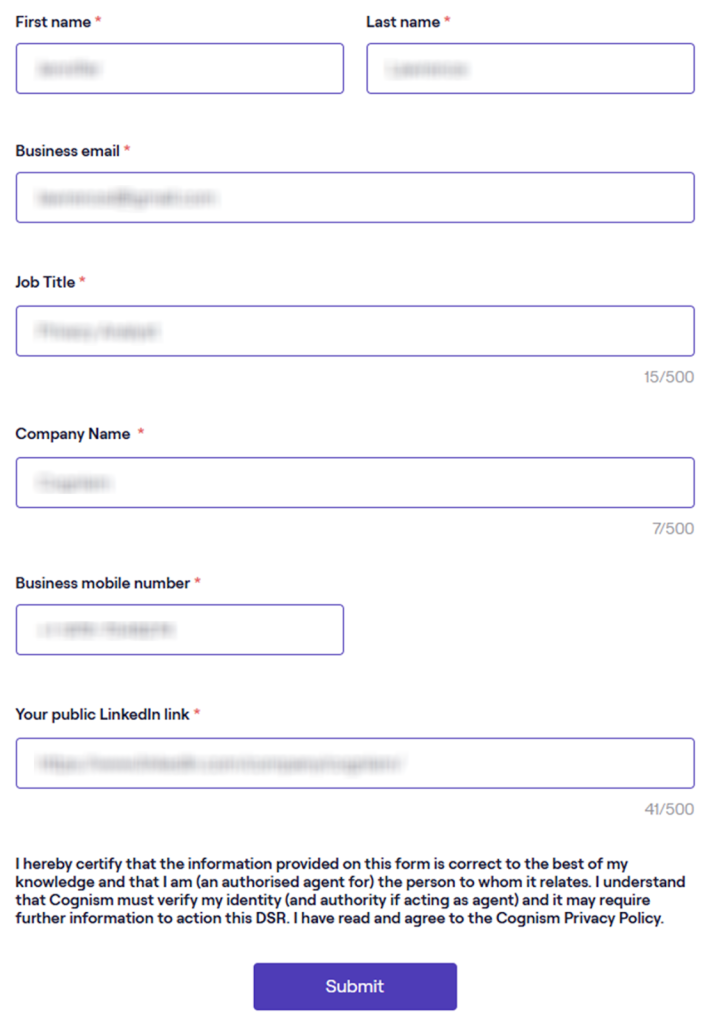
Verify via code or link (email/SMS)
Watch for a verification message, then follow the prompt to identify yourself and confirm. If nothing arrives, check spam or promotions and wait a few minutes before resubmitting once. For security, verify the sender and URL to avoid phishing.
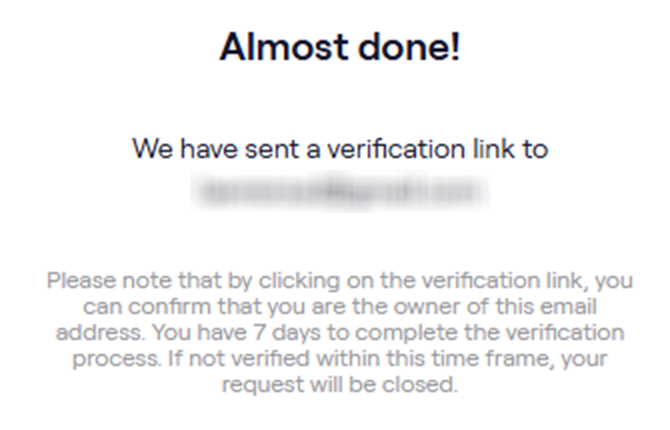
Confirm deletion
Save the on-page confirmation and the date. Tip: Store a redacted screenshot of the success message.
Track confirmation & timeline
Create one log with the date, what you submitted, and any reference number. Expect confirmation on the page or in your inbox. If nothing changes after 30 days, use the privacy communication route and include the same identifiers; if needed, submit the form once more. Tip: keep confirmations so you can spot a re-listing pattern.
Timelines, Verification & What to Expect
Most queries follow a verify-then-action flow: you submit, confirm, and then the company completes the change. A practical window is 3–30 days, depending on region and identity checks. Confirmation may appear on the page and in your inbox. If nothing happens after 30 days, follow up using the official communication route and include your reference; if you still get no response, resubmit once.
Edge Cases & Troubleshooting
- No access to the original email/phone: submit with your current data and explain the change briefly.
- “Record not found”: try an old company name or country/state variation.
- CAPTCHA or submission errors: switch browsers, disable extensions, and retry.
- Verification code not arriving: check spam, wait, then submit once more.
- Form rejects the request by region (EU/UK/CA): use the Privacy Center route; if blocked, use the listed data.
- Account deletion vs. listing removal confusion: closing a product account is separate from listing deletion; utilize the privacy form.
- Re-submitting after a failed attempt: note the error detail and retry once.
- How to cancel Cognism: customer account cancellation is separate from listing changes; remove myself from Cognism by using the Privacy Center request.
Will my data reappear?
Re-listing can happen when aggregators refresh from partner feeds, resellers, or a fresh collection, so the risk is not zero. To reduce repeats, keep confirmations, set a 3–6 month reminder, and re-submit quickly if you detect the same entry again. Consider deletion across data brokers like Cognism so fewer upstream resources republish the same data points. Technology and algorithm updates can also change matching behavior over time.
Manual vs Assisted Removal
Manual:
- Pros: More control over what you submit, and you can monitor re-listing and repeat checks.
- Cons: Time investment, and you may need to address multiple broker services yourself.
Assisted:
- Pros: Faster workflows, verification, and a tracking dashboard with recurring checks that automate follow-ups.
- Cons: You still share identifiers, and results vary by broker.
We remove your data for you - faster, verified, trackable.
Discover Which Sites Share Your Private Details—Instantly and Free.
FAQ
Keep your confirmation, wait for the typical window, then resubmit if you detect the same entry again. Some threads describe lag between updates and outreach lists, so saving proof and checking regularly helps.
Provide only the minimum identifiers the form requires so it can match the right data. Avoid adding additional personal information in comment boxes; stick to required fields and verification.
It’s common to feel cautious. Utilize the official website route, verify the domain, and submit only what’s necessary to match your personal data. Keep a redacted screenshot and your confirmation for tracking.
Submit an access request and ask for general resource categories (for example, public sources or third-party inputs). Replies are often high-level rather than naming a specific person.
Many B2B databases prioritize contact fields for outreach. If your work inbox is listed, you may need to separate requests across similar services.
It’s a sales intelligence platform utilized by businesses to find info like name, role, employer, and ways to reach someone at work. You can request deletion through the Privacy Center.
Opt out of cognism.com by opening the Privacy Center from the footer, submitting the form, and completing verification. Keep the confirmation so you can follow up if needed.
Recheck every 3–6 months and re-submit quickly if a listing returns. Keep a single folder of confirmations, so follow-ups take minutes instead of hours.
Some regions allow an authorized agent, but you may still need to verify identity. If you delegate, confirm what personal information will be submitted and how you’ll receive confirmations.
Utilize unsubscribe controls in messages and repeat deletion across other services that still list you.

Posted by Ava J. Mercer
More B2B Contact Data Removal Guides
- AeroLeads Opt Out Guide
- Apollo Opt Out Guide
- AroundDeal Opt Out Guide
- Cognism Opt Out Guide
- Emailfinder.com Opt Out Guide
- Lusha Opt Out Guide
- PeopleDataLabs Opt Out Guide
- Pipl Opt-Out Guide Opt Out Guide
- RocketReach Opt Out Guide
- SalesIntel Opt Out Guide
- Seamless AI Opt Out Guide
- UpLead Opt Out Guide
- Versium Analytics Opt Out Guide
- Yellow Pages Opt Out Guide
- ZoomInfo Opt Out Guide


