
Opt Out Guides
AmericaPhoneBook Opt Out Guide
Before You Opt Out of AmericaPhoneBook, Check Your Exposure
Privacy Writer
A. J. MercerAva J. Mercer
Updated
Read
5 min
Before You Opt Out of AmericaPhoneBook, Check Your Exposure
AmericaPhoneBook is a people search service that may show a name, an address, and a phone number. This can create a privacy risk if strangers or marketers use that information to reach you. The site typically compiles public data and commercial sources, then displays them online.
How to opt out of AmericaPhoneBook
Use the official website, open the self-service area, share the requested details, and confirm with a code. To opt out of americaphonebook.com and remove your information from americaphonebook.com, submit the removal query and save the confirmation message; it usually updates in 5–7 days.
Checklist:
- Open the self-service area
- Enter identifiers
- Complete CAPTCHA/verification
- Confirm via code
- Save the confirmation message
- Set a reminder to repeat later
Find out if your private details were exposed
AmericaPhoneBook – Quick Facts
| Parameter | Value |
| Domain | americaphonebook.com |
| Data Types | contact information; basic household links; location history; other data |
| Opt-out Methods | footer support portal |
| Identity Verification | code via email/SMS |
| Typical Response Time | 5–7 days |
| Re-listing Risk | medium |
This directory works like a data broker. It aggregates consumer data from public and commercial sources and makes it searchable online for personal or business use; identity checks may be required to confirm you are the right person for suppression.
Common data you may find:
- Names and known aliases
- Household or relative connections
- Approximate age range
- Possible property indicators
- Possible social profile pointers
Step-by-Step Guide
Open the official opt-out form
Start on the home screen and look for the footer navigation area. Search for your data in the corresponding fields. At the bottom of the page, scroll until you see the option labeled “Contact Us”, then click it to open the suppression area. For screenshots, blur personal details before sharing, and do not post proofs publicly. Tip: If the footer is hard to see, zoom out or switch to desktop view so the buttons are easier to spot and you can finish in one pass without switching pages.
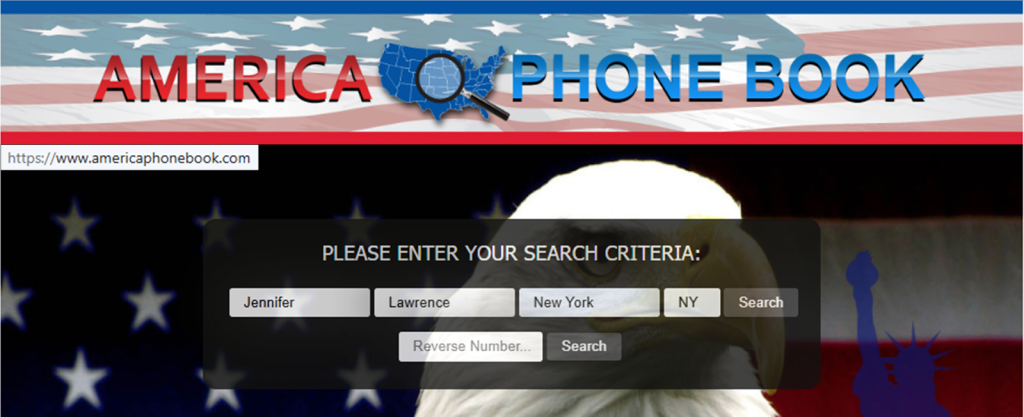
Submit your identifiers (email/phone + CAPTCHA)
In the suppression area, enter your phone number and the zip code. Provide your email if prompted, then finish the CAPTCHA box and submit. Double-check that you typed the same digits shown in the public entry. Mismatches can cause errors. Save the on-screen confirmation for your data, but redact sensitive details first. Tip: If a field rejects input, remove spaces or symbols, refresh once, and try one time again; using a different browser can also help if the tool is slow.

Verify via code or link (email/SMS)
Check the on-screen message first. Then, watch your inbox for a verification code. If nothing arrives, check Spam, wait a bit, and try one more time. Keep the confirmation message so you can check back later if needed, and store it somewhere you can find quickly. Tip: Create a folder for these notices and note the date you submitted.
Confirm deletion / Do-Not-Sell request
If a final confirmation step appears, follow it right away so suppression can finish. You may see a short notice that the submission is done; save it and blur any data before sharing screenshots. If a settings choice about marketing is available, submit that option in the same flow, so fewer third parties can reuse the same details. Tip: Avoid rapid repeats, which can trigger errors or temporary blocks; instead, save your confirmation first, then come back later if you still see the entry during the follow-up check window.

Track confirmation & timeline
Keep your confirmation message and note the date you submitted. Updates often appear within 5–7 days. However. timing varies. Run a Google search for your name plus the domain. Test the on-site tool again to confirm the entry is no longer visible. If it still appears, use the same footer path one more time and keep the new confirmation so you can compare outcomes. Tip: Keep a simple log for each site you clean up; that helps remove your info and protect online privacy.
Timelines, Verification & What to Expect
Right after you submit, you may see an on-screen confirmation, and you may also get an email receipt. Typical processing is 5–7 days, but weekends, high traffic, or repeated submissions can stretch that timeline. Keep screenshots (with sensitive parts blurred). If nothing changes after 7 days, resubmit once with the same details and save the new confirmation. If that still fails, use the footer portal to get help and include the date you submitted, plus any confirmation text you saw.
Edge Cases & Troubleshooting
- No access to the original email: use an email you manage and keep the same identifier if possible.
- “Record not found”: broaden the search input and retry later.
- CAPTCHA or submission errors: refresh, switch browsers, or disable aggressive blockers.
- Verification code not arriving: check Spam, wait 15 minutes, then re-submit once.
- Form rejects the removal request by region (EU/UK/CA): availability can vary; try again from a different network.
- Account deletion vs. public listing removal confusion: closing an account is separate from hiding a public entry.
- Cancel an account: look for settings, then complete the public suppression steps again if needed.
- If your details are outdated, submit again with the details shown in the entry.
Will my data reappear?
Information can return because data brokers like this refresh their databases from new public sources, partner feeds, or reseller updates on the Internet. Even after you remove your data, a later refresh can republish a similar entry, especially if another source still distributes the same details. To reduce repeat exposure, keep your confirmation messages, check periodically, and re-submit quickly if the information comes back. Set a reminder every 3–6 months and keep your proof in one folder so it’s easy to act fast. If you see repeated reappearance, consider related removals next, so fewer sources publish your details downstream.
Manual vs Assisted Removal
Manual (DIY):
Pros
- more control over what you share and when you act;
- no extra platform shares your info;
- easy to monitor and repeat on your schedule.
Cons
- more time and ongoing management;
- you must keep confirmations and watch for reappearance;
- each site can change steps without notice.
Assisted:
Pros
- can automate submissions across many data broker sites;
- verification tracking in one dashboard;
- ongoing checks for reappearance and promotion exposure.
Cons
- you share personal details with a provider;
- coverage varies by service; costs may apply.
We remove your data for you - faster, verified, trackable.
Discover Which Sites Share Your Private Details—Instantly and Free.
FAQ
Sometimes you only get an on-screen notice. Check Spam, wait a bit, then submit once more with the same details. Save any confirmation you receive.
Use the footer path and look for the suppression area. Enter the same details each time, then save your confirmation message. If nothing changes after the typical window, try once more and keep the new proof so you can compare what happened across attempts.
People search directories can refresh from public or partner feeds, so a listing may return later. Keep your proof, re-check periodically, and re-submit quickly.
An account is for saved settings, while a public entry is a separate profile listing. Use the steps above to hide the entry first, then delete the account only if you created one and no longer need it for saved preferences.
Try a different browser, disable blockers, and retry later. If errors continue, use the footer portal and include the date you submitted plus any confirmation text you saw (redacted), so support can locate the attempt faster.
You may see identifiers and comprehensive household details pulled from public and commercial sources.
Many updates occur within 5–7 days, but timing varies. Save the on-screen confirmation and any email receipt, then re-check after the window. If nothing changes, submit once more and keep the new confirmation for reference.
Look in the footer navigation area. Open the self-service area, share the requested details, finish verification, and submit.
Search results can be cached. After the entry changes, results may take time to refresh. Re-check later and consider the search engine’s outdated-content update tools after the page updates, so the cached result can be replaced.
A periodic check helps. Keep your confirmations, set a recurring reminder, and re-submit quickly if it returns, especially after you change details or notice new sources republishing similar entries.
Use the footer portal and include the date you submitted, plus any confirmation text you saw. If you cannot verify, explain what you still have and ask for an alternate path, then keep the response for your records.

Posted by Ava J. Mercer
More Phone & Caller ID Lookup Removal Guides
- Addresses.com Opt Out Guide
- AllAreaCodes Opt Out Guide
- AmericaPhoneBook Opt Out Guide
- CallerSmart Opt Out Guide
- Find Who Calls You Opt Out Guide
- NumberGuru Opt Out Guide
- Numberville Opt Out Guide
- NumLookup Opt Out Guide
- OkCaller Opt Out Guide
- PrivateNumberChecker Opt Out Guide
- RevealPhoneOwner Opt Out Guide
- ReversePhoneLookup Opt Out Guide
- SpyDialer Opt Out Guide
- Sync.ME Opt Out Guide
- Telephone Directories Opt Out Guide
- Truecaller Opt Out Guide
- USPhoneBook Opt Out Guide
- YellowBook Opt Out Guide
- Zlookup Opt Out Guide


