
Opt Out Guides
Quantcast Opt Out Guide
Privacy Writer
A. J. MercerAva J. Mercer
Updated
Read
5 min

Quantcast is deeply embedded in digital advertising. It helps sites and brands understand audiences and make online advertising more targeted. That can feel risky for consumer privacy when your name, address, phone, or email address are linked to detailed browsing patterns. Quantcast’s products and services mainly rely on pseudonymous identifiers, but data from many partners and mobile apps can still be used to build Interest-based advertising segments. In this guide, we explain why removal matters, summarize key points from the Quantcast products and services privacy policy in simple terms, and show how to use the official choices page and opt-out options. You’ll get quick steps, screenshots, and timelines so you can exercise your choices and legal rights under modern privacy and data protection rules.
How to opt out of Quantcast
Open Your Privacy Choices page, then click on the Quantact Data Subject Right link. Provide your cookie or mobile device details and, if asked, an email address, then confirm via code or link. Requests related to interest-based advertising are usually completed within about 30 days.
Checklist:
- Open Your Privacy Choices page
- Click on the Quantact Data Subject Right
- Complete CAPTCHA/verification
- Confirm via code/link
- Save the confirmation email
- Set a reminder to re-opt-out
Find out if your private details were exposed

2,865,794 have already used our service
Quantcast – Quick Facts
| Parameter | Value |
| Domain | www.quantcast.com |
| Data Types | Cookie IDs, information about your device, online activity, and demographic estimates |
| Opt-out Methods | Browser tools, industry opt-out options, and online forms |
| Identity Verification | Browser or mobile device identifiers; sometimes a code to your email address |
| Typical Response Time | Around 30 days for formal privacy requests |
| Re-listing Risk | Medium |
About Quantcast
Quantcast provides digital advertising measurement and audience tools for publishers and marketers. The Quantcast platform and related products and services use tags on websites and mobile apps, plus partner data, to collect and use pseudonymous signals in connection with the services and deliver aggregated audience insights while following its privacy policy.
Common data you may find:
- Names
- Email addresses
- Approximate location (city/region/postal code)
- Information about your device and browser
- Information about your online activity (pages viewed, URLs)
- Ad impressions, clicks, and conversions
- Inferred interest-based advertising segments
- Aggregated demographic estimates
Step-by-Step Guide
Open the privacy portal
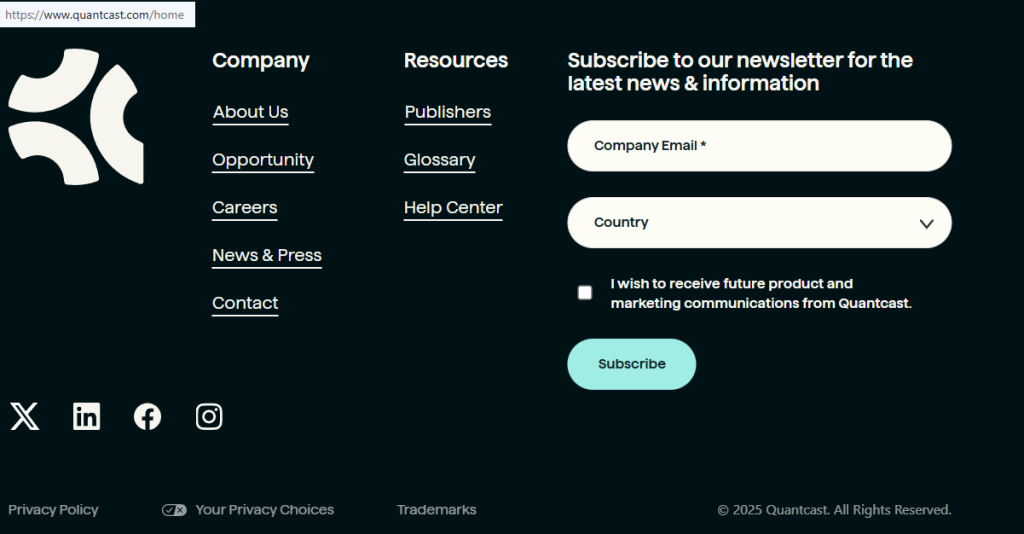
Open the Quantcast Your Privacy Choices page in the browser you use most. This choices page is a notice and choice hub where you can see high-level information handling and privacy practices. It may also reflect a preference that you can set using Global Privacy Control, a signal set in certain web browsers to inform the websites you visit that you prefer less tracking. Because your selection can be based on the IP and cookies, and your IP address may change over time, repeat this step on every browser or mobile device. Blur or crop any identifiers in screenshots you save.
Open the Data Subject Rights page
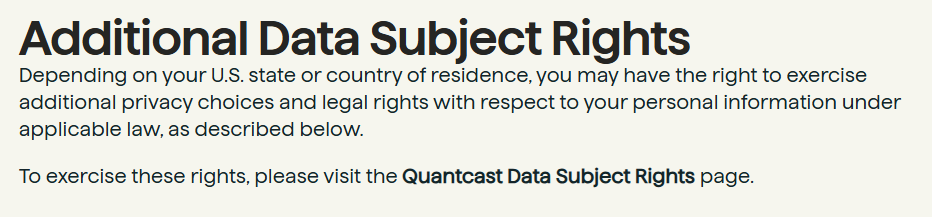
From the privacy portal, follow the link to the Data Subject Rights page. Here, you may have the right to request access to your personal records, request deletion of your personal data, or object to the processing in relation to your personal information, subject to applicable law. Choose your region so the form matches the California Consumer Privacy Act or other data protection and privacy laws where you live. Review each option carefully before moving on. If you capture a screenshot, remove your email address or other identifiers before storing it.
Choose deletion
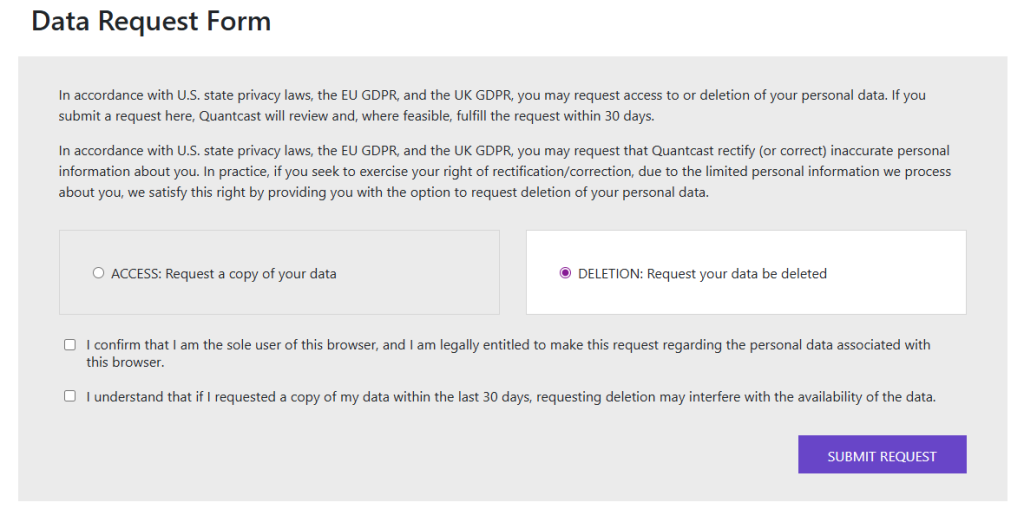
On the form, select the option to delete your personal information rather than just receive a copy. This option to request deletion tells Quantcast to process your personal information for erasure where possible. Enter the requested details so Quantcast can locate personal information we collect in relation to your profile. Complete the CAPTCHA, check the fields, and confirm that you want information about your online record removed.
Confirm deletion
After submitting, look for an on-page confirmation and a follow-up email, if provided. Some laws say you may have the right to withdraw your consent. You might need to click a link or enter a code to verify control of your email address or mobile device. Check the Spam and Junk folders if the message does not arrive quickly. Save the confirmation page and email together. You’ll be able to show a copy of your personal information request history later.
Track confirmation & timeline
Over the next few weeks, track how Quantcast handles your request. Under many rules, including the California Consumer Privacy Act and similar laws for data subjects in the United States and elsewhere, companies must respond within defined time frames. Most requests finish in about 30 days. If nothing arrives, send a polite follow-up quoting your reference details. Keep a simple log so you can transmit such information to another contact point or information to another controller if you escalate your case.
Timelines, Verification & What to Expect
After you submit an opt request, Quantcast typically responds within about 30 days, in line with data protection and privacy laws and its obligations under data protection rules. You may have the right to request access to your data or delete your personal information, and to receive confirmation by email. Watch your inbox, Spam, and the portal for updates. If you see nothing after the stated period, resubmit once and reference your earlier case. Timelines can vary under personal information under applicable rules defined under applicable law, so keep copies of all messages for your records.
Edge Cases & Troubleshooting
No access to the original email/phone: Submit a browser-based request from your current device, explain the change, and rely on cookie or device identifiers instead.
“Record not found”: Use the same browser, profile, and device you normally use, then try again; if it still fails, switch to the Data Subject Rights form.
CAPTCHA or submission errors: Clear cache, pause strict blockers, and retry; if needed, switch to another browser or device.
Verification code not arriving: Confirm details, check Spam/Junk folders, and request a new code after a few minutes.
Form rejects the request by region (EU/UK/CA): Use region-specific links from the privacy portal or recognized industry pages that match your location.
Account deletion vs. tracking removal: Deleting a website account or how to cancel Quantcast ads in an advertiser dashboard does not automatically remove tracking data; complete the dedicated opt process too.
Re-submitting after a failed attempt: Wait briefly, confirm identifiers are present, then resubmit and keep error screenshots for support.
Will my data reappear?
Even after you remove data once, some information can return. Partner feeds and ad systems may continue to send pseudonymous identifiers and online activity collected over time. If new cookies or device IDs appear across third-party websites or online services, profiles used for Interest-based advertising can slowly rebuild. You can reduce this re-listing risk by using browser preferences, device-level ad settings, and industry tools like the Network Advertising Initiative. Set a reminder every three to six months. Revisit opt-out options, confirm that your choices and legal rights are still respected, and opt out of certain uses again if needed. Keep confirmation emails and screenshots so you can prove earlier requests quickly.
Related removals
- Google Analytics
- Adobe Experience Cloud/Audience Manager
- Nielsen
- Comscore
- Oracle Advertising / BlueKai
- LiveRamp
- Criteo
Manual vs Assisted Removal
Manual:
- Pros: direct control over every privacy policy form and permission; no subscription fees or third-party platform; you decide when to review across websites.
- Cons: time-consuming to track many services; easy to miss re-listing or new data brokers; requires ongoing monitoring and calendar reminders.
Assisted:
- Pros: Faster workflows handled by a dedicated management platform; central dashboard for status, verification, and history; recurring checks to help process your personal information regularly.
- Cons: Extra subscription cost; requires trust in a service handling personal information by us.
“Excellent”
We remove your data for you - faster, verified, trackable.
Discover Which Sites Share Your Private Details—Instantly and Free.
2,865,794 have already used our service
FAQ
Receive expert privacy advice by email - 1-2 times per month, no fluff.
Share Article

Posted by Ava J. Mercer
Ava J. Mercer is a privacy writer at ClearNym focused on data privacy, data broker exposure, and practical privacy tips. Her opt-out guides are built on manual verification: Ava re-tests broker opt-out processes on live sites, confirms requirements and confirmation outcomes, and updates guidance when something changes. She writes with a simple goal - help readers take the next right step to reduce unwanted exposure and feel more in control of their personal data.
76 Articles

