
Opt Out Guides
FourLeafData Opt Out Guide
Privacy Writer
A. J. MercerAva J. Mercer
Updated
Read
5 min
Removing your data helps prevent the exposure of your name, address, and phone number on a website that aggregates profiles and may collect and transfer information automatically from public and commercial sources. FourLeafData is a marketing/data service where personal information and personally identifiable information can appear alongside interest segments; its privacy practices are described on its policy pages. This guide covers quick steps, screenshots, official links, and timelines to remove or delete listings. You’ll also see how cookies, pixel tags, and web beacons can track usage and information about your online activities with common technology, plus simple privacy settings you can customize in your browser. We explain consent, how to disable certain tools, and how to opt to keep confirmation emails on your hard drive for enforcement and oversight.
How to opt out of FourLeafData
Go to the Contact page on the website, enter your identifiers, and submit your message. Requests usually process within 7–45 days, depending on volume and applicable laws. Keep proof to access it later and to comply with any follow-up disclosure; this is information regarding your request status.
Checklist:
- Open the Contact page
- Enter identifiers (email/phone)
- Submit the message
- Save the confirmation email
- Set a reminder to re-opt-out
Find out if your private details were exposed

2,865,794 have already used our service
FourLeafData – Quick Facts
| Parameter | Value |
| Domain | fourleafdata.com |
| Data Types | contacts, addresses, identifiers, and inferences |
| Opt-out Methods | web form/email/mail |
| Identity Verification | code via email/SMS or confirmation email |
| Typical Response Time | 7–45 days |
| Re-listing Risk | medium |
About FourLeafData
The company is a people and audience data service on the website that aggregates consumer records for products or services and analytics. Information generally comes from public records, service providers, an affiliate or subsidiary partner, and third-party commercial sources. The site may display profiles and may include links you can access to request removal; some pages may link to industry opt-outs.
Common data you may find:
- Names and known aliases
- Email addresses
- Phone numbers
- Current and past addresses
- Age range or year of birth (if available)
- Relatives or household links
- Property and real-estate records (if available)
- Court, liens, or bankruptcy references (if available)
- Professional licenses or social profile links (if available)
- Device/IP indicators and interest segments
Step-by-Step Guide
Open the official opt-out form
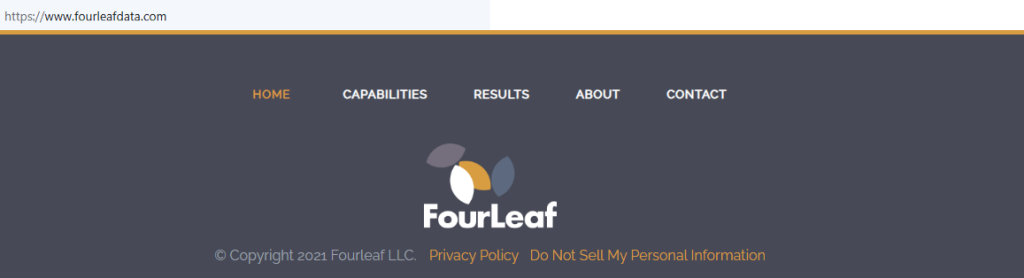
Open the contact page in the website footer. Look for instructions that may provide a web form or an e-mail address and a postal or phone contact, including offline options if listed. Note that any policy describes timelines and disclosure language, and keep a screenshot on your hard drive. Tip: If pages may contain a tag for tracking, capture only redacted details.
Submit your identifiers (name/email/phone)
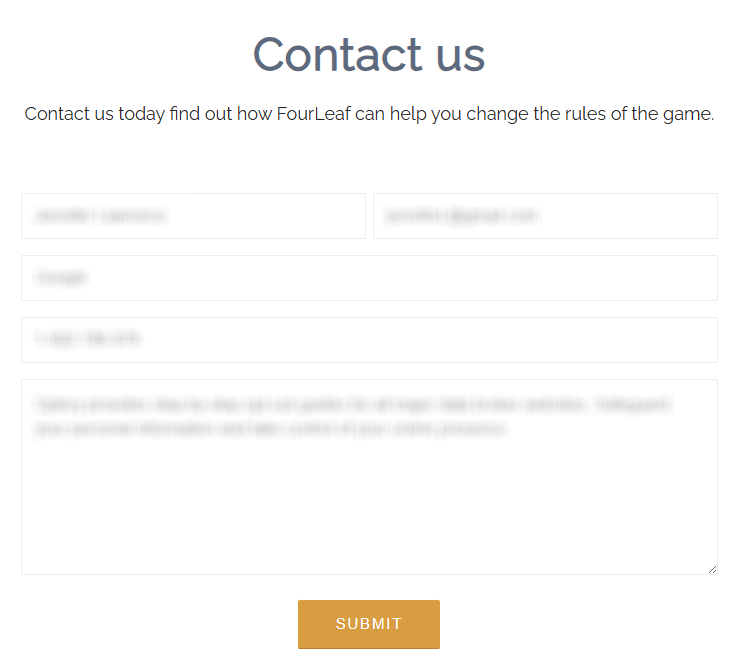
Enter your name, e-mail, and phone. Mention your preference to remove or delete your personal record and to cancel future marketing. Tip: If the form won’t load, switch to a different browser type or mobile device, then try again. Alert: Double-check that you’re on the correct domain before submitting.
Confirm deletion / Do-Not-Sell request
Reply or click the confirmation link. Clearly ask to delete entries and to stop sharing personal information with any third parties. You may also ask not to collect certain information, collectively with identifiers, and not to transmit it for advertising; they may use information only to fulfill your request. Tip: Note any reference number for later access and use.
Track confirmation & timeline
Save the confirmation and periodically check the website. Processing often takes 7–45 days. If nothing arrives, resend once and consider calling the listed number to comply with the process. Keep the copies of information provided and any response for enforcement or oversight. Tip: Adjust cookie settings in your browser and use cookie controls after you browse profiles; this supports the security of your information while you monitor results.
Timelines, Verification & What to Expect
Most requests finish within 7–45 days. Confirmation usually appears by e-mail or on the page after the server records your submission, and a policy may require a reply. Some pages may knowingly collect information such as IP addresses and log usage for statistical reporting and security measures. If you do not hear back by day 45, resend once, then call the privacy contact. You can disable certain cookie tools, revise preferences, and customize privacy settings in each browser or mobile app. If a disclosure is needed to comply with legal process or obligation, the company may provide details to a contractor or service providers. They may link to guidance on authorized agents. Keep your messages confidential, avoid sharing sensitive files, and keep a private folder.
Edge Cases & Troubleshooting
- No access to the original email/phone: state old identifiers and give a new contact; request deletion and cancel communications.
- “Record not found”: add variants of your name and prior addresses; mention any transaction that could explain a listing.
- Submission errors: switch browser, mobile, or network; clear cache; if needed, send the request by e-mail.
- Code not arriving: check Spam, wait 24 hours, then resend; grant permission for replies from the domain.
- Region limits (EU/UK/CA): submit by e-mail with your location and cite consumer privacy rights under applicable law.
- Account deletion vs listing removal: request to delete and to remove marketing segments; keep proof for later access.
- Re-submitting after a failed attempt: forward the thread, restate the request, and ask for confirmation of receipt.
Will my data reappear?
Re-listing can occur when partners refresh files, when a third-party aggregator republishes segments, or when a third-party reseller feeds new data to the website, including advertisements. Signals may track online activities over time and across services, so specific records can drift. Set a reminder every 3–6 months, keep confirmations, and re-submit quickly if a page may include your profile again. Review cookie controls, use cookie preferences, and consider broader removals. If you change numbers or move, send a new request and mention prior identifiers so staff can collect information efficiently.
Related removals
- Spokeo
- Whitepages
- Intelius
- BeenVerified
- Radaris
- PeopleFinders
- TruthFinder
- FastPeopleSearch
Manual vs Assisted Removal
Manual:
- Pros: Full control, no fees, better view of information collected, and you decide what to remove.
- Cons: Time investment, repeat monitoring, and periodic resubmissions across each website and form.
Assisted:
- Pros: Faster workflow, tracking dashboard, recurring checks, and escalation if fraud is suspected.
- Cons: Paid plans, less hands-on control.
“Excellent”
We remove your data for you - faster, verified, trackable.
Discover Which Sites Share Your Private Details—Instantly and Free.
2,865,794 have already used our service
FAQ
Receive expert privacy advice by email - 1-2 times per month, no fluff.
Share Article

Posted by Ava J. Mercer
Ava J. Mercer is a privacy writer at ClearNym focused on data privacy, data broker exposure, and practical privacy tips. Her opt-out guides are built on manual verification: Ava re-tests broker opt-out processes on live sites, confirms requirements and confirmation outcomes, and updates guidance when something changes. She writes with a simple goal - help readers take the next right step to reduce unwanted exposure and feel more in control of their personal data.
76 Articles

