
Opt Out Guides
BackgroundCheckers Opt Out Guide
Privacy Writer
A. J. MercerAva J. Mercer
Updated
Read
5 min
BackgroundCheckers is a people search site that can display personal information such as your first and last name, address, and contact information, which may increase online vulnerability. The platform compiles information from backgroundcheckers.net using public record sources and commercial databases. These listings are often used for comprehensive background checks related to employment, housing, or credit decisions. This guide explains how to take control of your personal details, how to remove your information, what may appear in a background check report, and why limiting access matters. You will get clear steps, official resources, timelines, and practical tips to protect your identity and privacy and reduce unnecessary exposure.
How to opt out of BackgroundCheckers
Go to the official privacy page, enter basic identifiers, complete a short verification step, and confirm the process; results typically appear after several days.
- Open the official form
- Enter required identifiers
- Complete CAPTCHA
- Confirm the process
- Save the message
- Set a reminder to repeat if needed
Find out if your private details were exposed

2,865,794 have already used our service
BackgroundCheckers – Quick Facts
| Parameter | Value |
| Domain | backgroundcheckers.net |
| Data Types | contacts, addresses, public record data |
| Opt-out Methods | web form/email |
| Identity Verification | confirmation message |
| Typical Response Time | 5–15 days |
| Re-listing Risk | medium |
The site is a data broker platform that organizes consumer information from public records and commercial sources. It presents searchable summaries that make information accessible to the general public.
Common data you may find:
- First and last name variants
- Phone numbers
- Address history
- Email addresses
- Relatives and household links
- Court records and arrest records
- Employment history when available
Step-by-Step Guide
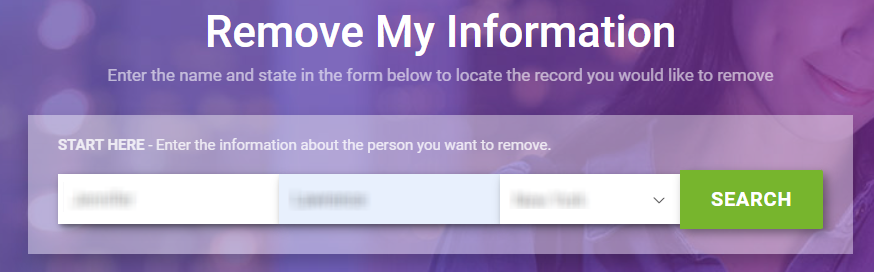
Open the official form
Visit the BackgroundCheckers website and navigate to the privacy section (click the “Do Not Sell or Share My Personal Info”). To remove your personal information, make sure you are on the correct source website (www.backgroundcheckers.net). Avoid third-party pages and blur sensitive fields if you take screenshots.

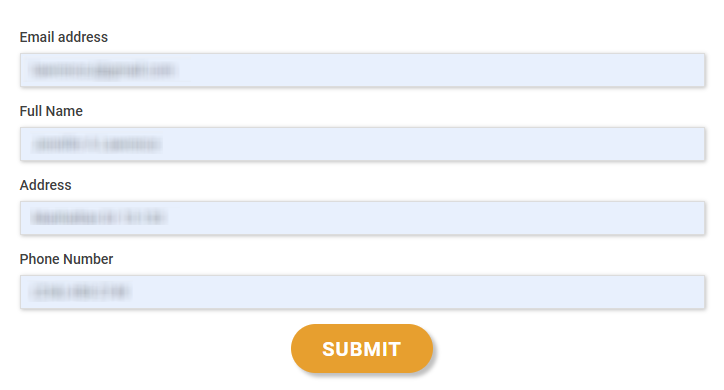
Submit your identifiers (email/phone + CAPTCHA)
Provide the identifiers requested, matching what appears in your listing, then complete the CAPTCHA check. Review entries carefully before proceeding.
Verify via code or link (email/SMS)
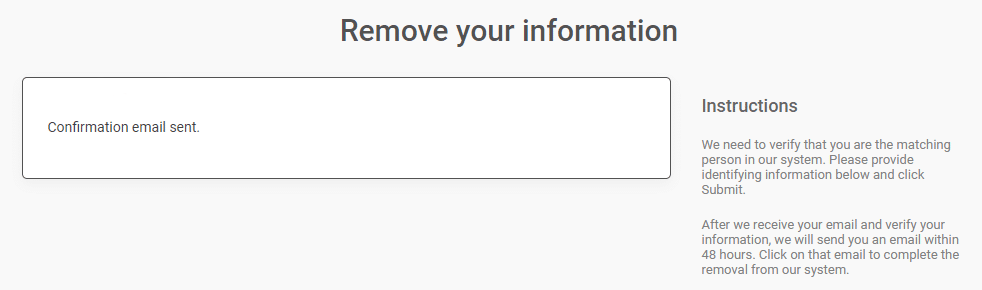
Complete the verification step using the message sent to you. This confirms you are the correct user and authorizes the process.
Confirm deletion / Do-Not-Sell request
Confirm deletion to remove your info and limit marketing use. Save the confirmation for reference.
Track confirmation & timeline
Watch for a final update and keep the confirmation message in case follow-up is needed later.
Timelines, Verification & What to Expect
Most queries are handled within 5–15 days after verification. You may see an on-screen notice or receive a short message confirming completion. If nothing appears after that window, use the site’s support option or email protected to follow up once. Keep all details, since information from data broker sites may refresh periodically.
Edge Cases & Troubleshooting
- No access to original contact details: use updated identifiers where allowed.
- “Record not found”: refine your search using address history.
- CAPTCHA errors: refresh and retry later.
- Message delay: wait 24 hours before retrying.
- Regional limits (EU/UK/CA): use the request option.
- Account vs listing confusion: listings exist without sign-up.
- Failed attempt: repeat after 48 hours.
Will my data reappear?
Listings can return when data brokers refresh databases or pull new information from data broker sites. This is common and does not mean the first removal failed. To reduce exposure, keep confirmation messages, set a 3–6 month reminder, and check related tools. This habit helps protect personal detailsand maintain long-term protection.
Related removals
- Privacy Bee
- EasyOptOuts
- Aura
- OneRep
- Spokeo
- BeenVerified
- 411.com
Manual vs Assisted Removal
Manual:
- Pros: direct control, no cost, full visibility.
- Cons: time investment, repeat checks, manual steps.
Assisted:
- Pros: faster handling, monitoring dashboard, recurring scans.
- Cons: paid service.
“Excellent”
We remove your data for you - faster, verified, trackable.
Discover Which Sites Share Your Private Details—Instantly and Free.
2,865,794 have already used our service
FAQ
Receive expert privacy advice by email - 1-2 times per month, no fluff.
Share Article

Posted by Ava J. Mercer
Ava J. Mercer is a privacy writer at ClearNym focused on data privacy, data broker exposure, and practical privacy tips. Her opt-out guides are built on manual verification: Ava re-tests broker opt-out processes on live sites, confirms requirements and confirmation outcomes, and updates guidance when something changes. She writes with a simple goal - help readers take the next right step to reduce unwanted exposure and feel more in control of their personal data.
76 Articles

