
Opt Out Guides
AdElement Opt Out Guide
Privacy Writer
A. J. MercerAva J. Mercer
Updated
Read
5 min

Removing your data lowers such risks as the exposure of your name, address, and phone number. AdElement is an AI-driven DSP that supports advertising; its systems may rely on public records, partner inputs, and real-time signals to support display ads and measurement. This guide gives quick steps, screenshots, and official links with practical timelines. You’ll see where to click, how to verify via e-mail, and what confirmations to expect. We also cover specific choices for ad personalization, the legal basis for the processing where applicable, how an advertiser may interact with your identifiers, and how to contact support if you need help to cancel your subscription in order to opt out.
How to opt out of AdElement
Open the official privacy page and click the necessary button. Processing usually takes 3–7 days; watch for an on-page notice and a confirmation. Keep records for compliance and future checks.
Checklist:
- Open the official form
- Choose the opt-out option
- Save the confirmation letter
- Set a reminder to re-opt out
Find out if your private details were exposed

2,865,794 have already used our service
AdElement – Quick Facts
| Parameter | Value |
| Domain | adelement.com |
| Data Types | Contacts, addresses, device IDs, interaction metrics |
| Opt-out Methods | Web form |
| Identity Verification | Code or confirmation letter |
| Typical Response Time | 3–7 days |
| Re-listing Risk | Medium |
About AdElement
The platform is a programmatic advertising DSP that aggregates signals to deliver advertisement placements, measure results, and improve functionality. It may use a cookie, mobile IDs, and a tag to personalize, remarket, and support advertising campaigns under industry standards and the privacy policy. Roles (data controller/processor) can vary by context.
Common data you may find:
- Names and known aliases
- Email addresses
- Phone numbers
- Current and past addresses
- Age range or year of birth (if available)
- Relatives or household links
- Device identifiers and analytical interaction logs
- Interests inferred from sites and campaigns
- Publisher placement context and supply paths
- Professional licenses or social profile links (if available)
Step-by-Step Guide
Open the official page
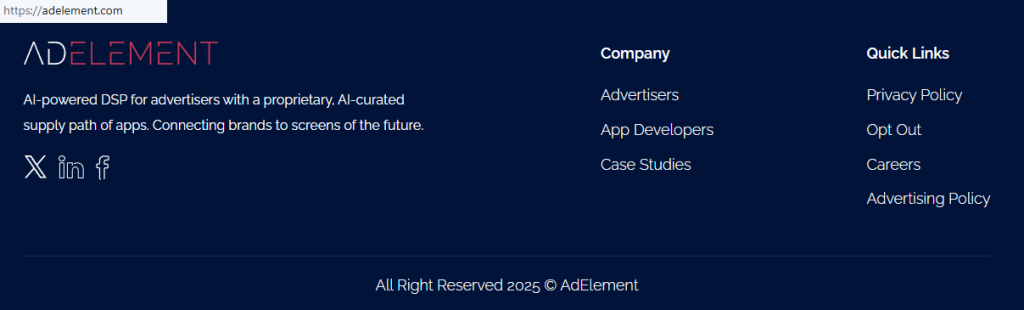
Go to the privacy page via the footer. Review the policy and terms of use for the legal basis for the processing, roles (data controller and processor), and data processing scope. Tip: Use the same browser that showed the advertisement, so matching is easier.
Choose the option to opt out
Click the button to opt out. If a cookie banner appears, adjust settings before continuing. Tip: Take a redacted screenshot and avoid sharing personally identifiable information in notes.

Track confirmation & timeline
Expect an on-page status and a follow-up e-mail within 3–7 days. If you engaged via curated supply or DSP and curated paths, repeat similar requests with relevant service providers. Keep the information provided, including timestamps and any reference IDs, in case you later act as a data subject exercising rights to erase or modify records. Tip: Set a calendar reminder.
Timelines, Verification & What to Expect
Most requests are completed in 3–7 days, with confirmation shown on-page and sent by e-mail. If nothing arrives after 7 days, use the contact route on the privacy page and include submission details. Some cases may require additional personal data for direct marketing purposes to match a user’s record. Regional rules can affect steps, but reputable sites aim to comply with applicable laws. If needed, resubmit once and reference your earlier confirmation. Keep records of your selections.
Edge Cases & Troubleshooting
- No access to the original personal data processed: Verify identity with alternative IDs.
- Region restrictions (EU/UK/CA): Cite GDPR (General Data Protection Regulation) rights and submit via the listed contact.
- Account deletion vs listing: Account cancellation is separate from public data removal.
- Re-submitting: Wait 7 days, then send again with the same e-mail and a short note.
Will my data reappear?
Additional data may reappear when aggregators refresh feeds, a partner updates curated supply, or programmatic advertising systems rebuild profiles from behavioral signals. Reduce recurrence by keeping confirmations, setting a 3–6 month reminder, and resubmitting quickly if needed. If you suspect fraud or malicious activity, use the support channel. Monitor changes after device resets, and review products and services where you adjusted settings.
Related removals
- The Trade Desk
- Xandr (Microsoft Advertising)
- Criteo
- LiveRamp
- Lotame
- Quantcast
- Magnite.
Manual vs Assisted Removal
Manual:
- Pros: Full control, no fees, adjust settings per platform, and monitor personalized experiences.
- Cons: Time investment, repeat monitoring, multiple forms.
Assisted:
- Pros: Faster execution, verification help, tracking dashboard, recurring checks across supply paths and publishers.
- Cons: Fees and sharing limited data collected with a vetted provider.
“Excellent”
We remove your data for you - faster, verified, trackable.
Discover Which Sites Share Your Private Details—Instantly and Free.
2,865,794 have already used our service
FAQ
Receive expert privacy advice by email - 1-2 times per month, no fluff.
Share Article

Posted by Ava J. Mercer
Ava J. Mercer is a privacy writer at ClearNym focused on data privacy, data broker exposure, and practical privacy tips. Her opt-out guides are built on manual verification: Ava re-tests broker opt-out processes on live sites, confirms requirements and confirmation outcomes, and updates guidance when something changes. She writes with a simple goal - help readers take the next right step to reduce unwanted exposure and feel more in control of their personal data.
76 Articles

